Pages and sections — Findit Astro
A page is a small .astro file in src/pages/ that picks sections and hands them content. The file’s path is its URL:
src/pages/agent.astro is /agent. The whole Agents page:
---import AgentsSection from "../components/sections/AgentsSection.astro";import BenefitsSection from "../components/sections/BenefitsSection.astro";import LatestSection from "../components/sections/LatestSection.astro";import content from "../content/pages/agents.json";import sections from "../content/sections.json";import Layout from "../layouts/Layout.astro";import { getAgents, getProperties, getPropertyRefs } from "../lib/content";---
<Layout title={content.meta.title} description={content.meta.description}>  <AgentsSection content={content.title} agents={…} />  <BenefitsSection content={sections.benefits} />  <LatestSection content={sections.latest} categories={…} properties={…} /></Layout>
(The … are lists the page prepares from the collections; see src/pages/agent.astro for the complete file.)
Layout writes the <head> (title, description, canonical link, share card), the header and the footer.
The sections you can use
Section titled “The sections you can use”In src/components/sections/. Each takes its copy as content and its data as a list.
| Section | Used on |
|---|---|
HomeHeroSection, FeaturedSection, BenefitsSection, CitiesSection, ProcessSection, LatestSection, TestimonialsSection, FactsSection, BlogSection |
Home |
AboutHeroSection, HistorySection, AboutProcessSection, TeamSection, TestimonialsSection, FaqSection |
About |
PropertiesSection, FaqSection |
Properties and the three kinds of filter page |
PropertyMainSection, RelatedSection |
Property details |
AgentsSection, BenefitsSection, LatestSection |
Agents |
AgentMainSection, AgentPropertiesSection |
Agent details |
PostsSection |
Blog |
PostSection, MorePostsSection |
Blog post |
ContactSection, FactsSection, FaqSection |
Contact |
AddPropertySection |
Add property |
LegalSection |
Terms of Service, Privacy Policy |
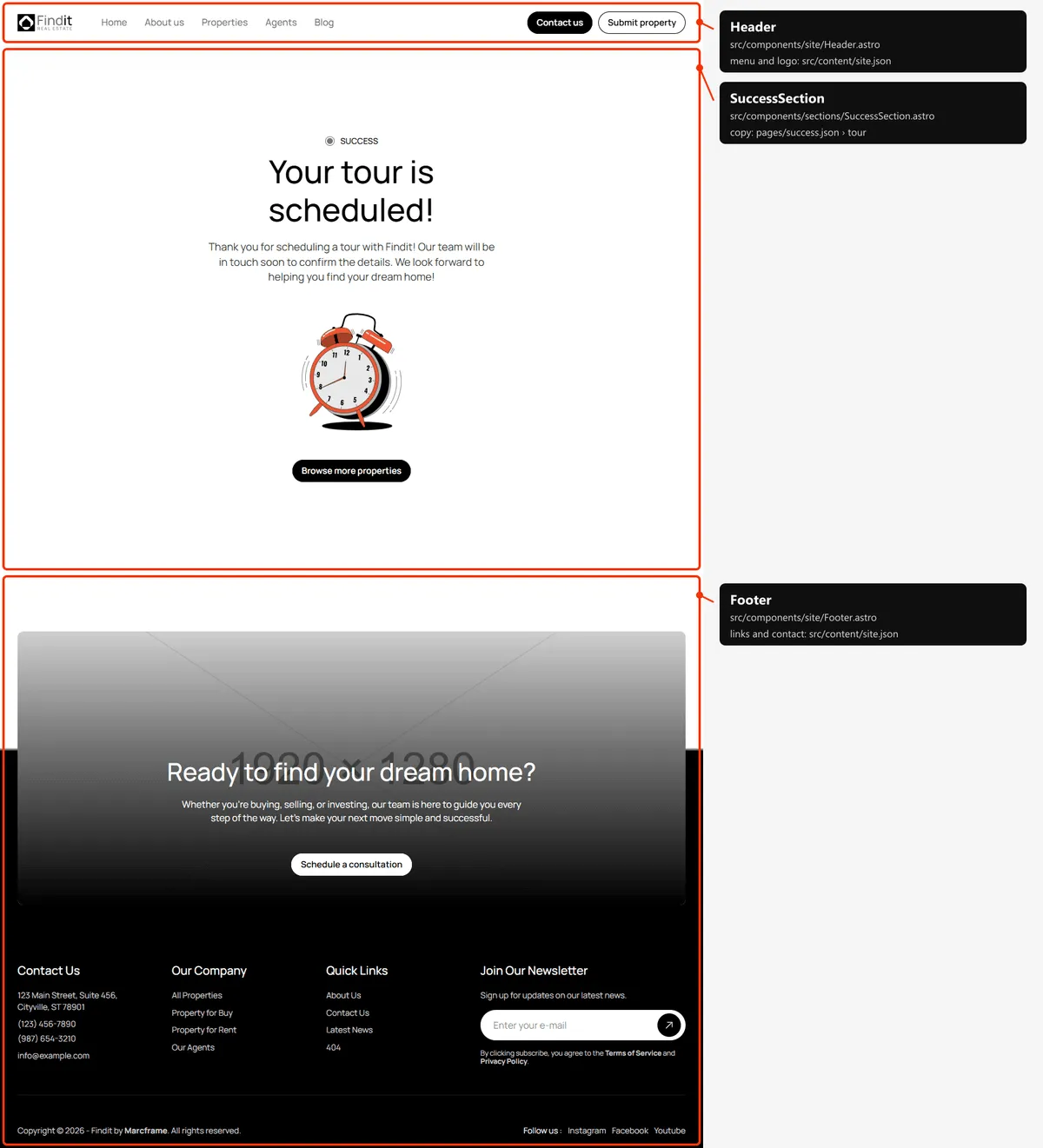
SuccessSection |
The two “thank you” pages |
NotFoundSection |
404 |
Copy that several pages share — benefits, process, latest properties, testimonials, facts and the FAQ — is in
src/content/sections.json, so changing it once changes it everywhere it appears.
Page maps
Section titled “Page maps”Every page type with each section outlined and labelled: the component that renders it, the file to edit, and where
its copy (src/content/pages/*.json) and items (src/content/collections/*.json) come from. Header and footer take
their links and details from src/content/site.json. Photos are the placeholders of the download.

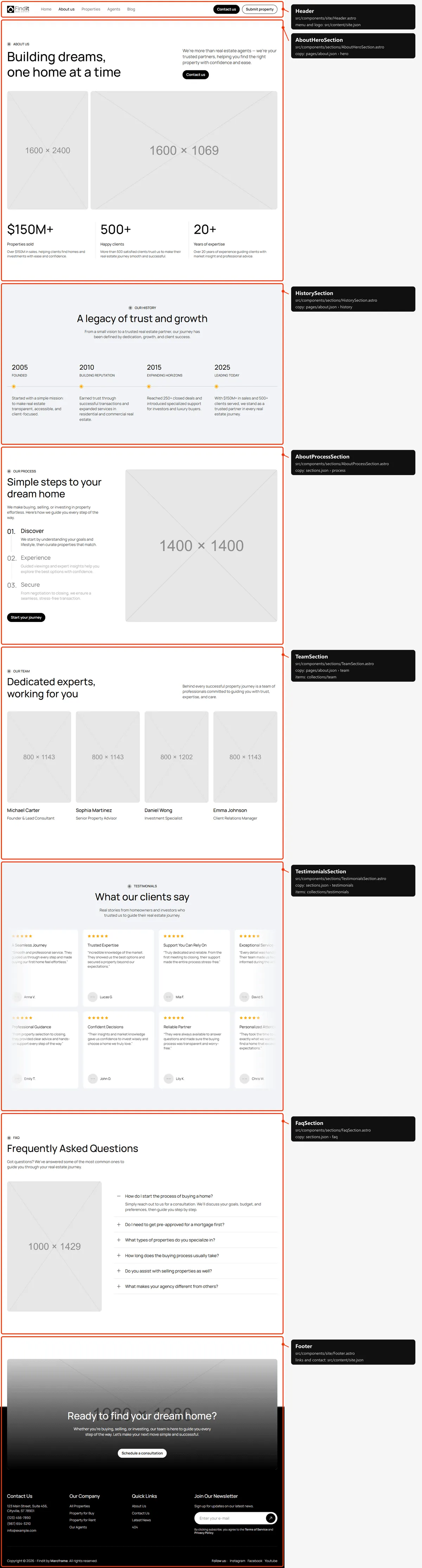
Properties
Section titled “Properties”The list, the three kinds of filter page (/filter/type/sell, /filter/type/rent, /filter/location/<slug>,
/filter/property-category/<slug>) and the location and category pages are this same layout with another list and title.
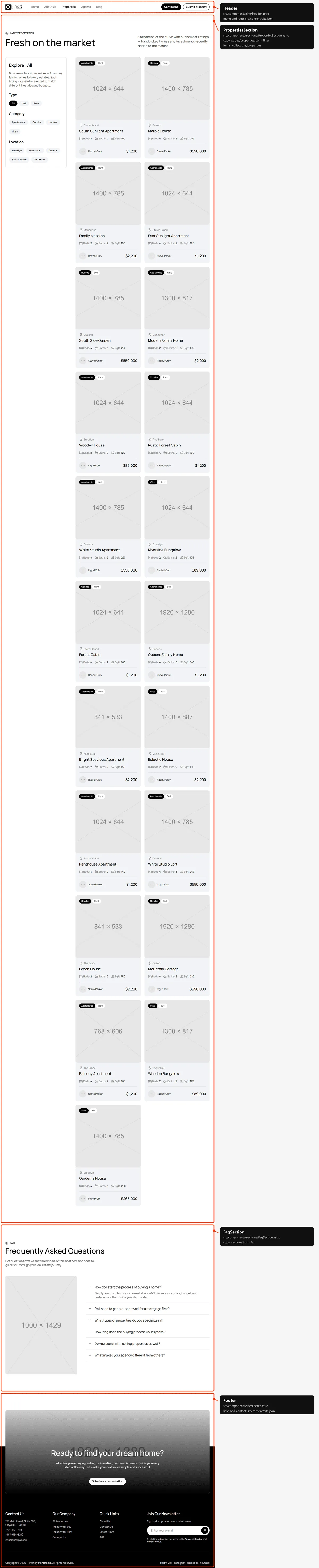
Property details
Section titled “Property details”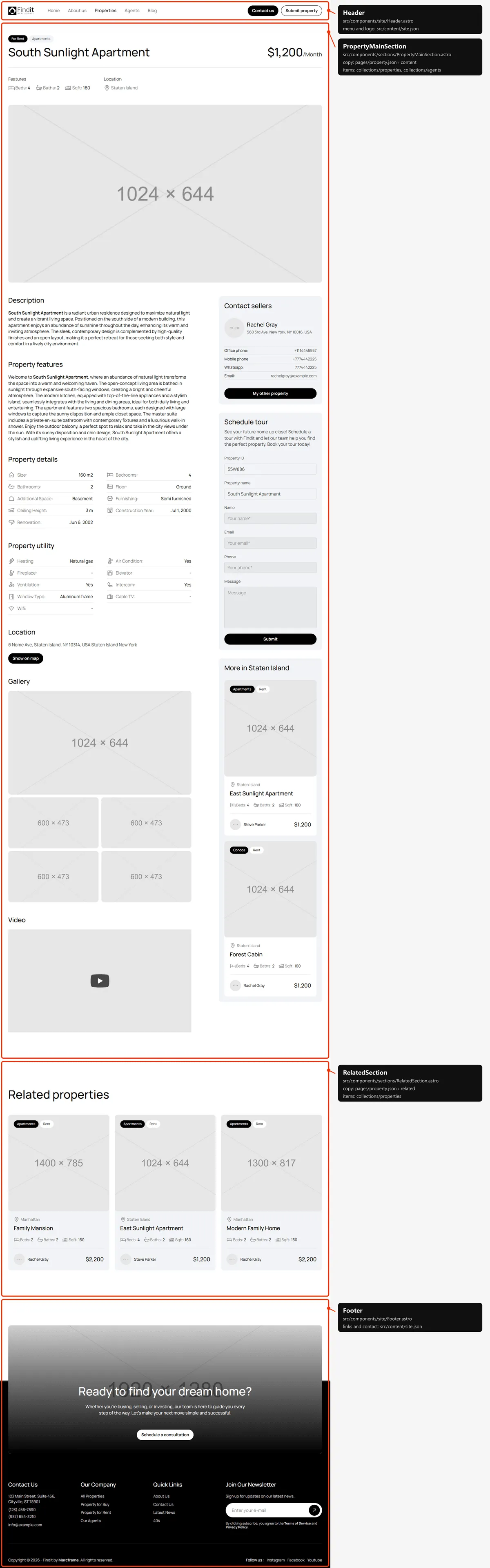
Agents
Section titled “Agents”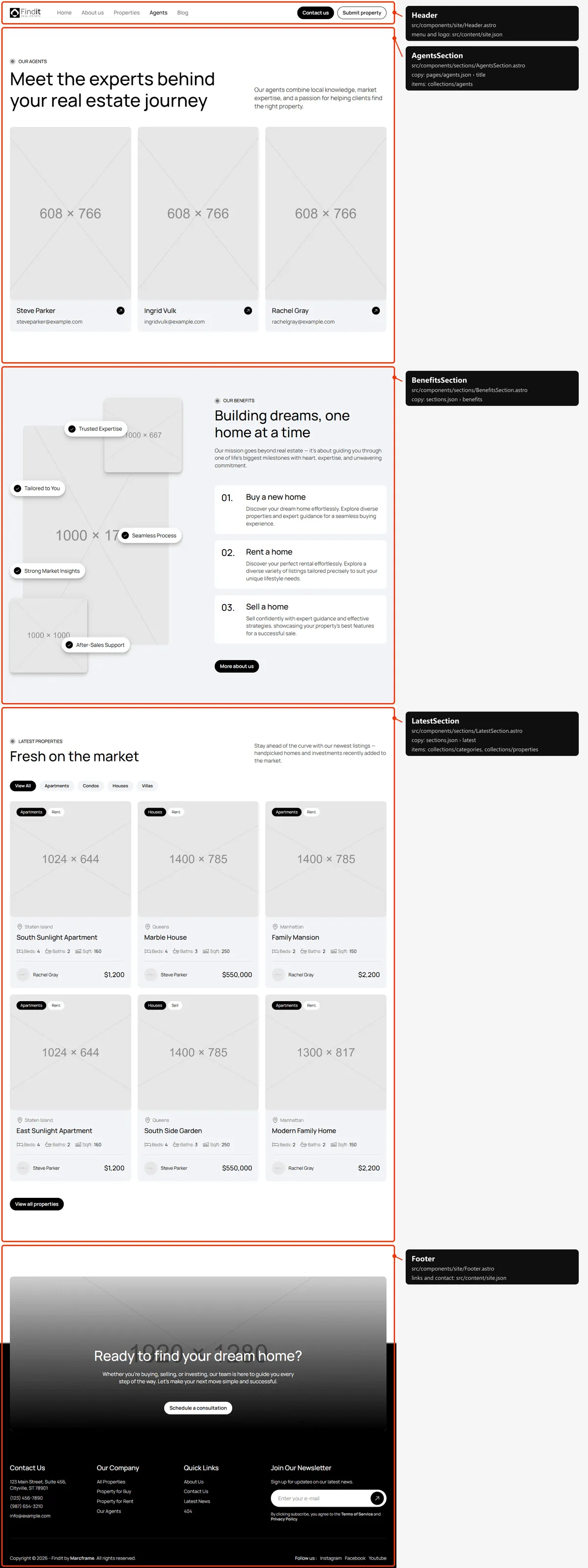
Agent details
Section titled “Agent details”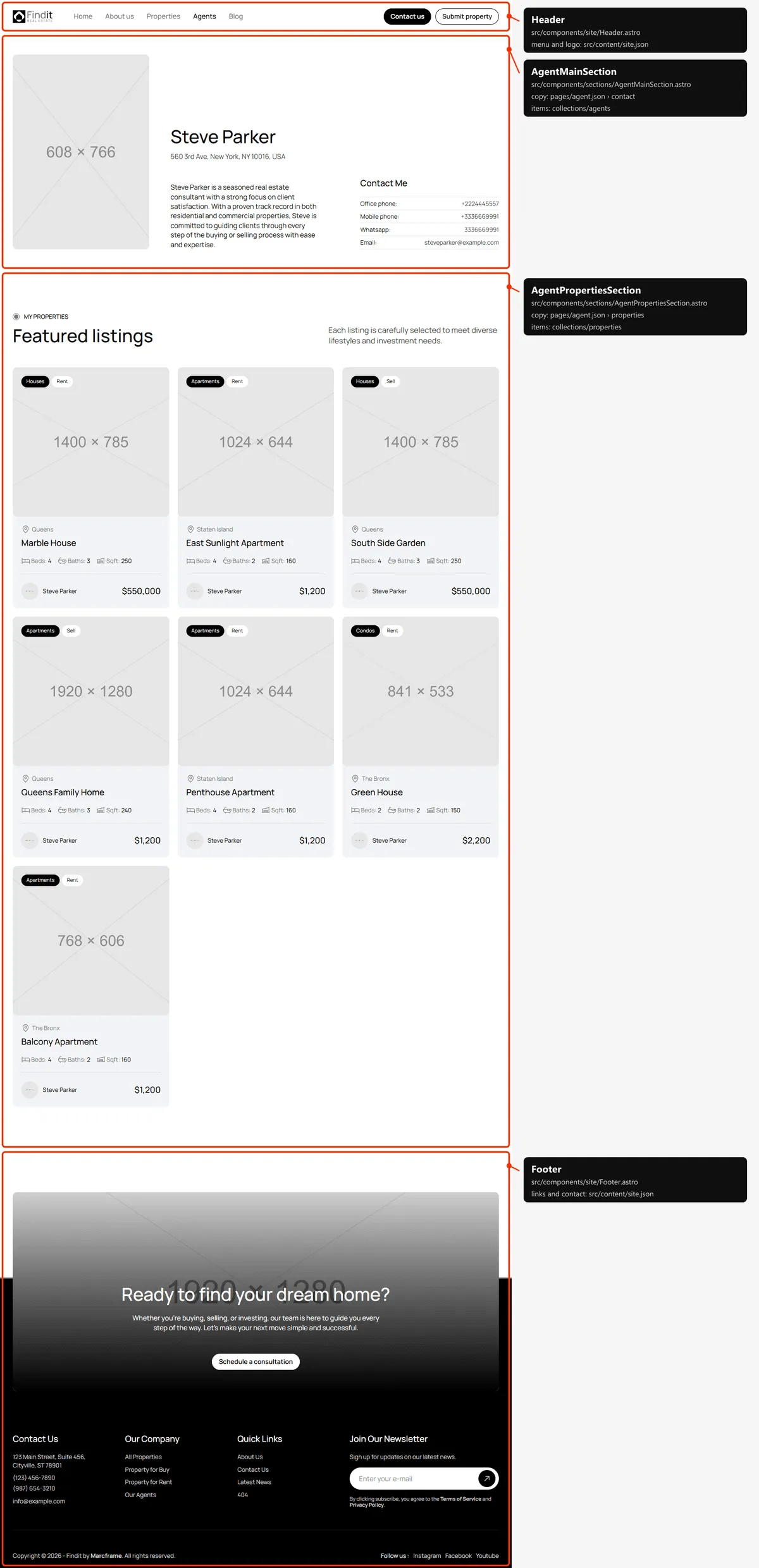
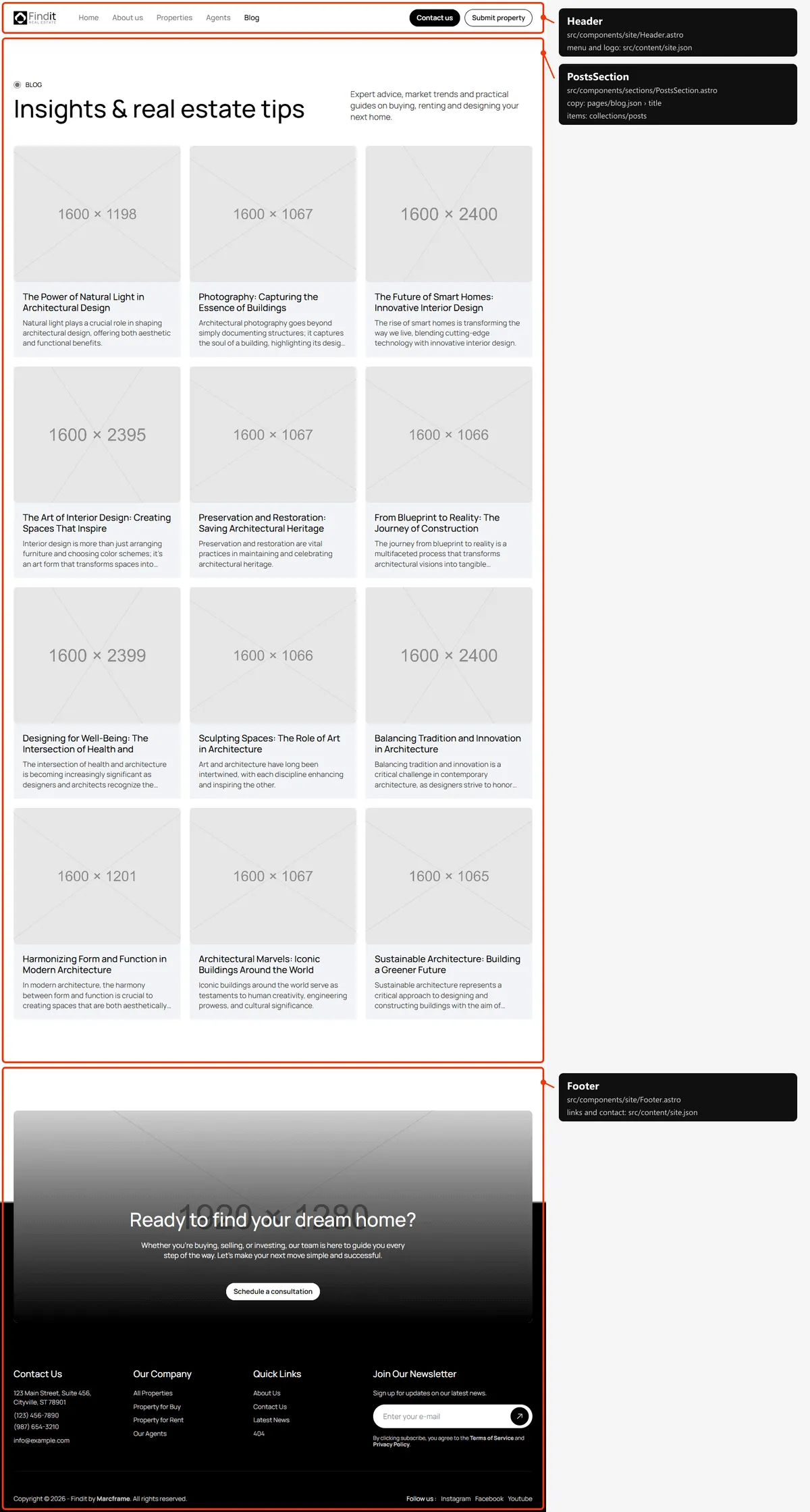
Blog post
Section titled “Blog post”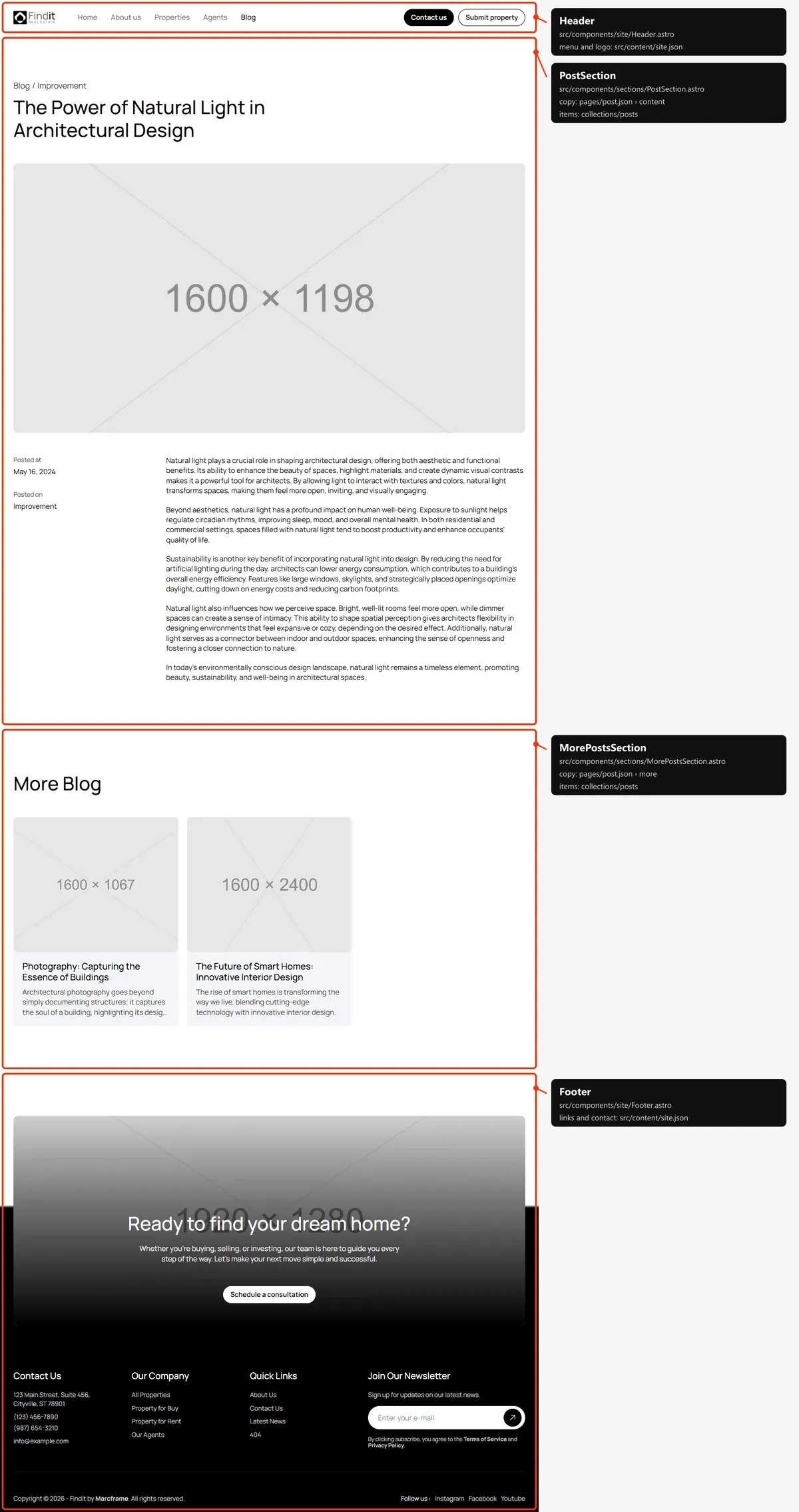
Contact
Section titled “Contact”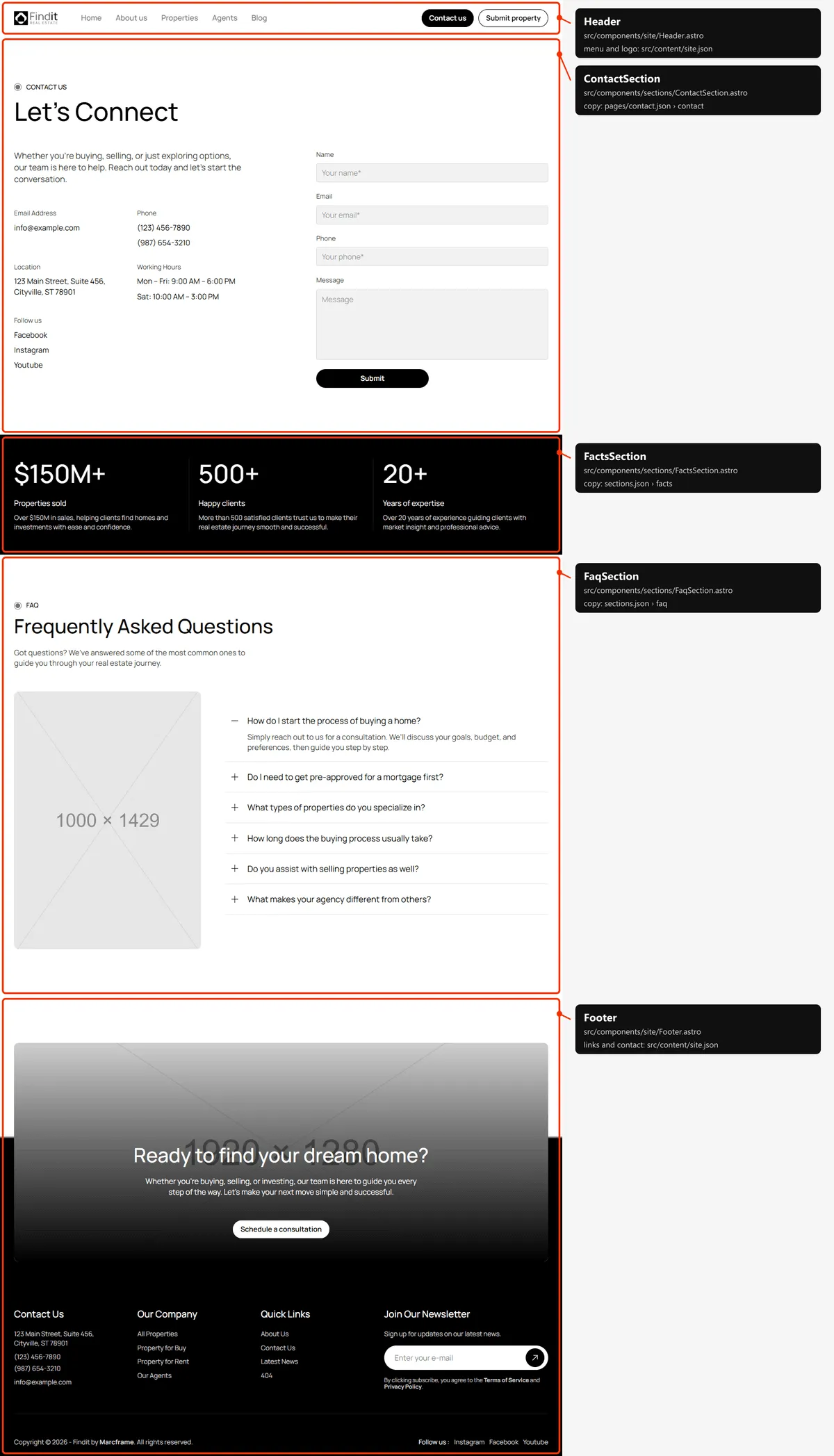
Add property
Section titled “Add property”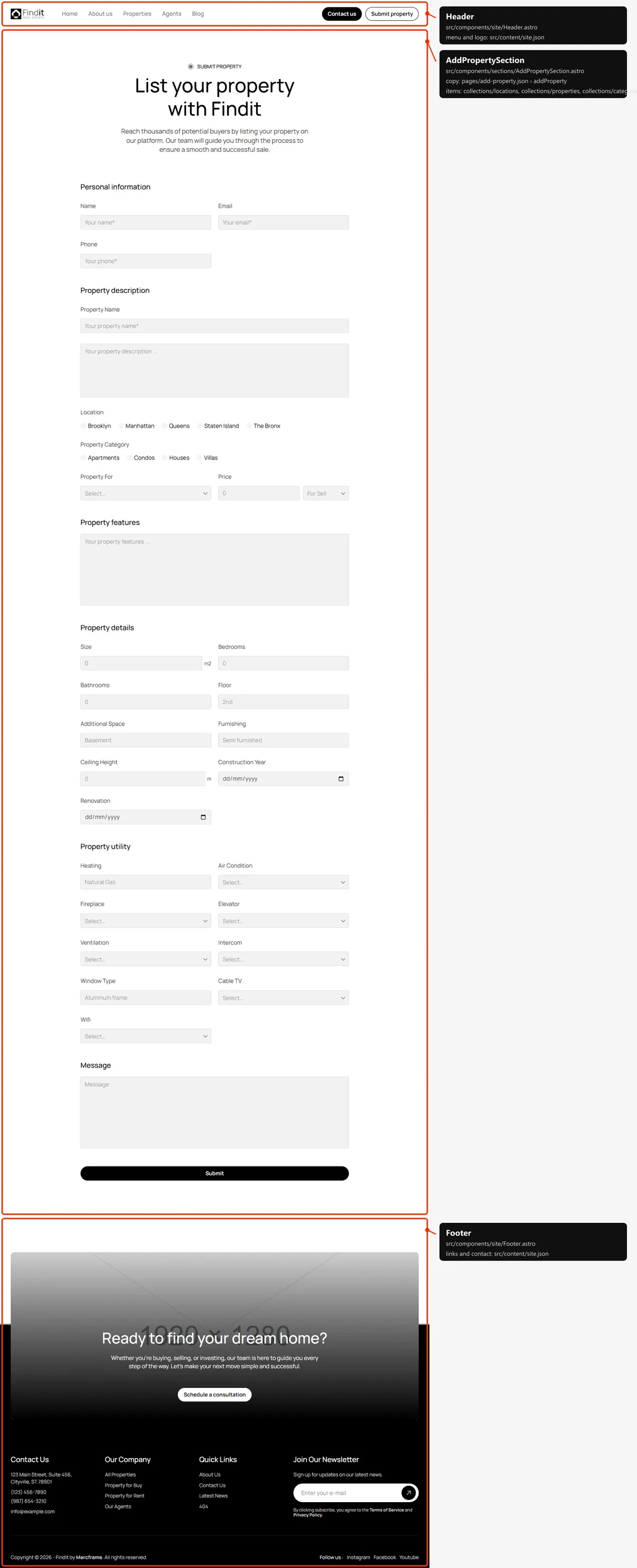
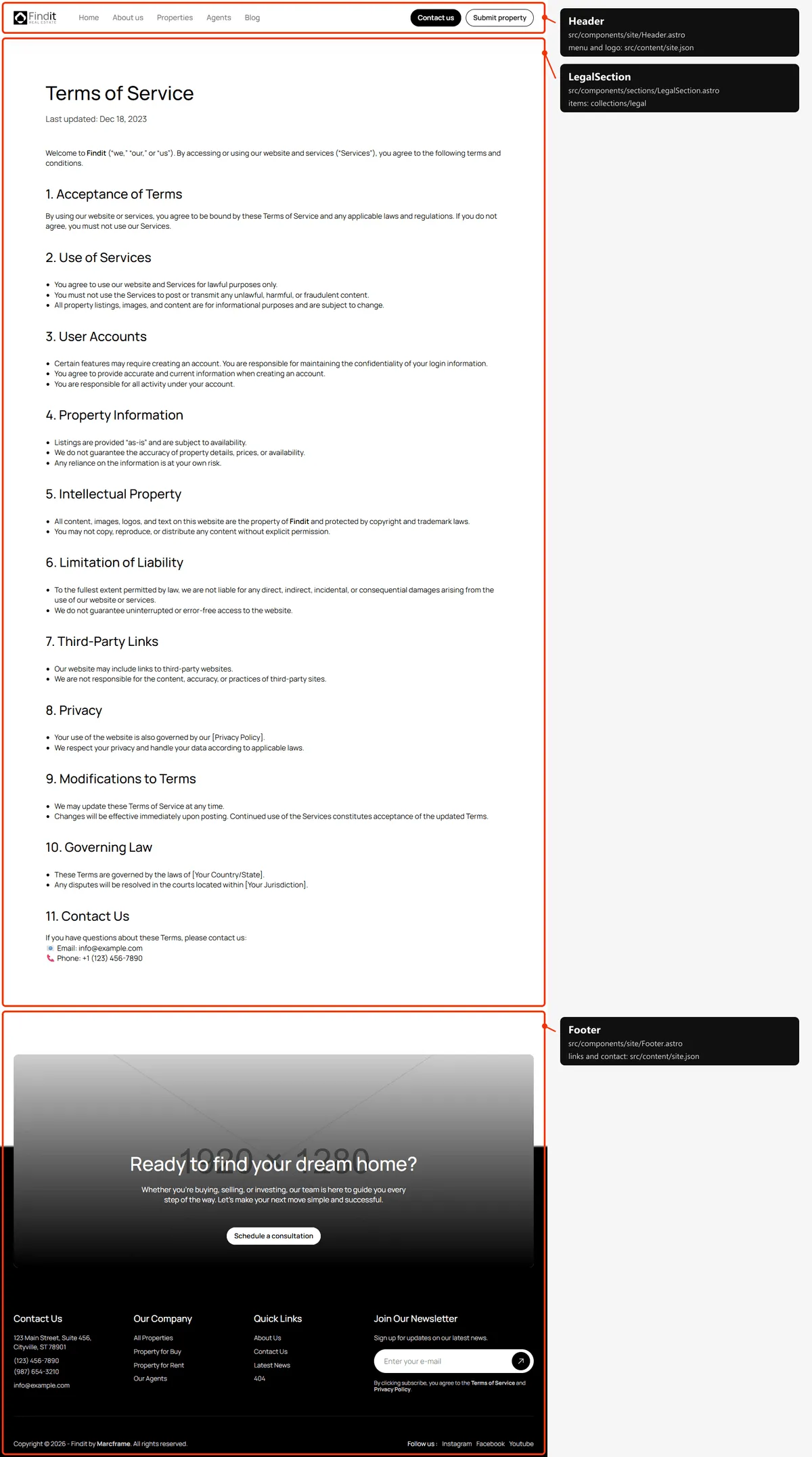
Thank you
Section titled “Thank you”Shown after “Schedule a tour” (/success/scheduled) and after “Add property” (/success/add-property), with the words
of src/content/pages/success.json (tour and property).
Page not found
Section titled “Page not found”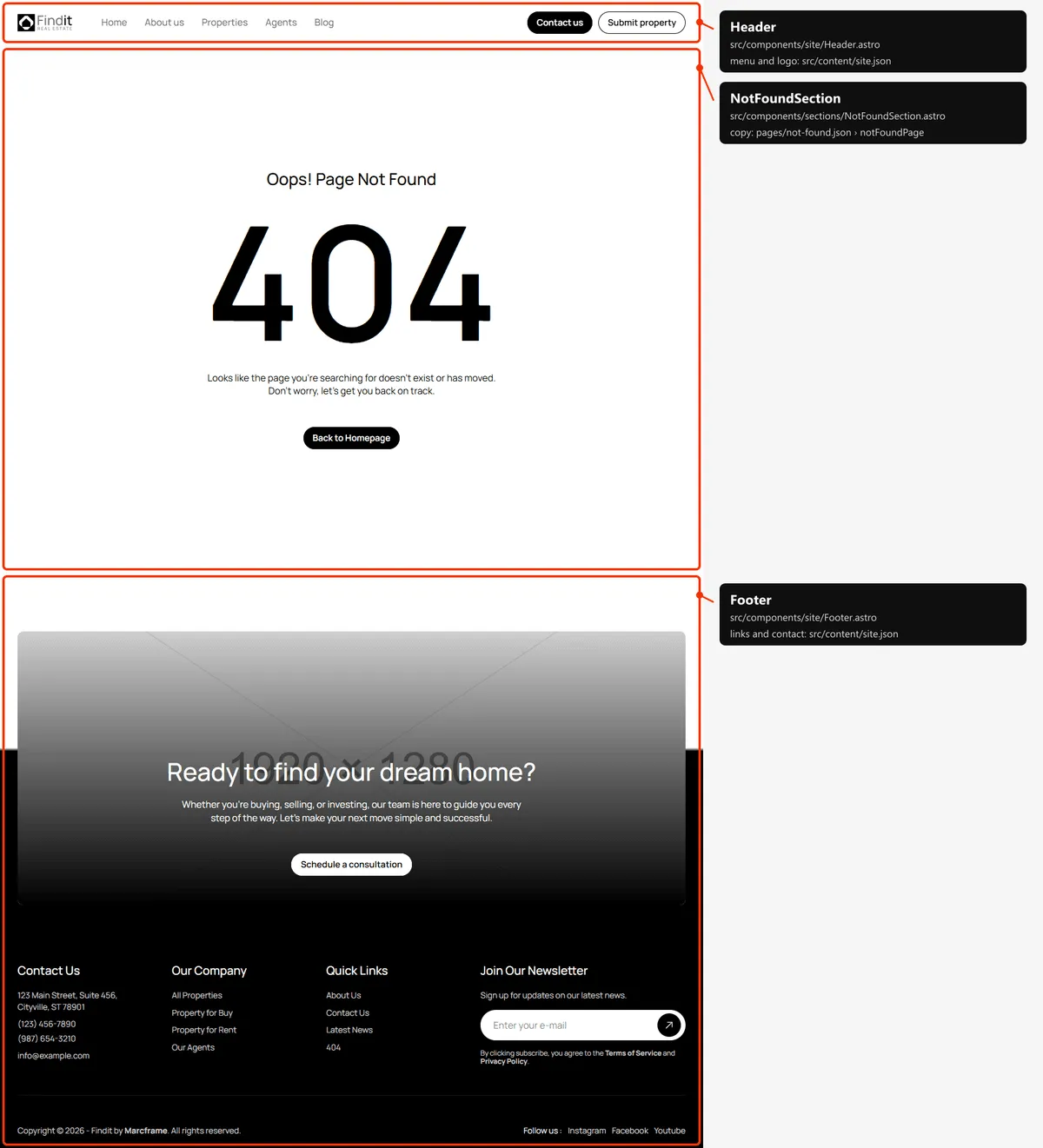
Filters
Section titled “Filters”The Properties page and its filter pages read getPropertyList() in src/lib/property-list.ts. It builds the chips
from the collections, so you never register a filter:
- Type — “Sell” or “Rent”, from each property’s
for. - Category and Location — every category and location that at least one property uses.
Each option is a page of its own (/filter/type/sell, /filter/location/brooklyn,
/filter/property-category/apartments) with its own title, description and canonical link, set in the meta of
src/content/pages/properties.json. A location or category that no property uses keeps its page but is noindex and left
out of sitemap.xml, so search engines never list an empty result.
Reordering or removing a section
Section titled “Reordering or removing a section”Move the lines in the page file, or delete one. To take the testimonials off the home page, delete
<TestimonialsSection … /> from src/pages/index.astro; its copy in src/content/sections.json can stay or go.
Adding a page
Section titled “Adding a page”- Add its copy to
src/content/pages/pricing.json, with ameta(title, description):{"meta": { "title": "Pricing", "description": "What it costs to list a property with us, in plain numbers." },"cta": { "…": "…" }} - Create
src/pages/pricing.astro:---import FaqSection from "../components/sections/FaqSection.astro";import pricing from "../content/pages/pricing.json";import sections from "../content/sections.json";import Layout from "../layouts/Layout.astro";---<Layout title={pricing.meta.title} description={pricing.meta.description}><FaqSection content={sections.faq} /></Layout> - Add the URL to
src/content/routes.ts(pricing: "/pricing") if components link to it. - Link to it: add
{ "label": "Pricing", "href": "/pricing" }tonavigationinsrc/content/site.json, or to the footer links. - Add it to
src/pages/sitemap.xml.ts, next to the other top-level pages.
Removing a page
Section titled “Removing a page”Delete its file in src/pages/, its entry in navigation and in sitemap.xml.ts, and the route in routes.ts.
npm run check and npm run build then tell you about anything still pointing at it through routes.
Pages built from a collection
Section titled “Pages built from a collection”src/pages/blog/[slug].astro builds one page per post:
export const getStaticPaths = (async () => { const posts = await getPosts(); return posts.map((post) => ({ params: { slug: post.slug }, props: { post, posts } }));}) satisfies GetStaticPaths;Add a post to src/content/collections/posts.json and its page, its links and its sitemap entry appear on the next
build. Any slug not in the list is a 404. The property, agent and legal pages work the same way.
The 404 page
Section titled “The 404 page”src/pages/404.astro, with its copy in src/content/pages/not-found.json. It is noindex, like the style guide and the
two “thank you” pages. Most hosts serve 404.html automatically for unknown URLs.
Search engines
Section titled “Search engines”src/pages/sitemap.xml.tsbuildssitemap.xmlfromroutes.tsand the collections, so new items list themselves. The thank-you pages, the 404 page and empty filter pages are left out.src/pages/robots.txt.tsbuildsrobots.txtand points at the sitemap. Both usesite.url, so set your domain before publishing.- Every indexable page gets a title, a description, a canonical link, an
og:urland a share image fromLayout.astro. A title that would be longer than 60 characters with| Finditappended is shown without the suffix. PassnoindextoLayoutto keep a page out of search results. noindexpages: the style guide, both thank-you pages, the 404 page and any filter page without properties.