Pages and sections — Kalme Next.js
A page is a small file that picks sections and hands them content. src/app/services/page.tsx is the whole Services
page:
export const metadata: Metadata = pageMeta(routes.services, servicesPage.meta);
export default async function ServicesPage() {  const services = await getServices();  return <ServicesListSection {...servicesPage} services={services.map(toServiceRow)} />;}
pageMeta(route, meta)gives the page its browser title, description, canonical link and share image.getServices()reads the collection (see Editing the content);toServiceRowturns each service into what the row component shows (src/lib/to-ui.ts).- The section renders them.
The sections you can use
Section titled “The sections you can use”In src/components/sections/. Each takes its copy from a page file and its items from a collection.
| Section | Used on |
|---|---|
HomeHeroSection, PageVideoSection, HomeAboutSection, HomeServicesSection, HomeProjectsSection, TestimonialsSection, HomeBlogSection, CtaSection |
Home |
AboutHeroSection, ValuesSection, PageVideoSection, TeamSection |
About |
ServicesListSection |
Services |
ServiceHeroSection (with ServiceContentSection inside it), MoreServicesSection |
Service |
ProjectsListSection |
Projects |
ProjectHeroSection, ProjectStorySection (three times: overview, process, result), RelatedProjectsSection, CtaSection |
Project |
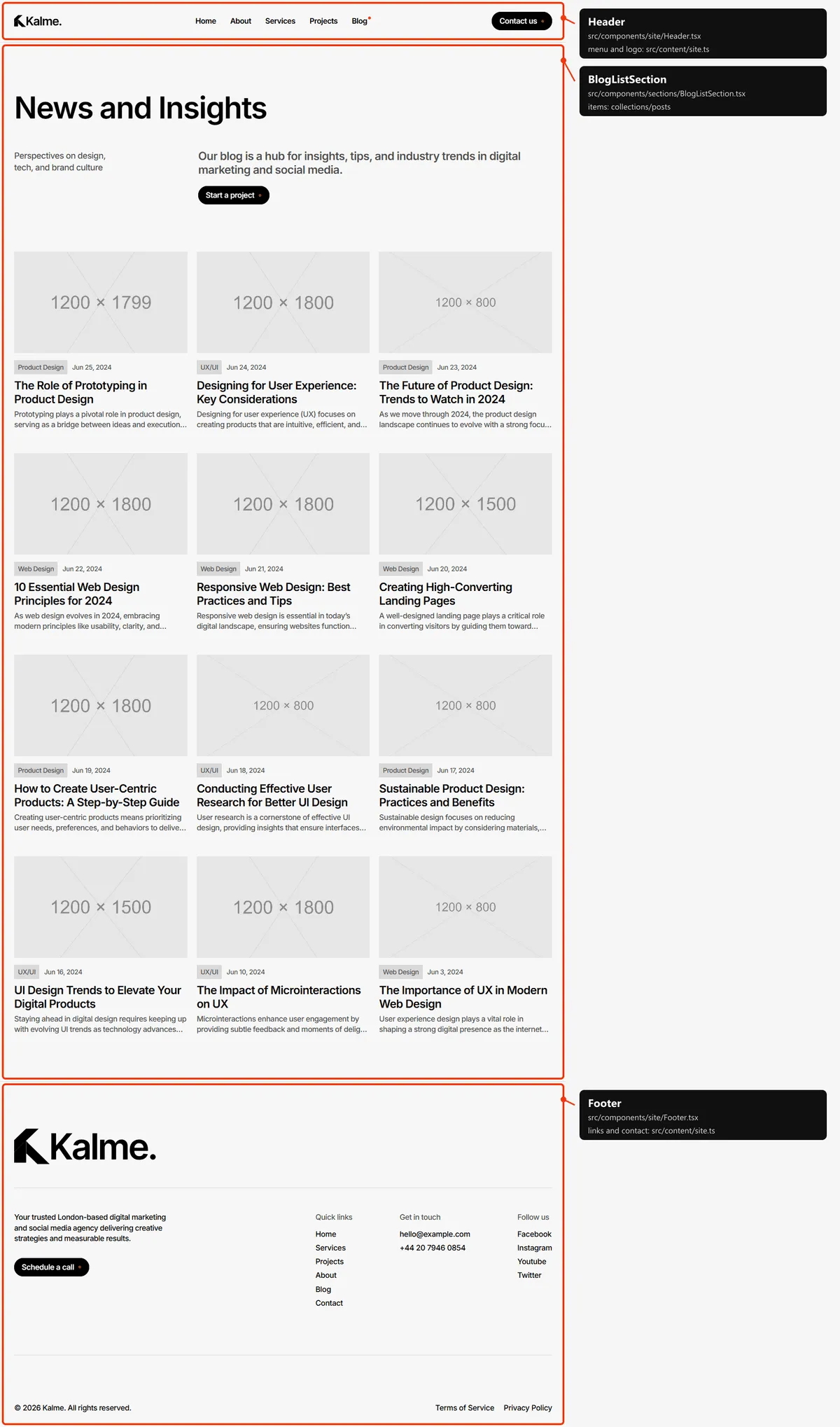
BlogListSection |
Blog |
PostMainSection, MorePostsSection |
Blog post |
ContactSection |
Contact |
LegalSection |
Terms of Service, Privacy Policy |
NotFoundSection |
404 |
PageVideoSection and CtaSection appear on two pages each: the video comes from the page file (video in home.ts
and about.ts), the call to action from cta in src/content/site.ts, so changing it once changes it everywhere.
Page maps
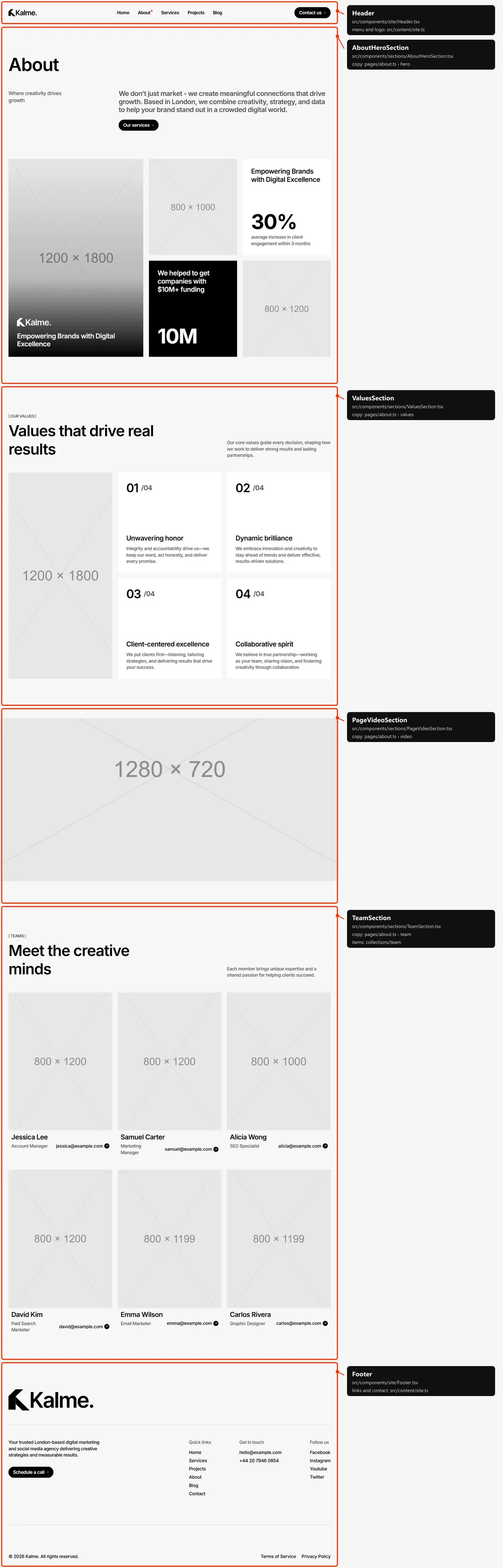
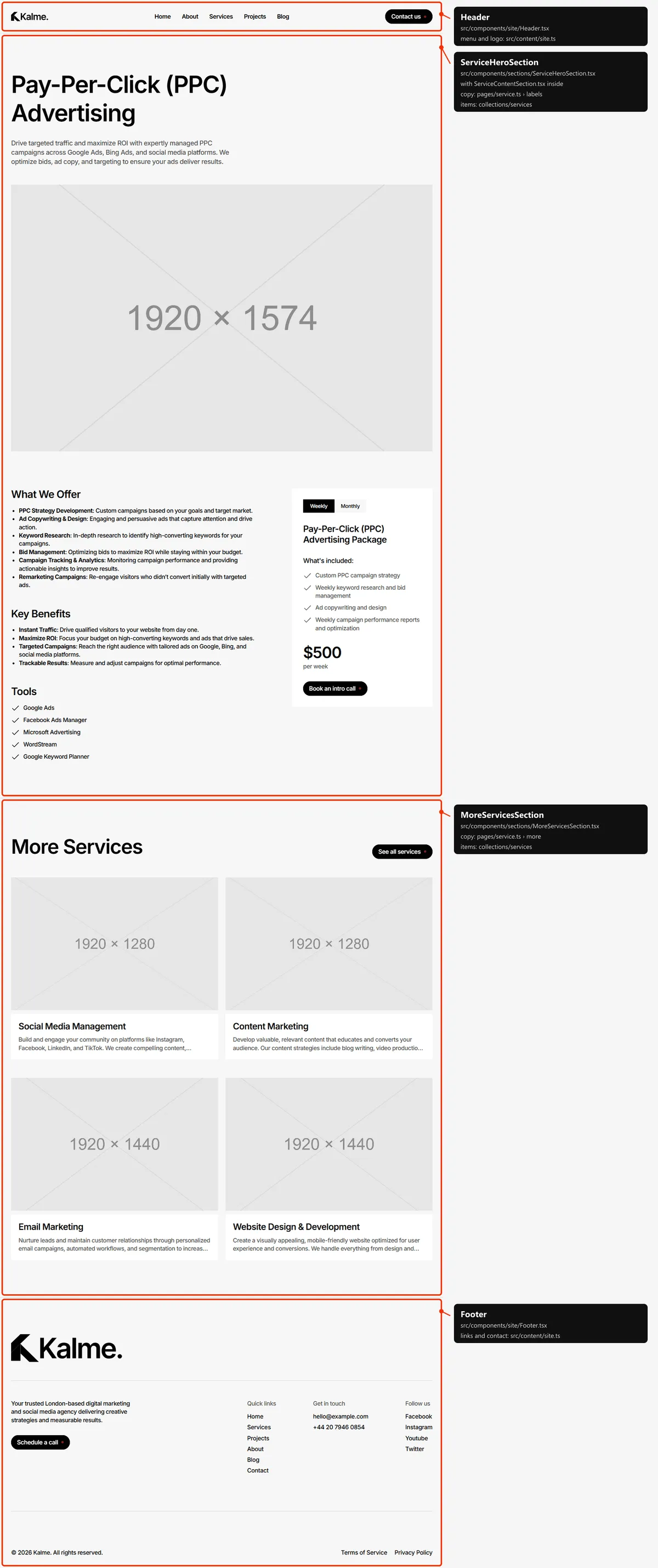
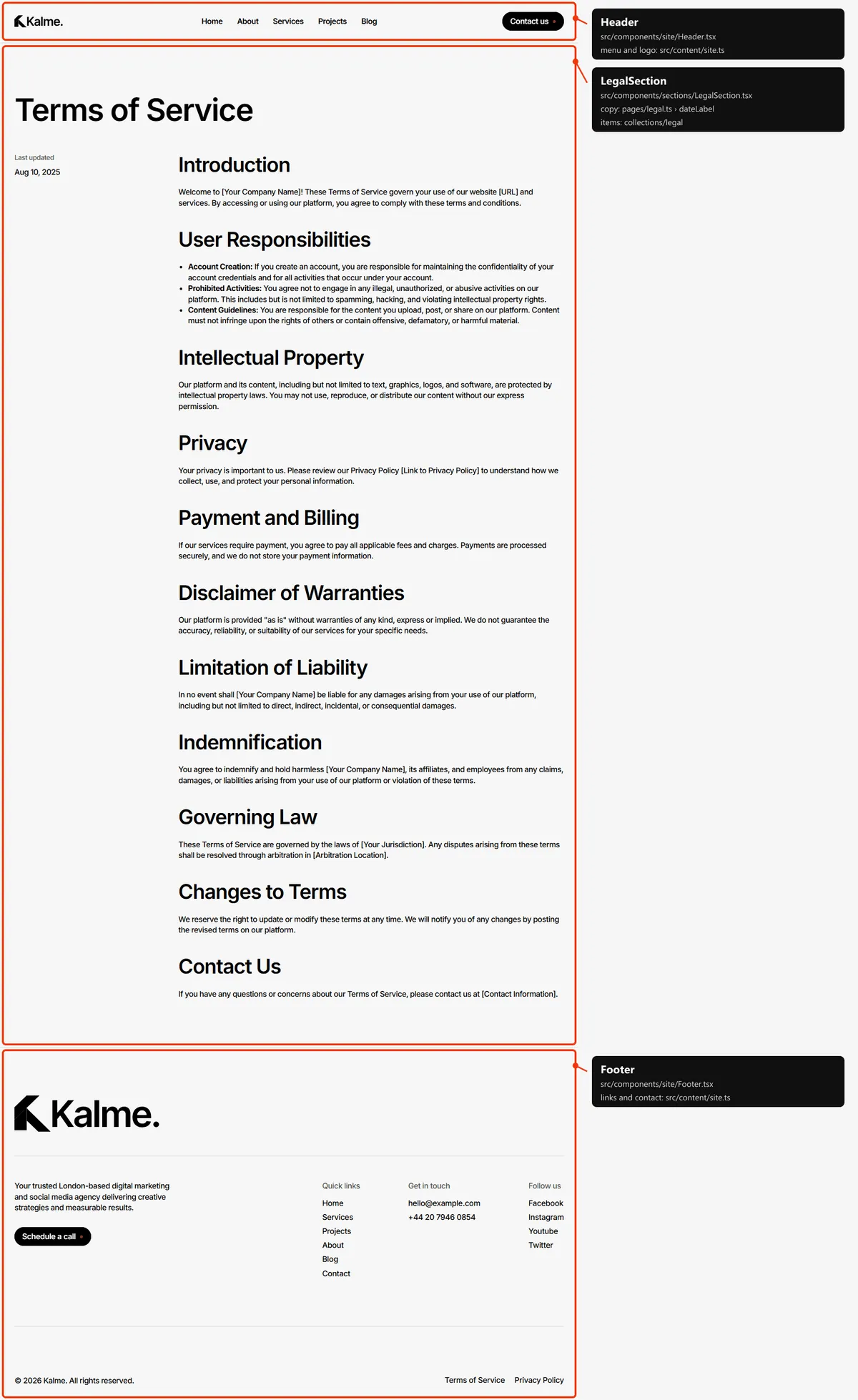
Section titled “Page maps”Every page type with each section outlined and labelled: the component that renders it, the file to edit, and where
its copy (src/content/pages/*.ts) and items (src/content/collections/*.ts) come from. Header and footer take
their links and details from src/content/site.ts. Photos are the placeholders of the download.

Services
Section titled “Services”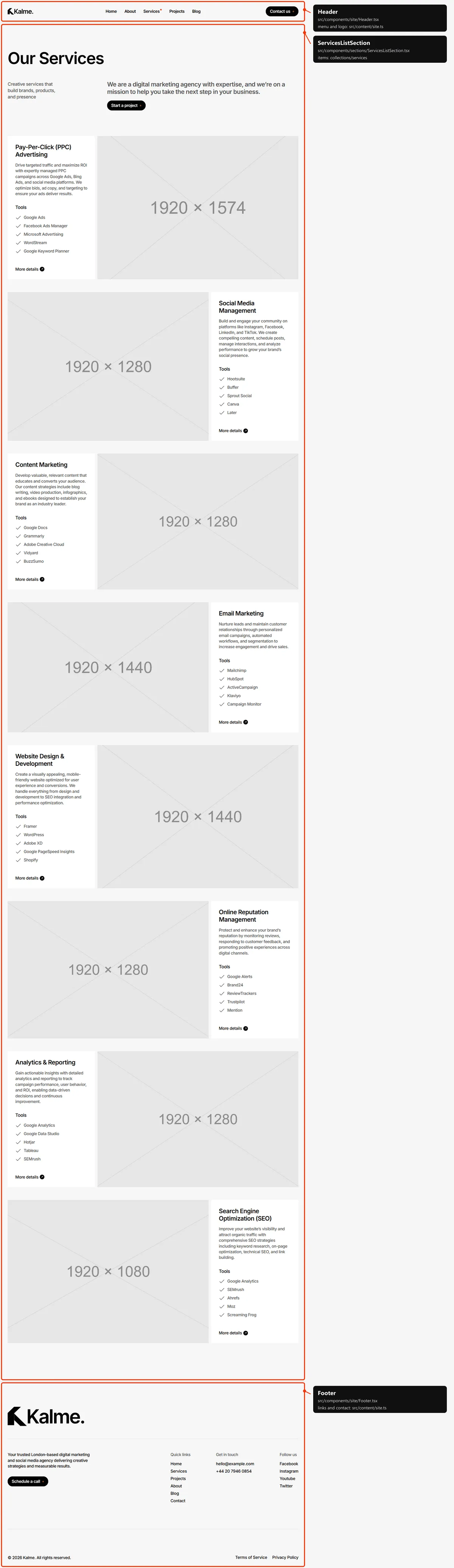
Service
Section titled “Service”The service’s title, description and first image open the page; “What We Offer”, “Key Benefits”, “Tools” and the pricing
card come from the same service in services.ts, their headings from src/content/pages/service.ts.
Projects
Section titled “Projects”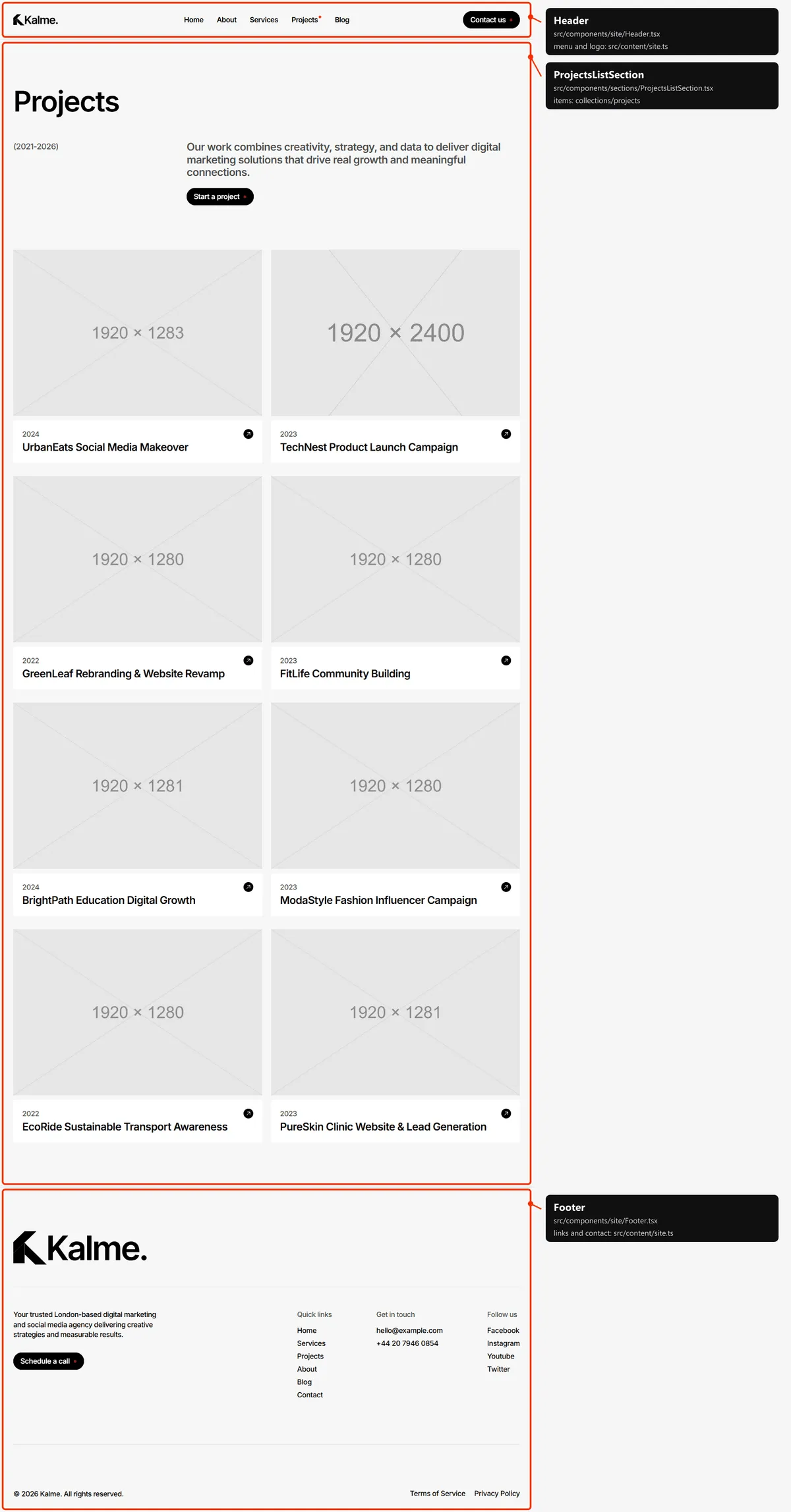
Project
Section titled “Project”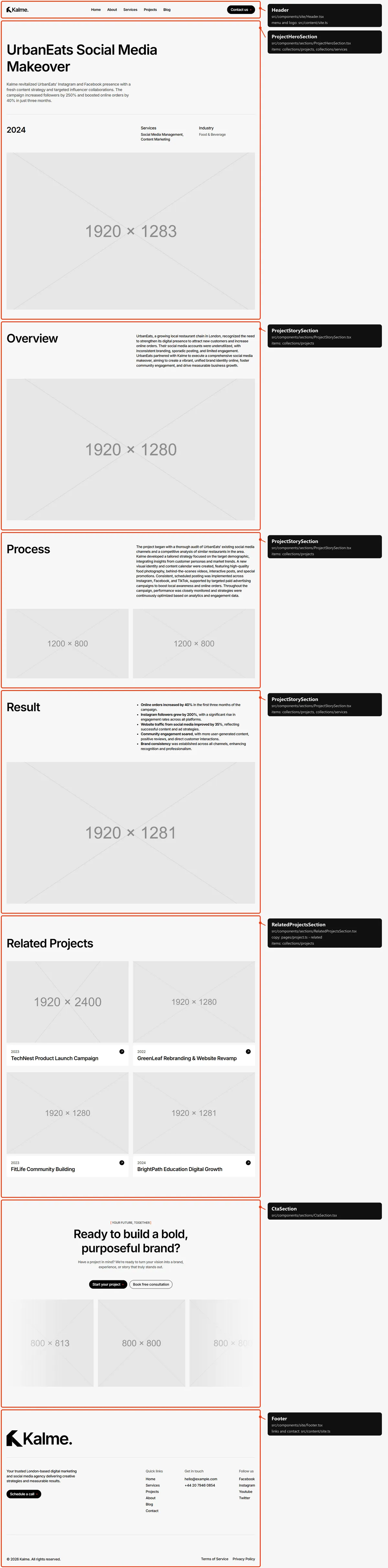
Blog post
Section titled “Blog post”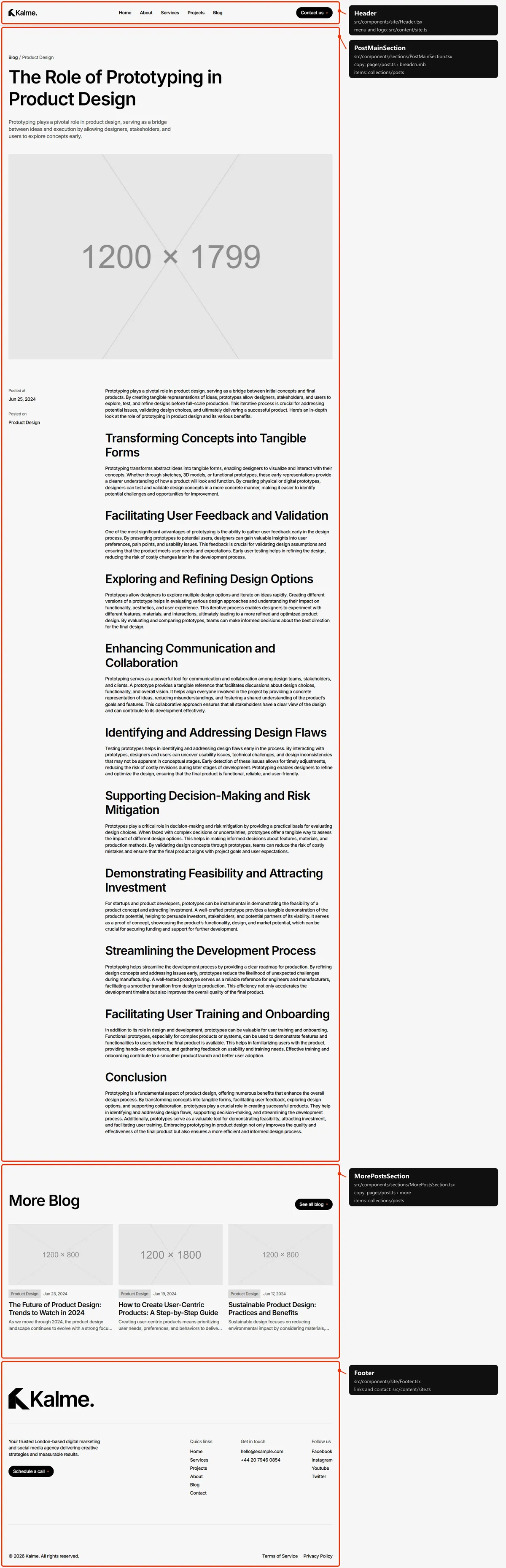
Contact
Section titled “Contact”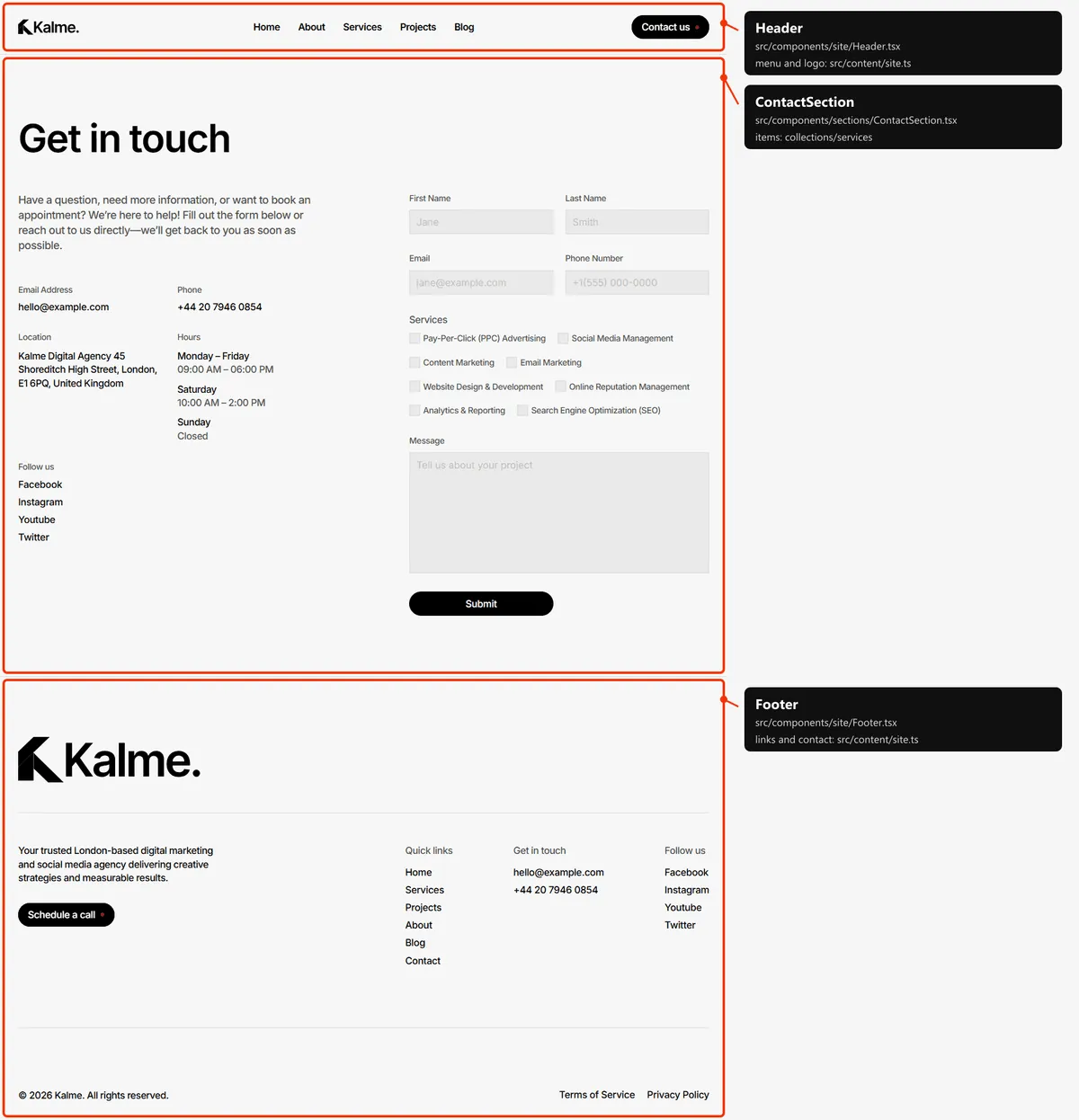
Page not found
Section titled “Page not found”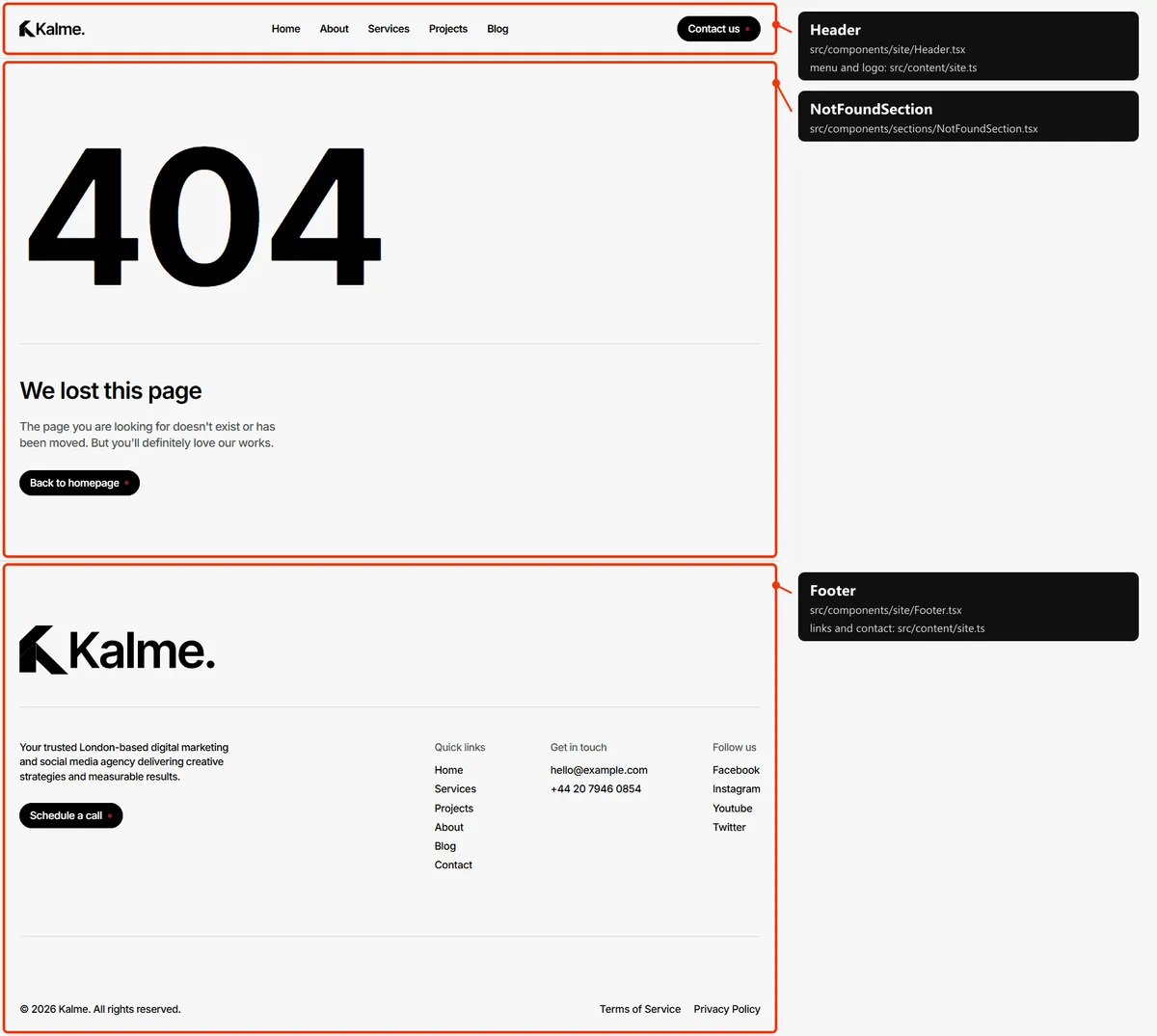
Reordering or removing a section
Section titled “Reordering or removing a section”Move the lines in the page file, or delete one. To take the testimonials off the home page, delete
<TestimonialsSection … /> from src/app/page.tsx; its copy in src/content/pages/home.ts can stay or go.
Adding a page
Section titled “Adding a page”- Add the URL to
src/content/routes.ts:pricing: "/pricing", - Add its copy to
src/content/pages/pricing.ts, with ameta(title, description):export const pricingPage = {meta: { title: "Pricing", description: "What our services cost, from a single campaign to a monthly retainer." },}; - Create
src/app/pricing/page.tsx:import type { Metadata } from "next";import { CtaSection } from "@/components/sections/CtaSection";import { pricingPage } from "@/content/pages/pricing";import { routes } from "@/content/routes";import { cta } from "@/content/site";import { pageMeta } from "@/lib/meta";export const metadata: Metadata = pageMeta(routes.pricing, pricingPage.meta);export default function PricingPage() {return <CtaSection {...cta} />;} - Link to it: add
{ label: "Pricing", href: routes.pricing }tonavigationinsrc/content/site.ts, or to the footer’squickLinks. - Add it to
src/app/sitemap.ts, next to the other top-level pages.
Removing a page
Section titled “Removing a page”Delete its folder under src/app/, its entry in navigation, in the footer’s links and in src/app/sitemap.ts, and
the route in routes.ts. npm run build then tells you about anything still linking to it through routes.
Pages built from a collection
Section titled “Pages built from a collection”src/app/blog/[slug]/page.tsx builds one page per post:
export const dynamicParams = false; // only the slugs below exist; anything else is a 404export async function generateStaticParams() { return (await getPosts()).map((post) => ({ slug: post.slug }));}Add a post to src/content/collections/posts.ts and its page, its links and its sitemap entry appear on the next
build. The same pattern builds the service, project and legal pages.
The 404 page
Section titled “The 404 page”src/app/not-found.tsx, with its copy in src/content/pages/not-found.ts. It is noindex, like the style guide.
Search engines
Section titled “Search engines”src/app/sitemap.tsbuildssitemap.xmlfromroutes.tsand the collections, so new items list themselves. The 404 page and the style guide are left out.src/app/robots.tsbuildsrobots.txtand points at the sitemap. Both usesite.url, so set your domain before publishing.- Every indexable page gets a title, a description, a canonical link, an
og:urland a share image frompageMeta(src/lib/meta.ts). A title that would be longer than 60 characters with| Kalmeappended is shown without the suffix. noindexpages: the style guide and the 404 page.