Pages and sections — Kalme Astro
A page is a small file that picks sections and hands them content. src/pages/services.astro is the whole Services
page:
---import ServicesListSection from "../components/sections/ServicesListSection.astro";import servicesPage from "../content/pages/services.json";import Layout from "../layouts/Layout.astro";import { getServices } from "../lib/content";import { toServiceRow } from "../lib/to-ui";
const services = await getServices();---
<Layout title={servicesPage.meta.title} description={servicesPage.meta.description}> <ServicesListSection {...servicesPage} services={services.map(toServiceRow)} /></Layout>Layoutgives the page its browser title, description, canonical link, share image, header and footer.getServices()reads the collection (see Editing the content);toServiceRowturns each service into what the row component shows (src/lib/to-ui.ts).- The section renders them.
The sections you can use
Section titled “The sections you can use”In src/components/sections/. Each takes its copy from a page file and its items from a collection.
| Section | Used on |
|---|---|
HomeHeroSection, PageVideoSection, HomeAboutSection, HomeServicesSection, HomeProjectsSection, TestimonialsSection, HomeBlogSection, CtaSection |
Home |
AboutHeroSection, ValuesSection, PageVideoSection, TeamSection |
About |
ServicesListSection |
Services |
ServiceHeroSection (with ServiceContentSection inside it), MoreServicesSection |
Service |
ProjectsListSection |
Projects |
ProjectHeroSection, ProjectStorySection (three times: overview, process, result), RelatedProjectsSection, CtaSection |
Project |
BlogListSection |
Blog |
PostMainSection, MorePostsSection |
Blog post |
ContactSection |
Contact |
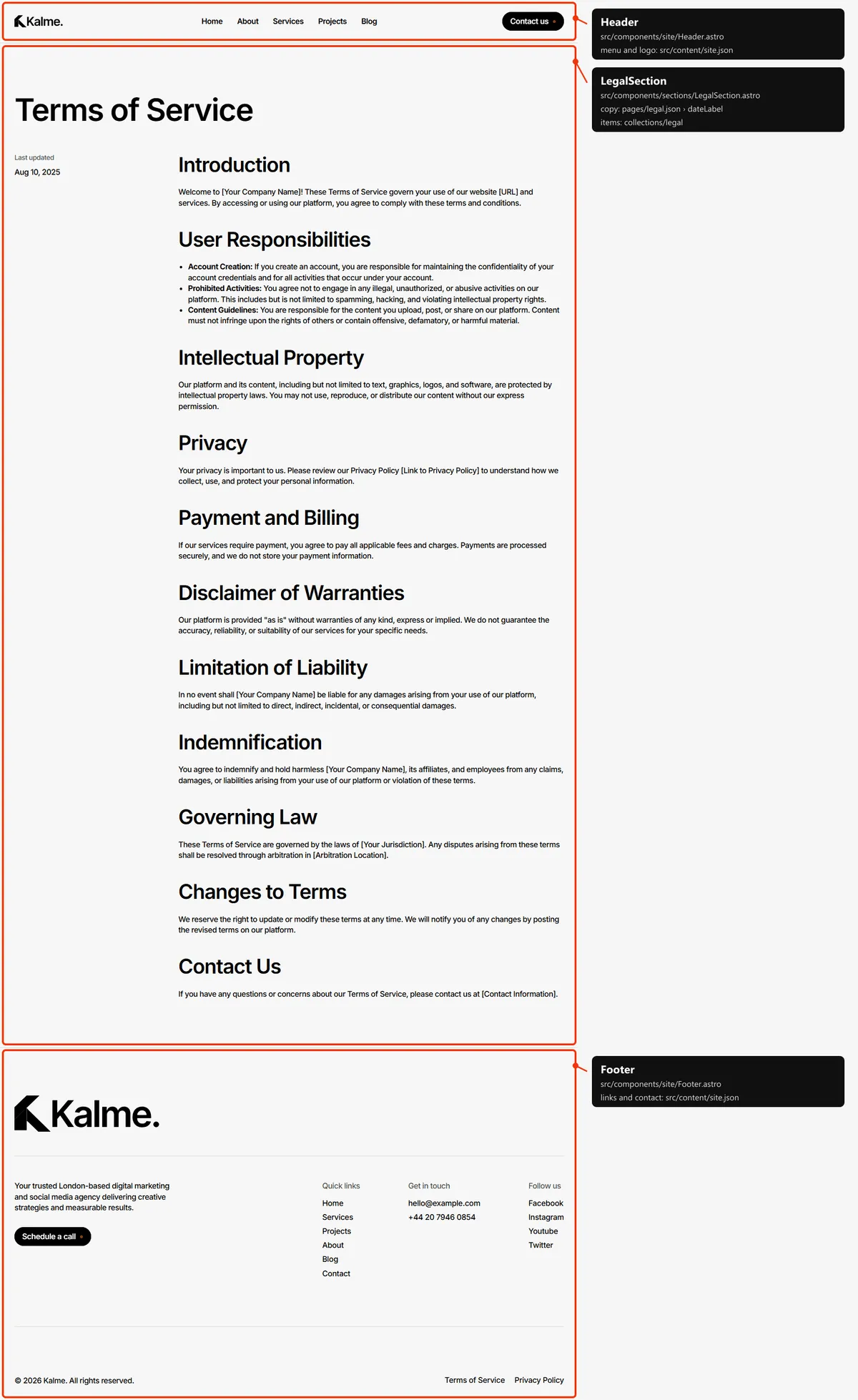
LegalSection |
Terms of Service, Privacy Policy |
NotFoundSection |
404 |
PageVideoSection and CtaSection appear on two pages each: the video comes from the page file (video in
home.json and about.json), the call to action from cta in src/content/site.json, so changing it once changes it
everywhere.
Page maps
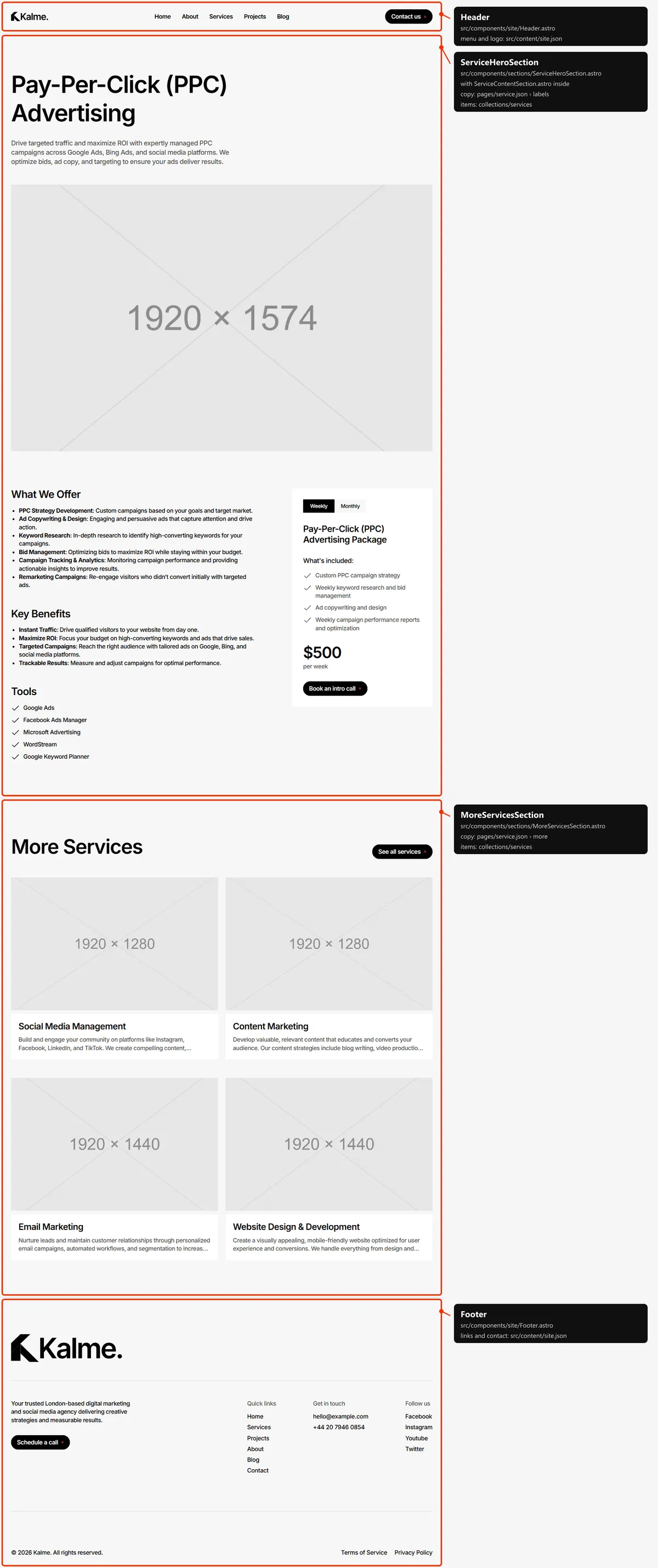
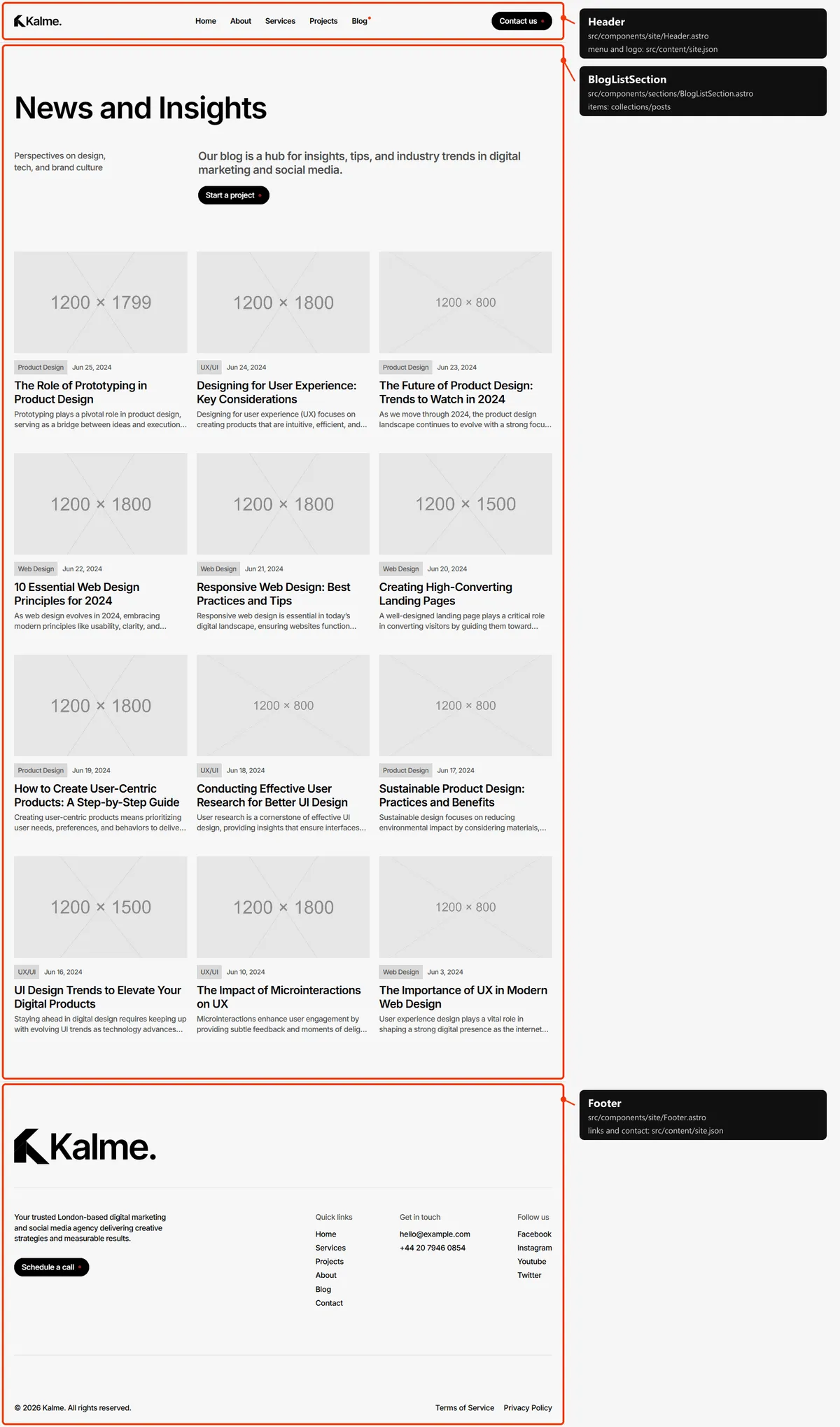
Section titled “Page maps”Every page type with each section outlined and labelled: the component that renders it, the file to edit, and where
its copy (src/content/pages/*.json) and items (src/content/collections/*.json) come from. Header and footer take
their links and details from src/content/site.json. Photos are the placeholders of the download.

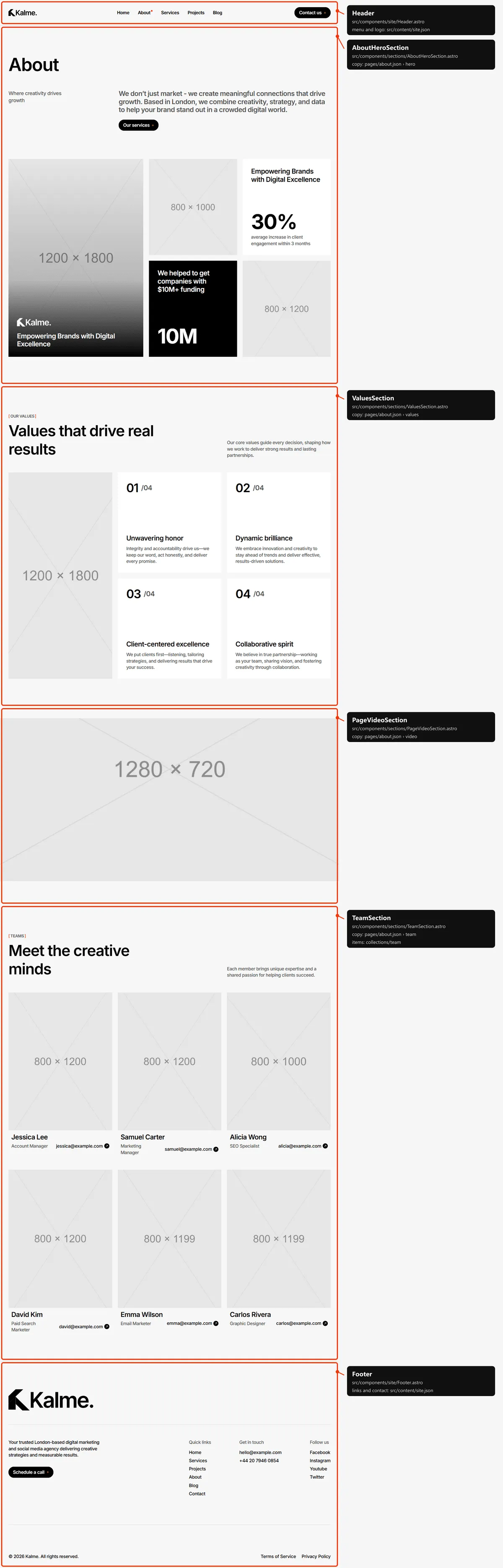
Services
Section titled “Services”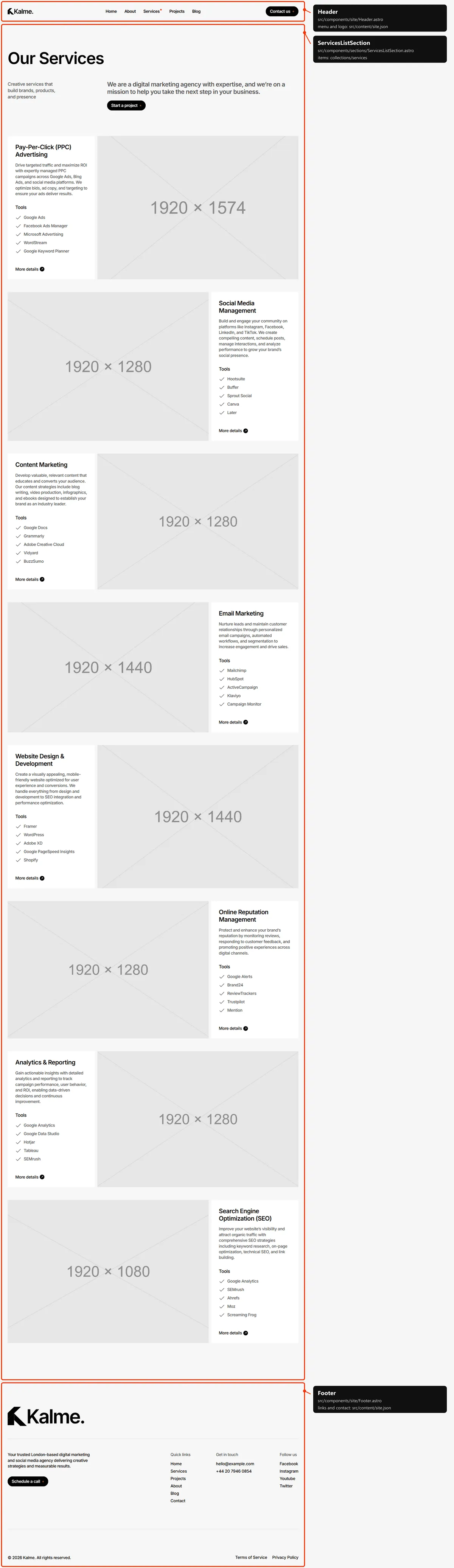
Service
Section titled “Service”The service’s title, description and first image open the page; “What We Offer”, “Key Benefits”, “Tools” and the pricing
card come from the same service in services.json, their headings from src/content/pages/service.json.
Projects
Section titled “Projects”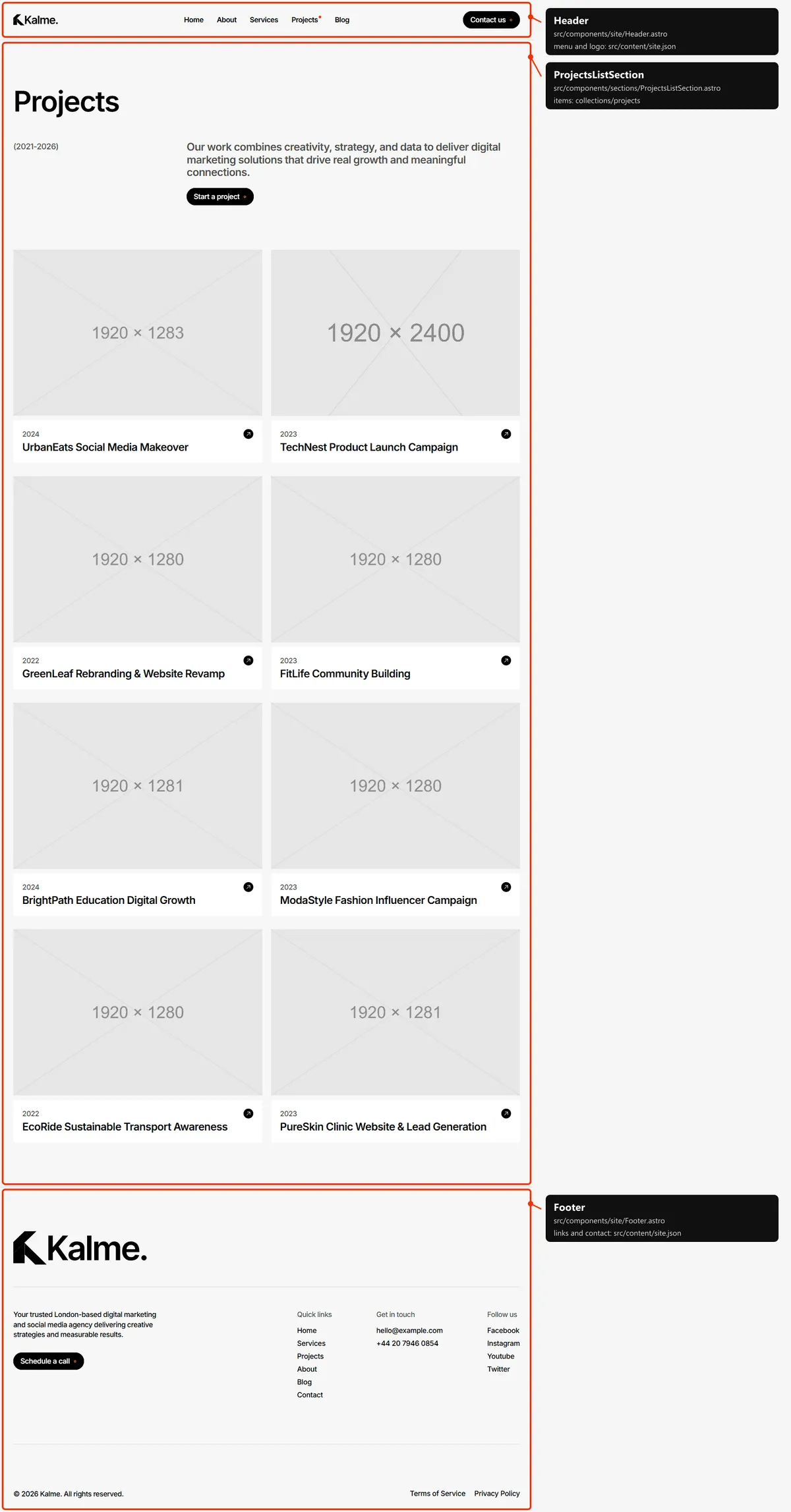
Project
Section titled “Project”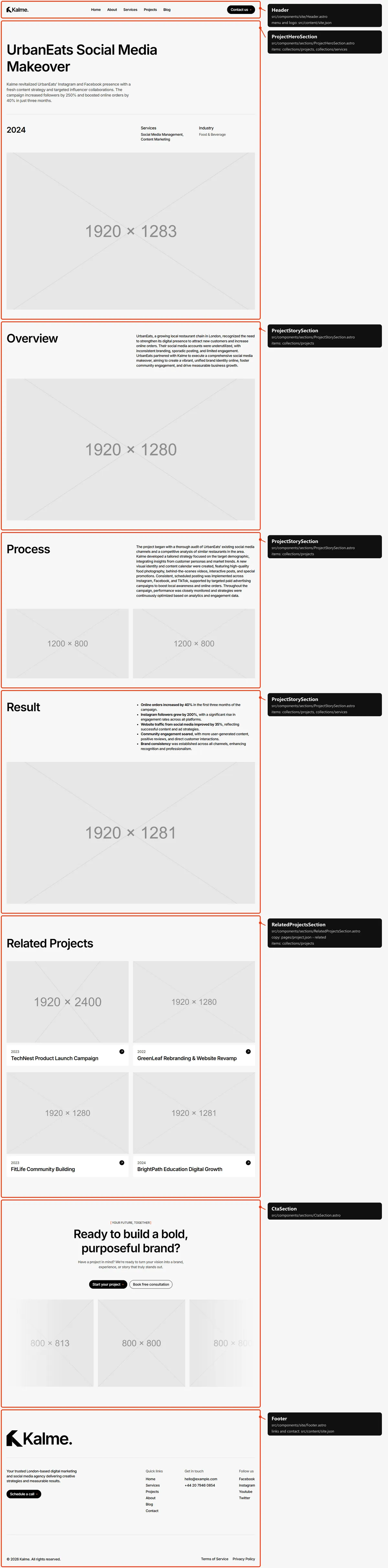
Blog post
Section titled “Blog post”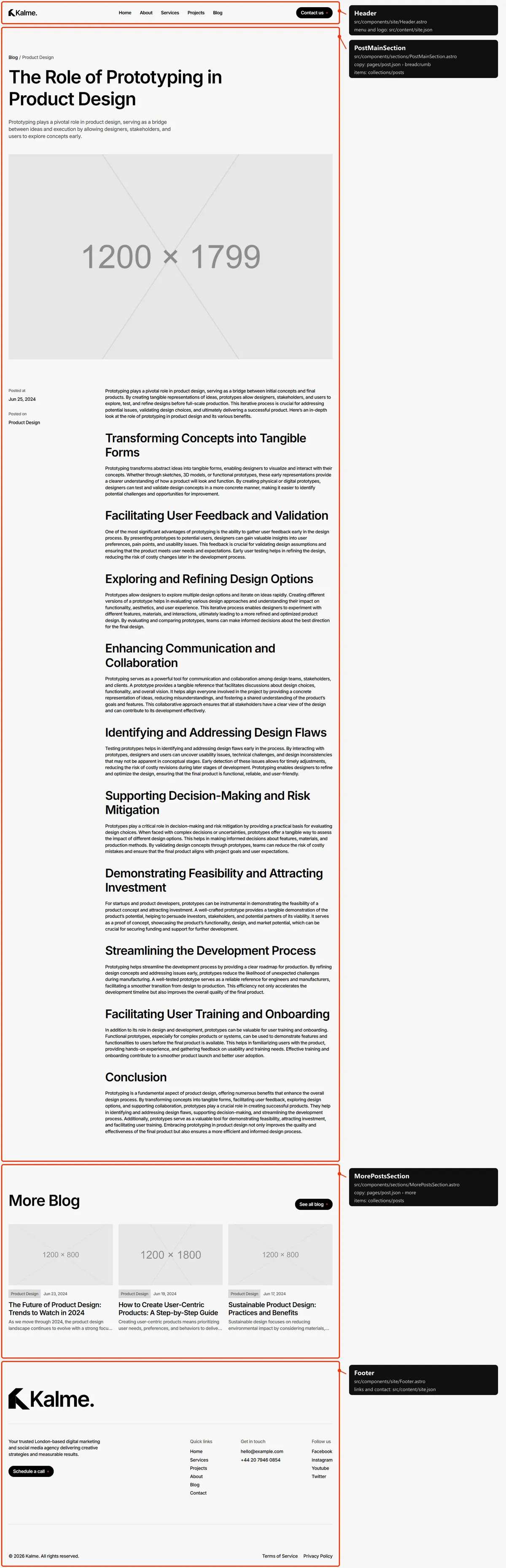
Contact
Section titled “Contact”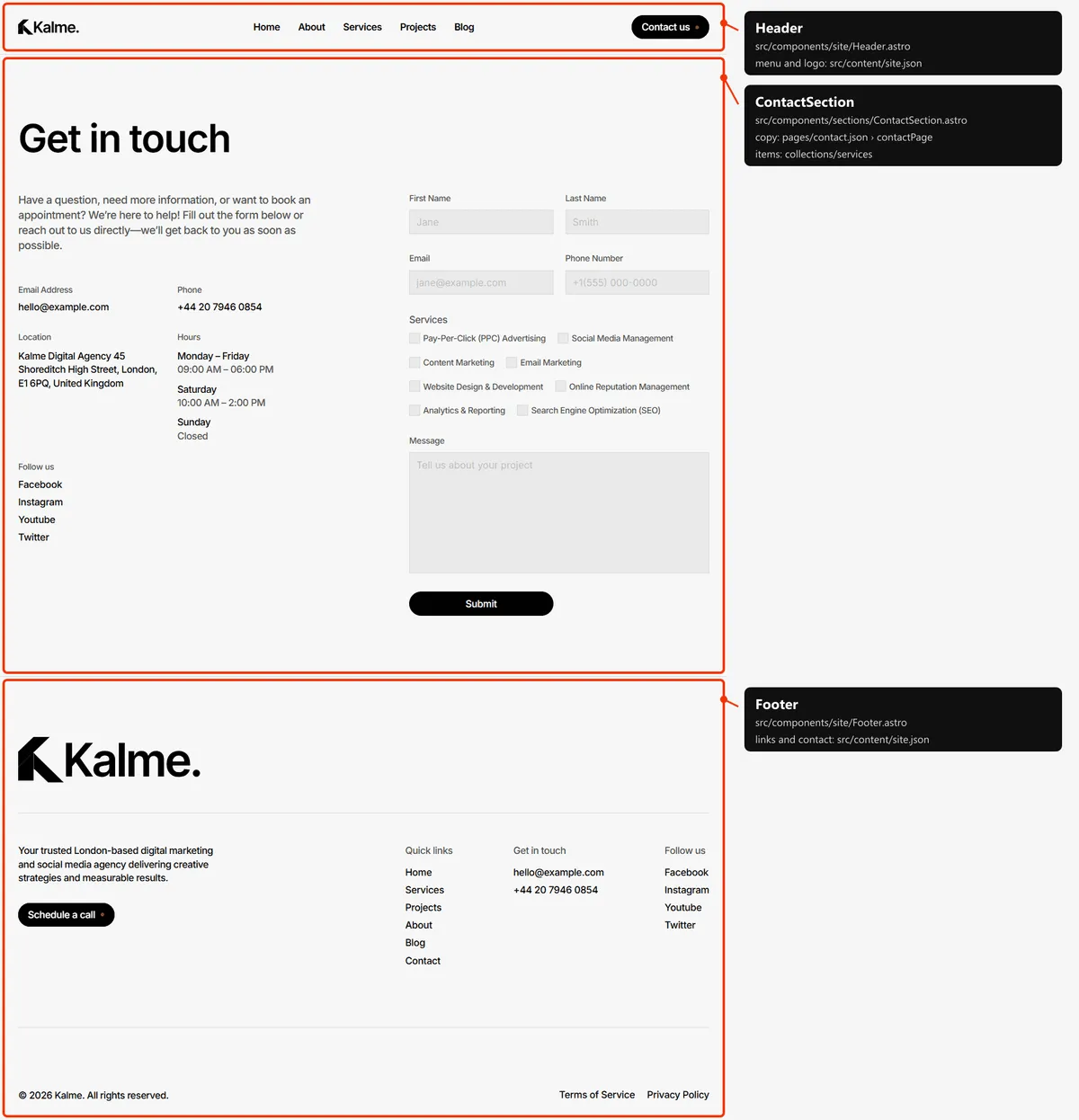
Page not found
Section titled “Page not found”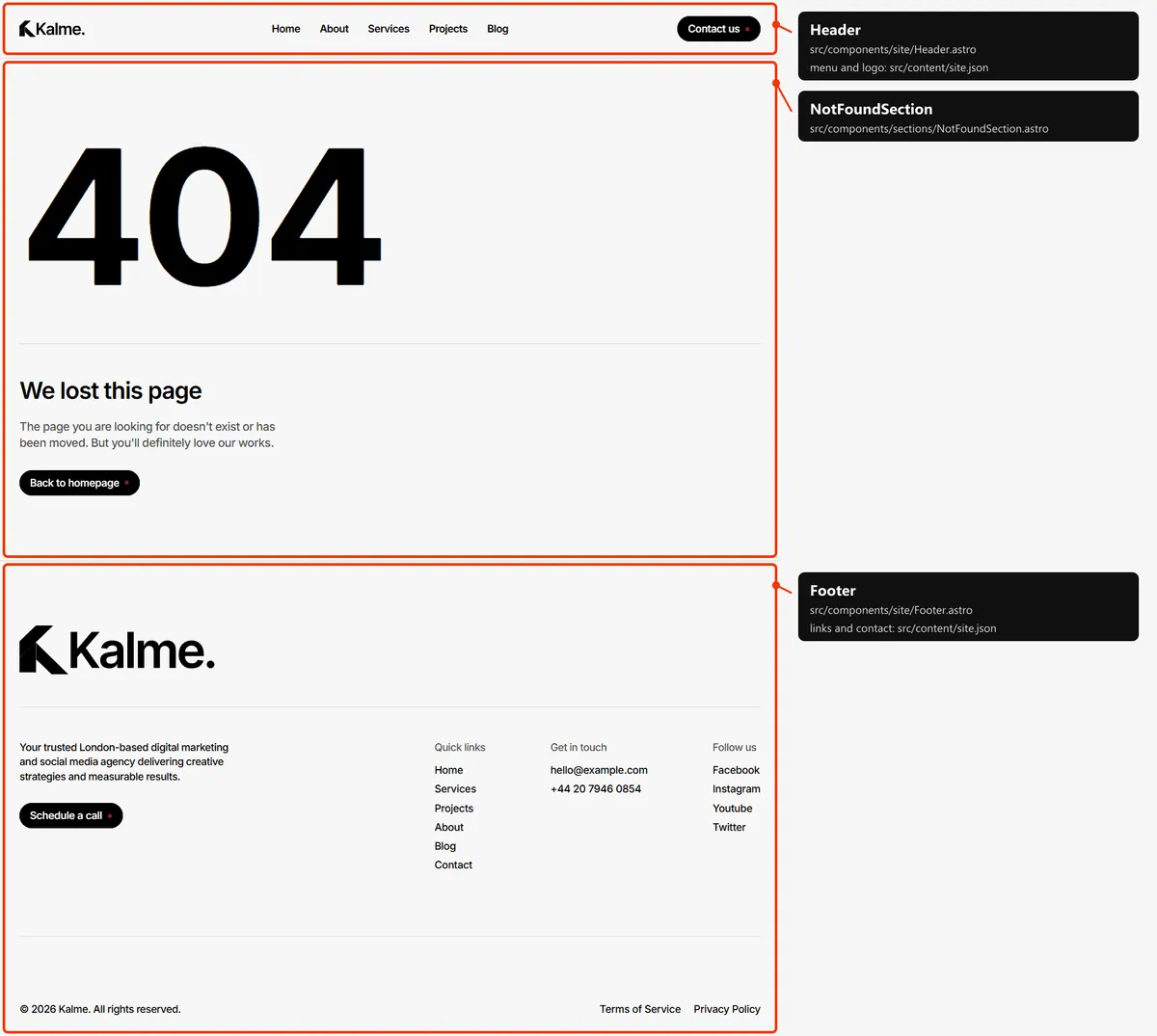
Reordering or removing a section
Section titled “Reordering or removing a section”Move the lines in the page file, or delete one. To take the testimonials off the home page, delete
<TestimonialsSection … /> from src/pages/index.astro (and its import line); its copy in
src/content/pages/home.json can stay or go.
Adding a page
Section titled “Adding a page”- Add the URL to
src/content/routes.ts:pricing: "/pricing", - Add its copy to
src/content/pages/pricing.json, with ameta(title, description):{ "meta": { "title": "Pricing", "description": "What our services cost, from a single campaign to a monthly retainer." } } - Create
src/pages/pricing.astro:---import CtaSection from "../components/sections/CtaSection.astro";import pricingPage from "../content/pages/pricing.json";import siteContent from "../content/site.json";import Layout from "../layouts/Layout.astro";---<Layout title={pricingPage.meta.title} description={pricingPage.meta.description}><CtaSection {...siteContent.cta} /></Layout> - Link to it: add
{ "label": "Pricing", "href": "/pricing" }tonavigationinsrc/content/site.json, or to the footer’squickLinks. - Add it to
src/pages/sitemap.xml.ts, next to the other top-level pages.
Removing a page
Section titled “Removing a page”Delete its file under src/pages/, its entry in navigation, in the footer’s links and in src/pages/sitemap.xml.ts,
and the route in routes.ts. npm run check then tells you about anything still pointing at it through routes.
Pages built from a collection
Section titled “Pages built from a collection”src/pages/blog/[slug].astro builds one page per post:
export const getStaticPaths = (async () => { const posts = await getPosts(); return posts.map((post) => ({ params: { slug: post.slug }, props: { post, posts } }));}) satisfies GetStaticPaths;Add a post to src/content/collections/posts.json and its page, its links and its sitemap entry appear on the next
build; any other slug is a 404. The same pattern builds the service, project and legal pages.
The 404 page
Section titled “The 404 page”src/pages/404.astro, with its copy in src/content/pages/not-found.json. It is noindex, like the style guide. Static
hosts serve 404.html for any unknown address.
Search engines
Section titled “Search engines”src/pages/sitemap.xml.tsbuildssitemap.xmlfromroutes.tsand the collections, so new items list themselves. The 404 page and the style guide are left out.src/pages/robots.txt.tsbuildsrobots.txtand points at the sitemap. Both usesite.url, so set your domain before publishing.- Every indexable page gets a title, a description, a canonical link, an
og:urland a share image fromsrc/layouts/Layout.astro. A title that would be longer than 60 characters with| Kalmeappended is shown without the suffix. noindexpages: the style guide and the 404 page.