Pages and sections — Ciketo Next.js
A page is a small file that picks sections and hands them content. src/app/blog/page.tsx is the whole Blog page:
export const metadata = pageMeta(routes.blog, blogPage.meta);
export default async function BlogPage() {  const posts = await getPosts();  return (    <>      <BlogListSection label={blogPage.label} title={blogPage.title} loading={blogPage.loading} posts={posts.map(toPostCard)} />      <CtaSection {...cta} />    </>  );}
pageMeta(route, meta)gives the page its browser title, description, canonical link and share image.getPosts()reads the collection (see Editing the content).toPostCardturns each post into what the card shows (src/lib/to-ui.ts).- The sections render them: the list of posts, then the call to action, whose copy is
ctainsrc/content/site.ts.
The sections you can use
Section titled “The sections you can use”In src/components/sections/. Each takes its copy from a page file (or site.ts) and its items from a collection.
Sections that belong to one page share a file: ServiceSections.tsx holds every section of a service page.
| Section | File | Used on |
|---|---|---|
HomeHeroSection, HomeAboutSection, HomeServicesSection, ImageBand, TestimonialsSection, HomeBlogSection, FaqSection |
one file each | Home |
ClientsSection |
ClientsSection.tsx |
Home, About |
IndustriesSection |
IndustriesSection.tsx |
Home, About |
HowItWorksSection |
HowItWorksSection.tsx |
Home, Services, Service |
QuoteFormSection |
QuoteFormSection.tsx |
Home, Service |
CtaSection |
CtaSection.tsx |
Home, About, Services, Blog |
AboutHeroSection, AboutStorySection, LeaderSection |
AboutSections.tsx |
About |
ServicesListSection |
ServicesListSection.tsx |
Services |
ServiceHeroSection, ServiceIntroSection, ServiceBenefitsSection, ServiceLanesSection |
ServiceSections.tsx |
Service |
BlogListSection |
BlogListSection.tsx |
Blog |
PostArticleSection, RelatedPostsSection, LegalSection |
PostSections.tsx |
Post, the legal pages |
ContactSection |
ContactSection.tsx |
Contact |
NotFoundSection |
NotFoundSection.tsx |
404 |
The quote form appears on three kinds of page with the same copy (quoteForm in src/content/site.ts), so changing
it once changes it everywhere. QuoteFormSection shows it on a white card beside a photo; the Contact page places the
same form (QuoteForm, from the same file) on its cover, next to your contact details. “How it works”, the industries,
the client logos and the call to action are shared the same way.
Page maps
Section titled “Page maps”Every page type with each section outlined and labelled: the component that renders it, the file to edit, and where its
copy (src/content/pages/*.ts, src/content/site.ts) and items (src/content/collections/*.ts) come from. Header and
footer take their links and details from src/content/site.ts. Photos are the placeholders of the download.
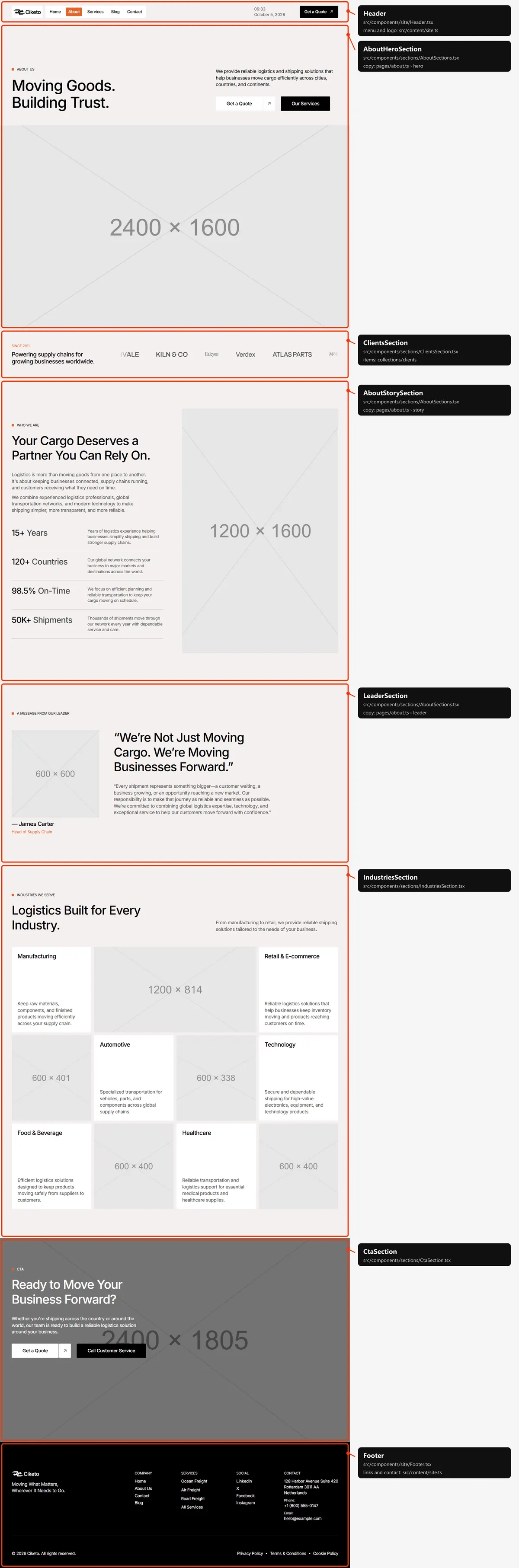
The hero’s figures, the help card beside the services and the FAQ are in src/content/pages/home.ts. The line before
the client logos, the figures under “Why Choose Us”, “How it works”, the industries, the quote form and the call to
action are shared with other pages, in src/content/site.ts.

The leader’s message is leader in src/content/pages/about.ts.
Services
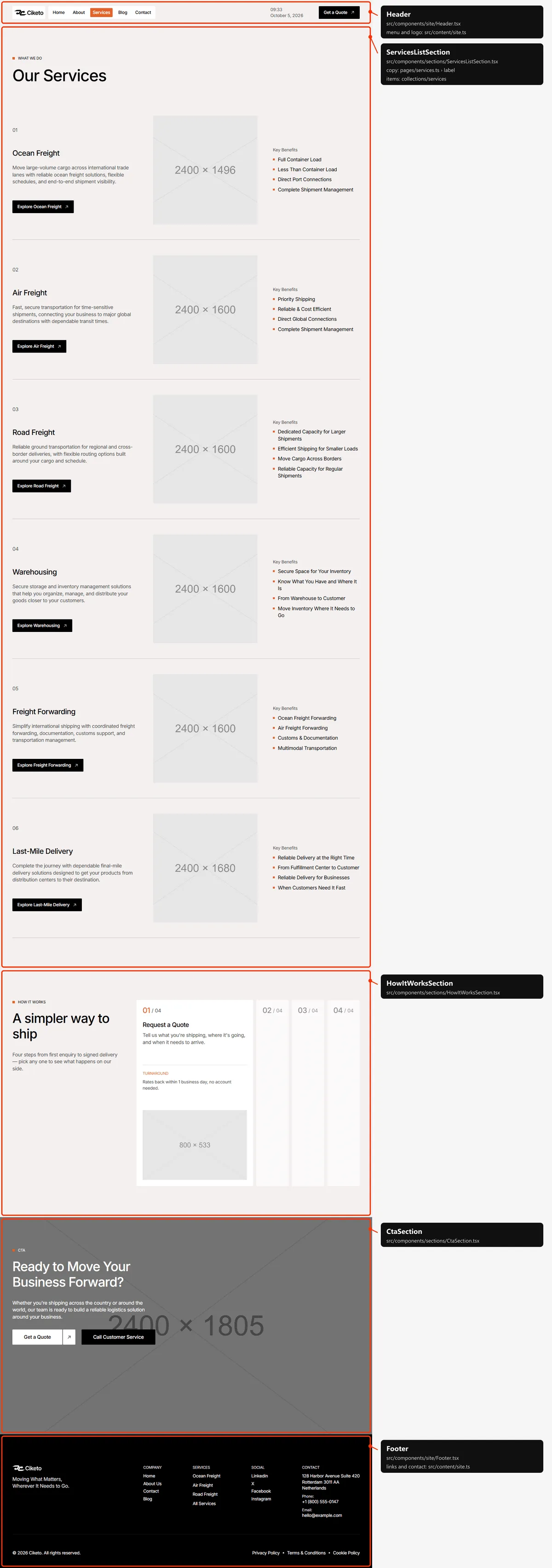
Section titled “Services”One row per service, numbered in the order of services.ts. The list under “Key Benefits” is the titles of the
service’s four benefits.
Service
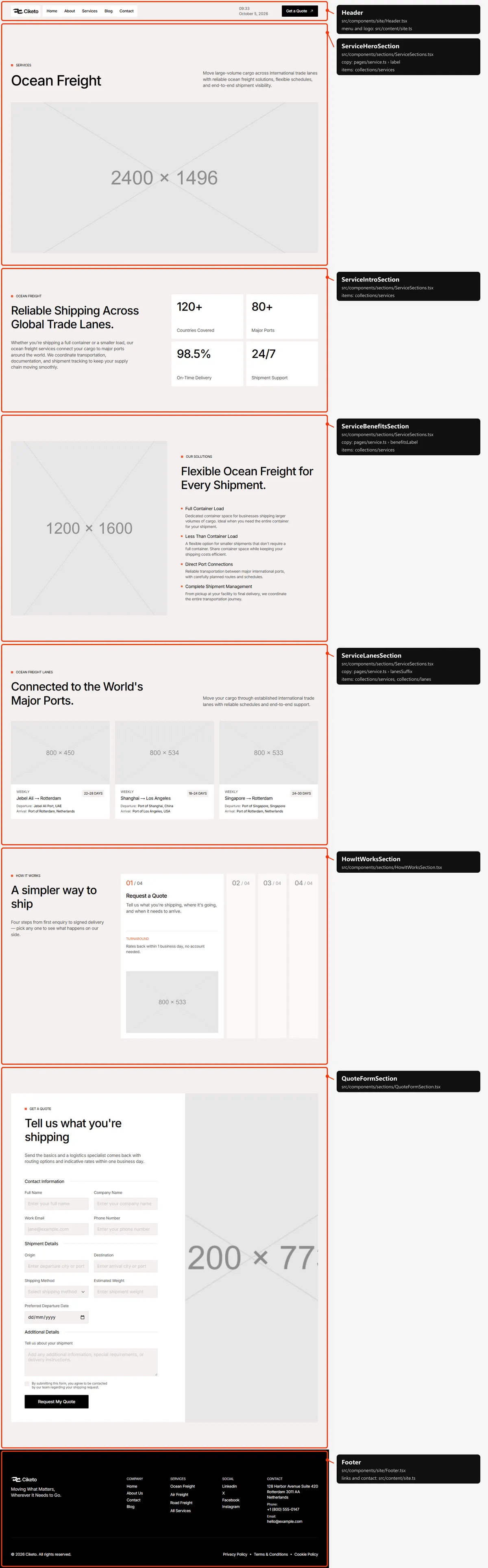
Section titled “Service”The name, summary and photo, the introduction with its four figures, the key benefits and the heading over the lanes
come from the service in services.ts; the lane cards from lanes.ts (the slugs in its lanes.items); the labels
and the photo beside the key benefits from src/content/pages/service.ts.
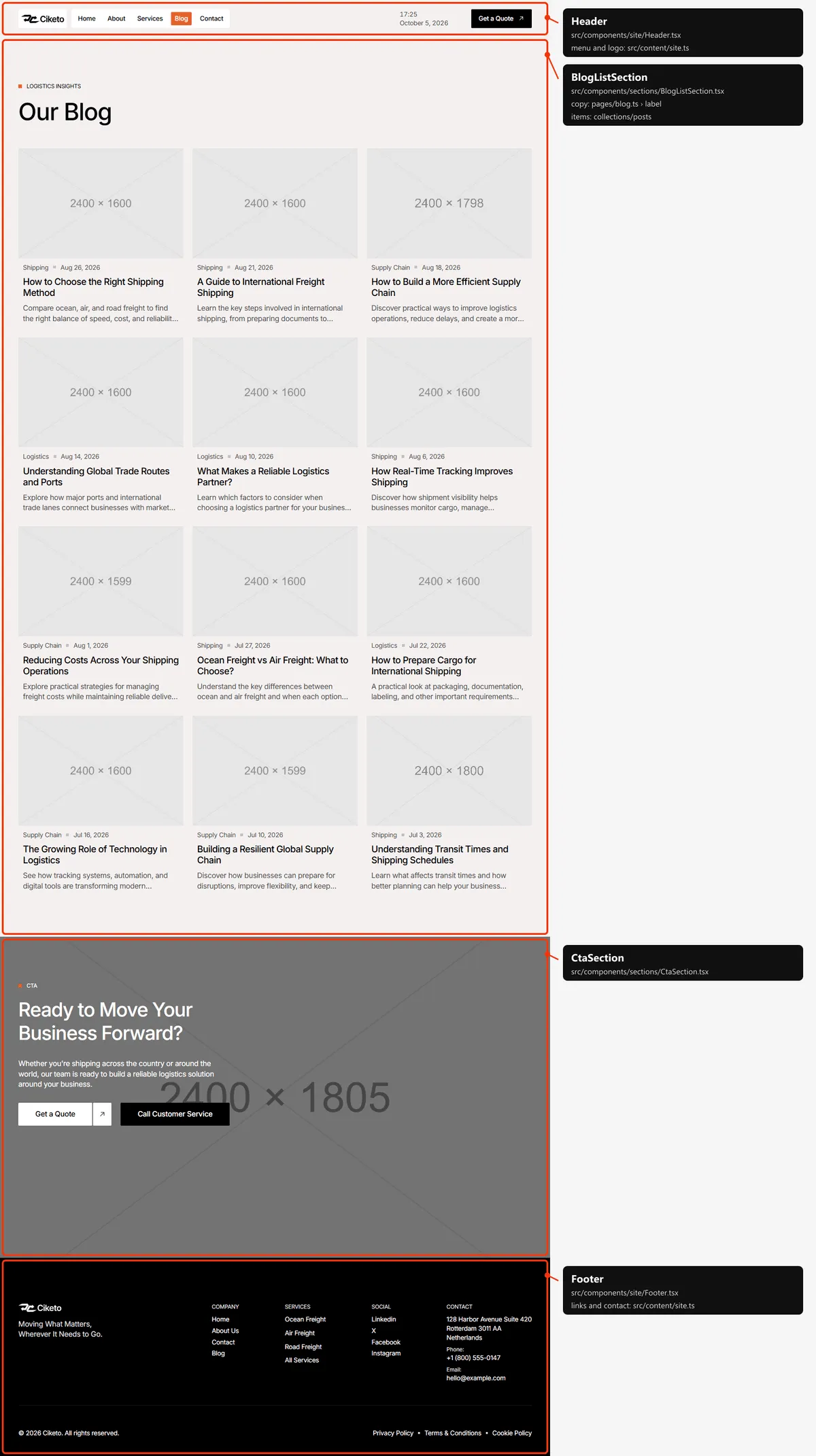
Six posts show at first; six more appear each time the spinner under the list scrolls into view. Every post is in the page’s HTML from the start, so search engines find them all; visitors without JavaScript see the first six.
Blog post
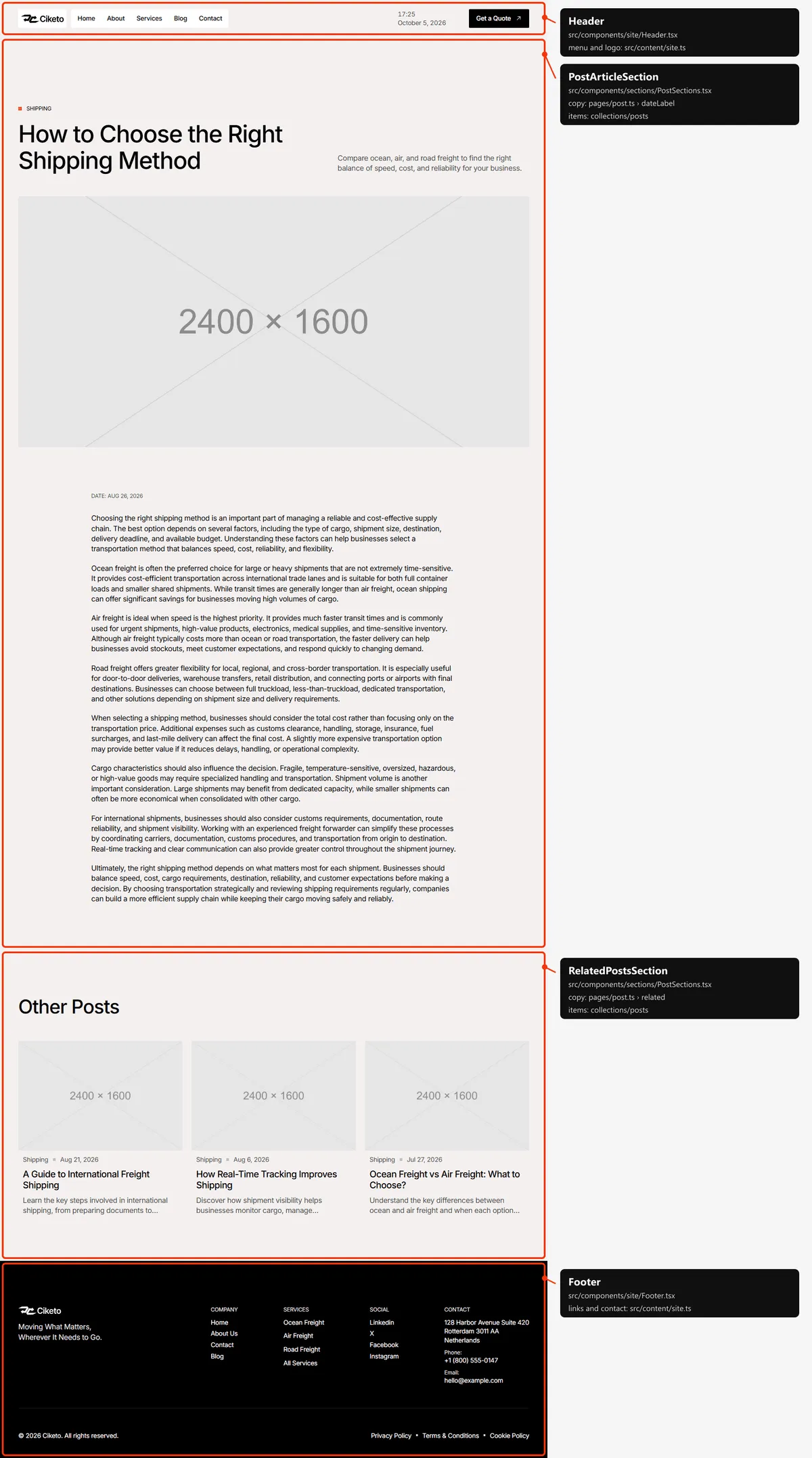
Section titled “Blog post”The category, title, excerpt, photo, date and text come from the post. “Other Posts” lists up to three posts of the
same category and is left out when there are none.
Contact
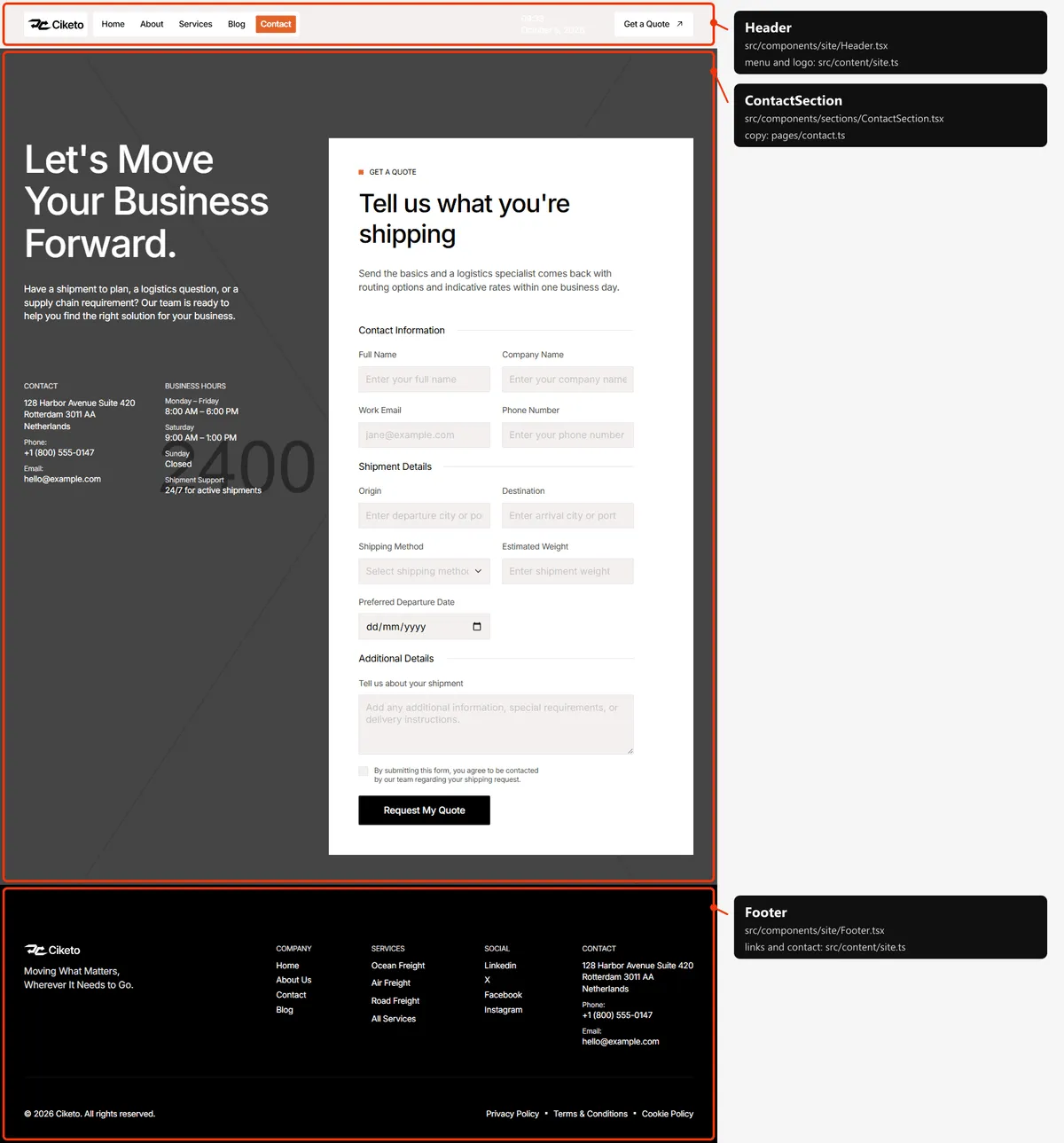
Section titled “Contact”The title, text, photo and business hours are in src/content/pages/contact.ts; the address, phone and e-mail are
contact in src/content/site.ts; the form is the shared quote form.
Legal page
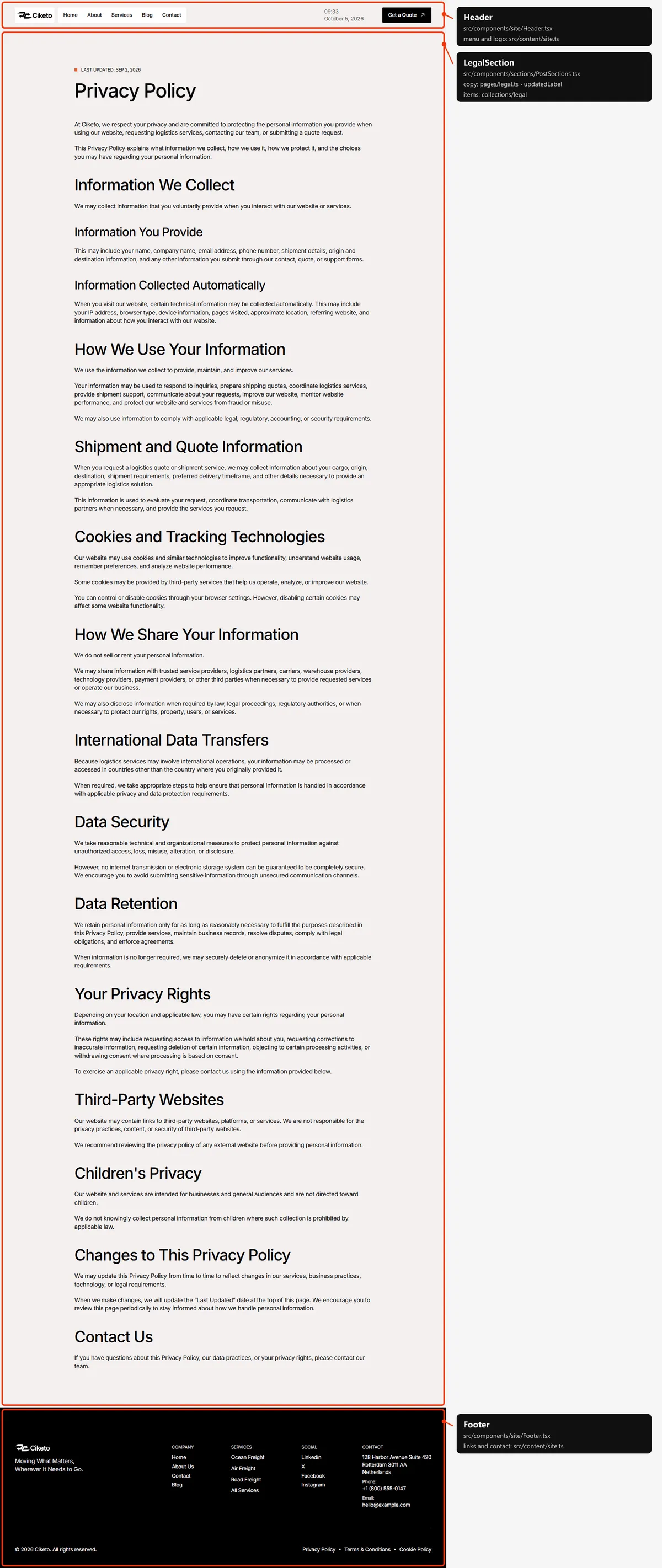
Section titled “Legal page”The three legal pages share this layout; their text is in src/content/collections/legal.ts.
Page not found
Section titled “Page not found”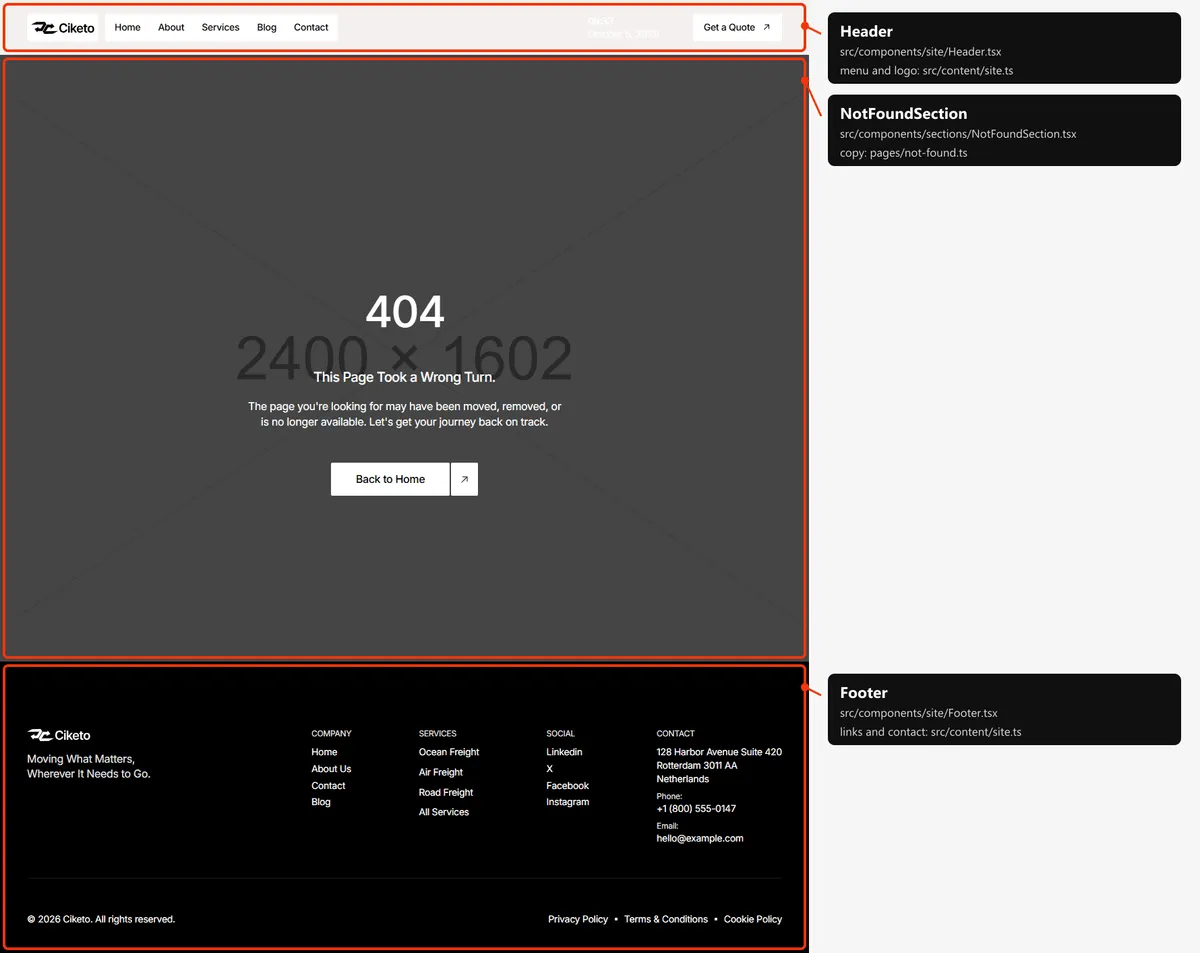
Reordering or removing a section
Section titled “Reordering or removing a section”Move the lines in the page file, or delete one. To take the FAQ off the home page, delete <FaqSection … /> from
src/app/page.tsx; its copy in src/content/pages/home.ts can stay or go.
Adding a page
Section titled “Adding a page”-
Add the URL to
src/content/routes.ts:careers: "/careers", -
Add its copy to
src/content/pages/careers.ts, with ameta(title, description):export const careersPage = {meta: { title: "Careers", description: "Join the Ciketo team: open roles in freight operations, customer service and route planning." },label: "Careers",title: "Move the world with us",text: "We are hiring people who like solving logistics problems.",}; -
Create
src/app/careers/page.tsx:import { CtaSection } from "@/components/sections/CtaSection";import { careersPage } from "@/content/pages/careers";import { routes } from "@/content/routes";import { cta } from "@/content/site";import { Section, SectionTitle } from "@/design-system";import { pageMeta } from "@/lib/meta";export const metadata = pageMeta(routes.careers, careersPage.meta);export default function CareersPage() {return (<><Section><SectionTitle as="h1" label={careersPage.label} title={careersPage.title} text={careersPage.text} leadClassName="max-w-[450px]" /></Section><CtaSection {...cta} /></>);} -
Link to it: add
{ label: "Careers", href: "/careers" }tonavigationinsrc/content/site.ts, or to the footer’scompany.linksin the same file. -
Add
routes.careersto thepageslist insrc/app/sitemap.ts, next to the other top-level pages.
The new page starts below the header, like every page except Home, Contact and the 404 page (the header).
Removing a page
Section titled “Removing a page”Delete its folder under src/app/, its entries in navigation and the footer’s links (src/content/site.ts), its line
in src/app/sitemap.ts, and the route in routes.ts. npm run build then tells you about anything still using the
route through routes. Links written as text in the content (href: "/contact" on buttons) are not checked: search
src/content/ for the path.
Pages built from a collection
Section titled “Pages built from a collection”src/app/blog/[slug]/page.tsx builds one page per post:
export const dynamicParams = false; // only the slugs below exist; anything else is a 404export async function generateStaticParams() { return (await getPosts()).map((post) => ({ slug: post.slug }));}Add a post to src/content/collections/posts.ts, and its page, its card and its sitemap entry appear on the next
build. The same pattern builds the service pages (src/app/services/[slug]/page.tsx) and the legal pages
(src/app/legal/[slug]/page.tsx).
The 404 page
Section titled “The 404 page”src/app/not-found.tsx, with its copy in src/content/pages/not-found.ts and the Home hero photo behind it. It is
noindex, like the style guide.
The header
Section titled “The header”- Transparent over a cover. Home, Contact and the 404 page open with a dark full-width photo, and the header sits
on it with white text while the visitor is at the top; it turns solid as soon as they scroll, and stays solid on
every other page. Home and Contact are named in
useCover()insrc/components/site/Header.tsx, and any page with a section markeddata-header-coverjoins them (that’s how the 404 page does it). Put the mark on the page’s first section: the page then starts at the top of the window, under the header, so that section should be dark. To give Home or Contact a solid header, take them out ofuseCover()and remove the mark fromHomeHeroSection.tsxorContactSection.tsx. - The menu is
navigationinsrc/content/site.ts. The link of the page you are on is orange; service pages, posts and legal pages highlight nothing. On phones the menu, the “Get a Quote” button and the clock open under the three-line button and close when a link is followed. - The clock shows the visitor’s local time and date, on desktops and in the phone menu. It is filled in by the browser, so it is never the server’s time.
Search engines
Section titled “Search engines”- Sitemap:
src/app/sitemap.tsbuildssitemap.xmlfromroutes.tsand the collections: the five main pages, every service, every post (with its date) and every legal page (with its date). The 404 page and the style guide are left out. - Robots:
src/app/robots.tsbuildsrobots.txtand points at the sitemap. Both usesite.url, so set your domain before publishing. - Per page: every indexable page gets a title, a description, a canonical link, an
og:urland a share image frompageMeta(src/lib/meta.ts). A title that would be longer than 60 characters with| Ciketoappended is shown without the suffix. Posts are shared as articles, with their date. - Not indexed: the style guide and the 404 page (
noindex).