Pages and sections — Denzel Next.js
A page is a small file that picks sections and hands them content. src/app/blog/page.tsx is the whole Blog page:
export const metadata: Metadata = pageMeta(routes.blog, blog.meta);
export default async function BlogPage() {  const [posts, categories, authors] = await Promise.all([getPosts(), getCategories(), getAuthors()]);  return <BlogGrid title={blog.title} posts={posts.map((post) => toPostCard(post, categories, authors))} />;}
pageMeta(route, meta)gives the page its browser title, description, canonical link and share image.getPosts(),getCategories()andgetAuthors()read the collections (see Editing the content).toPostCard(src/lib/to-ui.ts) joins each post to its category and author, as the cards show them.- The section renders them: every post as a card, three to a row on desktops.
The pages
Section titled “The pages”6 kinds of page and 39 addresses in the demo. Every address is built from src/content/routes.ts.
| Page | Address | Page file | Copy (src/content/pages/) |
Items it shows |
|---|---|---|---|---|
| Home | / |
src/app/page.tsx |
home.ts |
six posts in the slider, three in Editor’s Pick and six in Trending (picked by slug), the eight newest in Latest, the sidebar |
| Blog | /blog |
src/app/blog/page.tsx |
blog.ts (blog) |
every post, newest first |
| Category | /category/<slug> |
src/app/category/[slug]/page.tsx |
blog.ts (category) |
one category, its posts, the sidebar |
| Author | /author/<slug> |
src/app/author/[slug]/page.tsx |
blog.ts (author) |
one author, their posts, the sidebar |
| Post | /blog/<slug> |
src/app/blog/[slug]/page.tsx |
blog.ts (post) |
one post, up to three of its category, up to three of its author, the sidebar |
| 404 | any unknown address | src/app/not-found.tsx |
not-found.ts |
— |
All 39 addresses of the demo (the sitemap lists the same):
| Page | Addresses |
|---|---|
| Home, Blog (2) | /, /blog |
| Categories (5) | /category/business, /category/technology, /category/economy, /category/fashion, /category/uncategory |
| Authors (6) | /author/anderson, /author/annabella, /author/ceridwen, /author/dostoevsky, /author/melvile, /author/admin |
| Posts (26) | /blog/cryptocurrency-experiences-volatility-as-regulatory-concerns-persist, /blog/the-power-of-fashion-photography-in-shaping-style-and-culture, /blog/leveraging-data-analytics-for-better-decision-making-in-business, /blog/digital-marketing-strategies-adapting-to-the-changing-landscape, /blog/the-importance-of-corporate-social-responsibility, /blog/investors-eye-sustainable-energy-and-green-technology-startups, /blog/the-digital-transformation-of-financial-services-opportunities-and-risks, /blog/self-driving-cars-everything-you-need-to-know, /blog/fashion-and-celebrity-culture-the-influence-of-celebrities-on-style-trends, /blog/the-evolution-of-streetwear-from-subculture-to-high-fashion, /blog/eco-friendly-driving-with-green-technology-cars, /blog/global-chip-shortage-to-hurt-computer-firms-during-festive-season, /blog/green-technology-cars-take-the-lead-for-a-cleaner-future, /blog/sustainable-development-goals-remain-a-priority-for-global-economy, /blog/the-role-of-purpose-in-business-building-a-mission-driven-organization, /blog/how-to-mark-yourself-safe-on-socials-media, /blog/the-importance-of-fit-in-fashion-balancing-comfort-and-style, /blog/leveraging-social-media-to-build-relationships-and-drive-sales, /blog/the-future-of-work-how-technology-is-changing-the-workplace, /blog/the-benefits-of-professional-development-programs, /blog/apple-watch-series-9-reportedly-has-flat-sides-and-bigger-screens, /blog/balancing-creativity-and-commercial-viability-fasion, /blog/google-must-allow-developers-to-use-other-payment-systems, /blog/shipping-costs-surge-as-supply-chain-challenges-persist, /blog/here-are-the-4-cheapest-electric-vehicles-you-can-buy, /blog/the-rise-of-fashion-blogging-the-role-of-influencers-in-the-industry |
The addresses are the original design’s: the menu calls the Blog page “All Post”, and a post lives under /blog/. The
style guide (/style-guide, src/app/style-guide/) and the 404 page are pages too, but they are not in the sitemap, are
hidden from search engines and linked from nowhere.
To change an address, rename its folder in src/app/ and its entry in routes.ts, and search the content for the old
address: links written as text (the menu, “View All”) aren’t checked (removing a page).
The sections you can use
Section titled “The sections you can use”In src/components/sections/, one file each. Each takes its copy from the page file (or site.ts) and its posts as
cards made by toPostCard.
| Section | Used on |
|---|---|
HomeSlider (the sliding row of picked posts) |
Home |
HomeContent (Editor’s Pick, Trending and Latest, beside the sidebar) |
Home |
BlogGrid (every post as a card) |
Blog |
CategoryHead (the breadcrumb, the name, the description and the photo) |
Category |
AuthorHead (the photo, the breadcrumb, the name, the bio and the socials) |
Author |
PostList (the posts as rows, beside the sidebar) |
Category, Author |
PostContent (the article, Related Posts and More Articles by, beside the sidebar) |
Post |
NotFoundBody |
404 |
Sidebar (About, Recent, Explore Topics) |
inside HomeContent, PostList and PostContent |
The section titles with “View All” are SectionTitle, the breadcrumbs Breadcrumbs and the column beside the sidebar
WithSidebar, helpers of the design system, not sections.
The sidebar
Section titled “The sidebar”The sidebar is not a section of its own on the page: HomeContent, PostList and PostContent draw it beside their
column (below it on phones and tablets), so it is part of their box on the maps. It holds three boxes, each under a black
divider:
- About: the logo over a dotted background, the text and the social links. The text and the background are
sidebar.aboutinsrc/content/site.ts, the linkssocials. - Recent: “View All” (to
/blog) and four posts, named by slug insidebar.recent.posts. - Explore Topics: four categories, named by slug in
sidebar.topics.categories, each with its round photo, its name and its number of posts.
The lists come from src/lib/sidebar.ts: getSidebarData() reads the posts, categories and authors through
src/lib/content.ts, looks up the posts and categories that site.ts names (skipping a slug that matches nothing),
counts each category’s posts, and returns them as cards and topics. Every page with a sidebar calls it once and passes
the result to its section (sidebar={await getSidebarData()}), so all four kinds of page show the same lists. To show
other posts or categories, change the slugs in site.ts; to fill Recent with the newest posts instead, change
getSidebarData() to take the first four of getPosts().
How the pages link to each other
Section titled “How the pages link to each other”The menu holds Home, All Post, Business, Technology, Economy, Fashion and Author; the logo leads home. The other pages are reached like this:
| Page | Linked from |
|---|---|
| Home | The logo (header, menu, sidebar, footer), the menu, “Denzel” in the breadcrumbs, “Return to Homepage” (404) |
| Blog | The menu (“All Post”), “View All” (Editor’s Pick, Trending, Recent, Related Posts), “View More” (Latest), “Blog” in the breadcrumbs |
| A category | The menu (the four categories), the category label of every card, Explore Topics, a post’s breadcrumb, the search |
| An author | The menu (“Author”: the first author), the author’s name on every card, “View All” beside “More Articles by”, the search |
| A post | Its card: the slider, Home’s blocks, Blog, the category and author pages, Recent, Related Posts, More Articles by, the footer; the search |
Page maps
Section titled “Page maps”Every page type with each section outlined and labelled: the component that renders it, the copy it reads and the
collections its items come from. Header and footer take their links and details from src/content/site.ts. Photos are
the placeholders of the download.
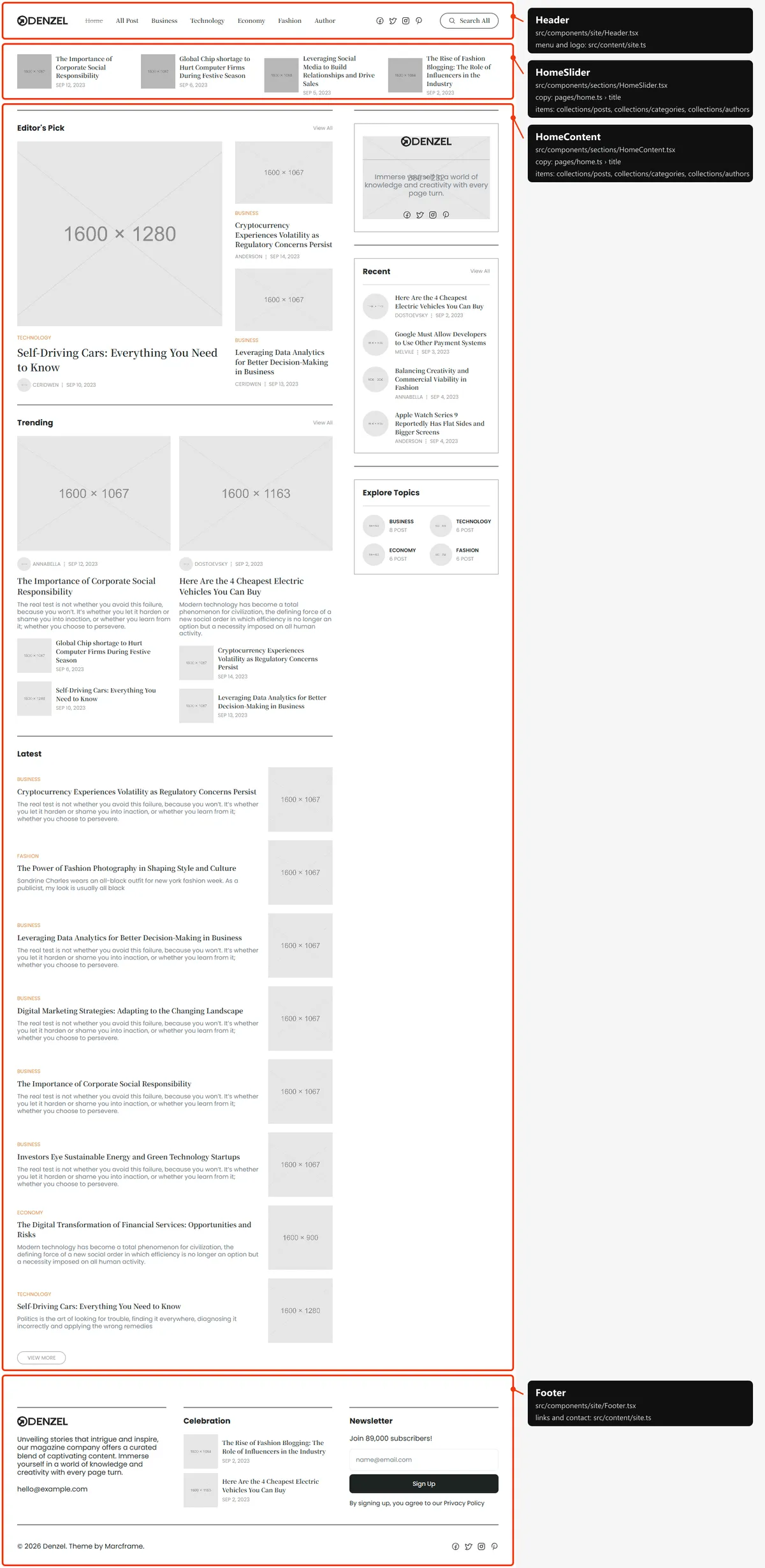
Two sections: the sliding row of six picked posts under the header; then, beside the sidebar, Editor’s Pick (one large
post and two small ones), Trending (two columns of a large post over two small ones) and Latest (the eight newest posts as
rows, then “View More”). The picks and the titles are in src/content/pages/home.ts, the sidebar’s lists in site.ts
(the sidebar). The page’s heading is read by screen readers only.
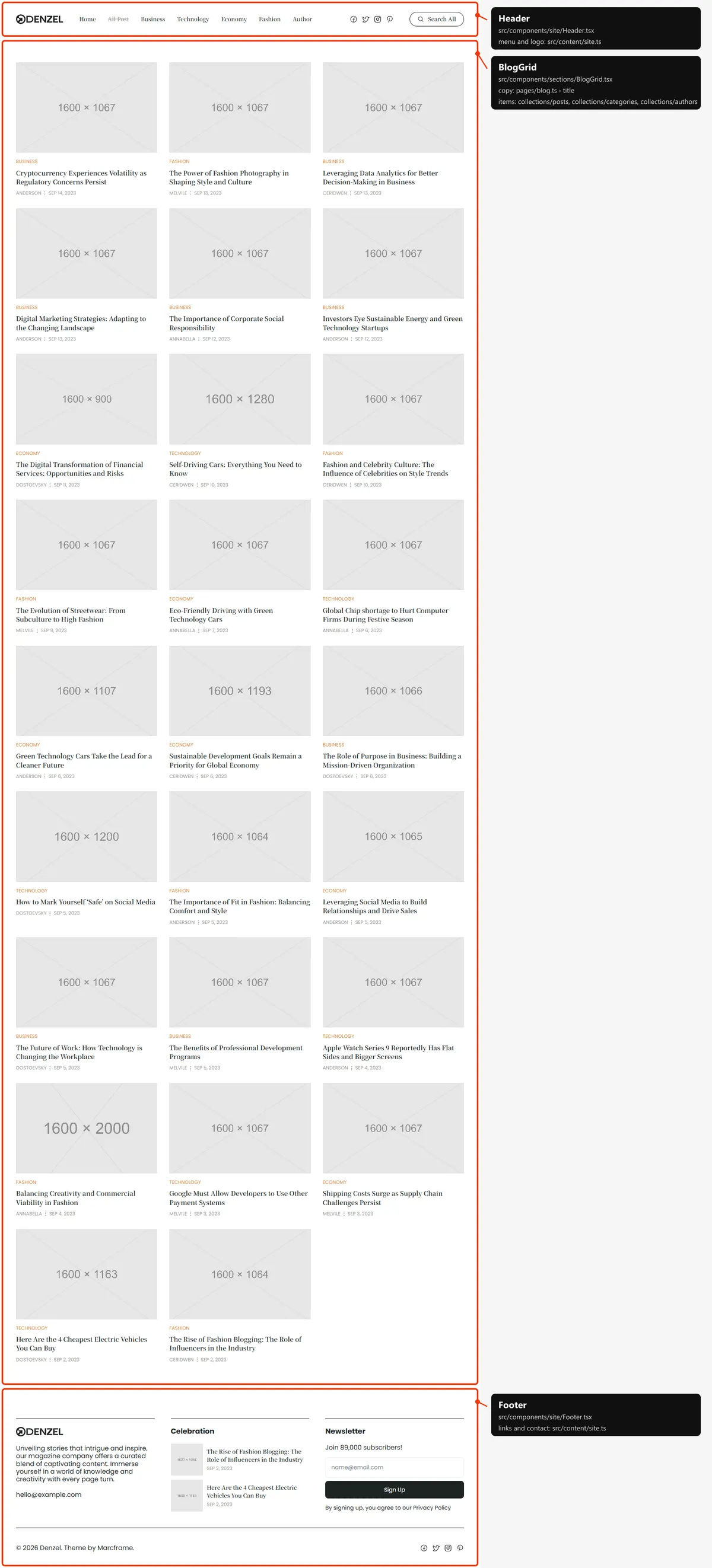
One section: every post as a card (photo, category, title, author and date), three to a row on desktops, two on tablets,
one on phones, newest first, without a sidebar. Its heading (“All Post”, blog.title in src/content/pages/blog.ts) is
read by screen readers only.
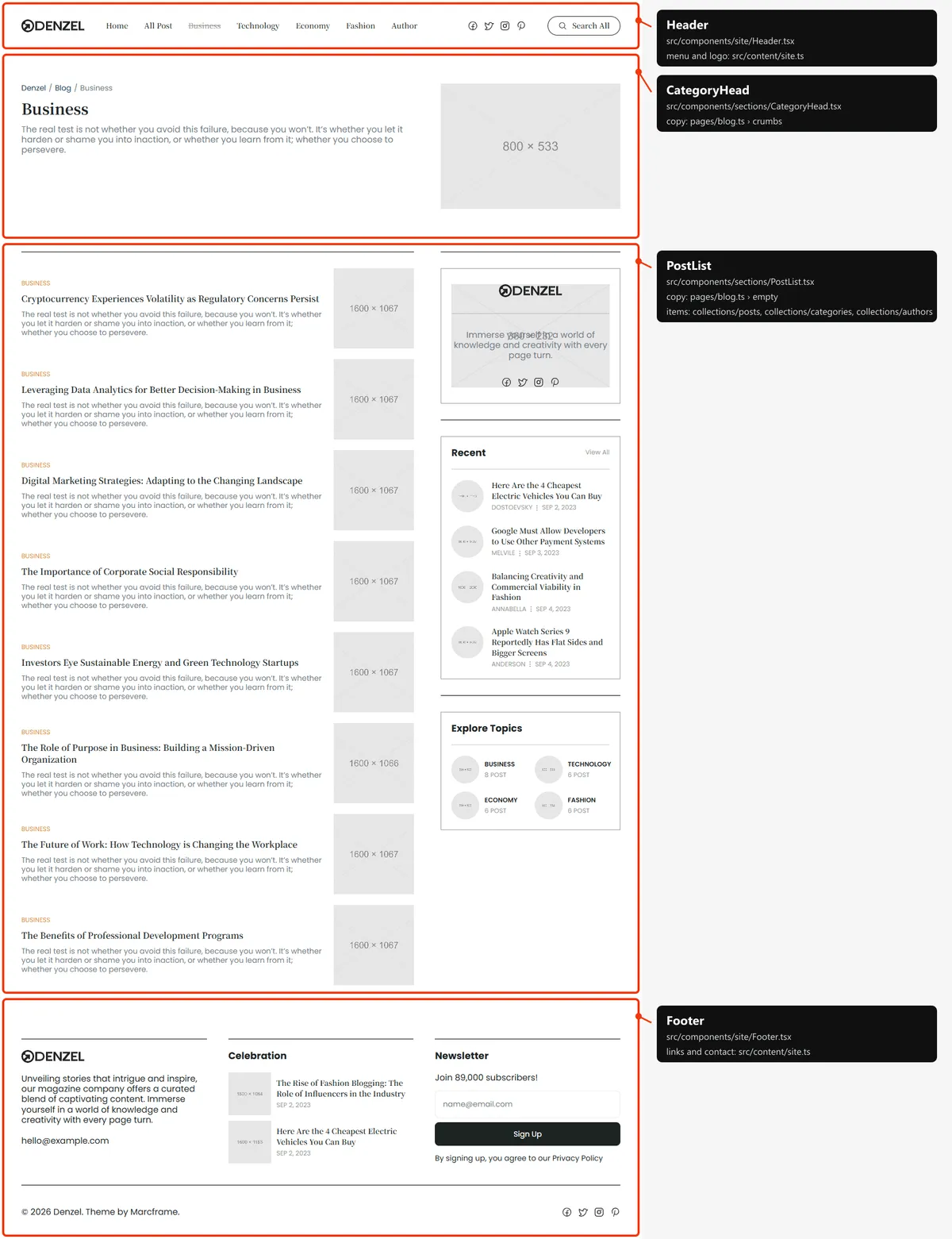
Category
Section titled “Category”Two sections: the head (the breadcrumb “Denzel / Blog / src/content/collections/categories.ts; the breadcrumb and the note for a category without
posts are category in src/content/pages/blog.ts.
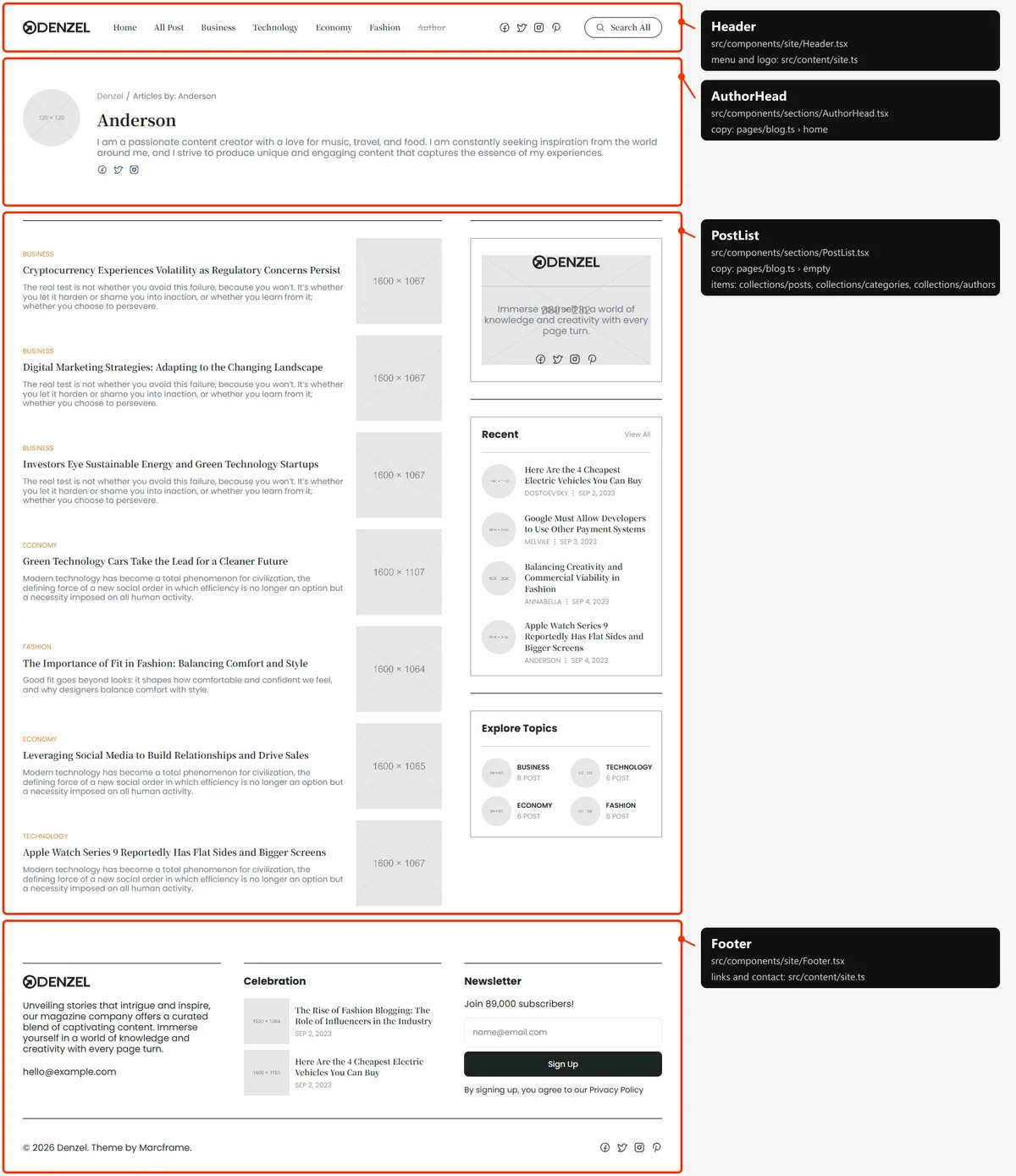
Author
Section titled “Author”Two sections: the head (the round photo, the breadcrumb “Denzel / Articles by: src/content/collections/authors.ts; the breadcrumb and the note for an author without posts are author in
src/content/pages/blog.ts.
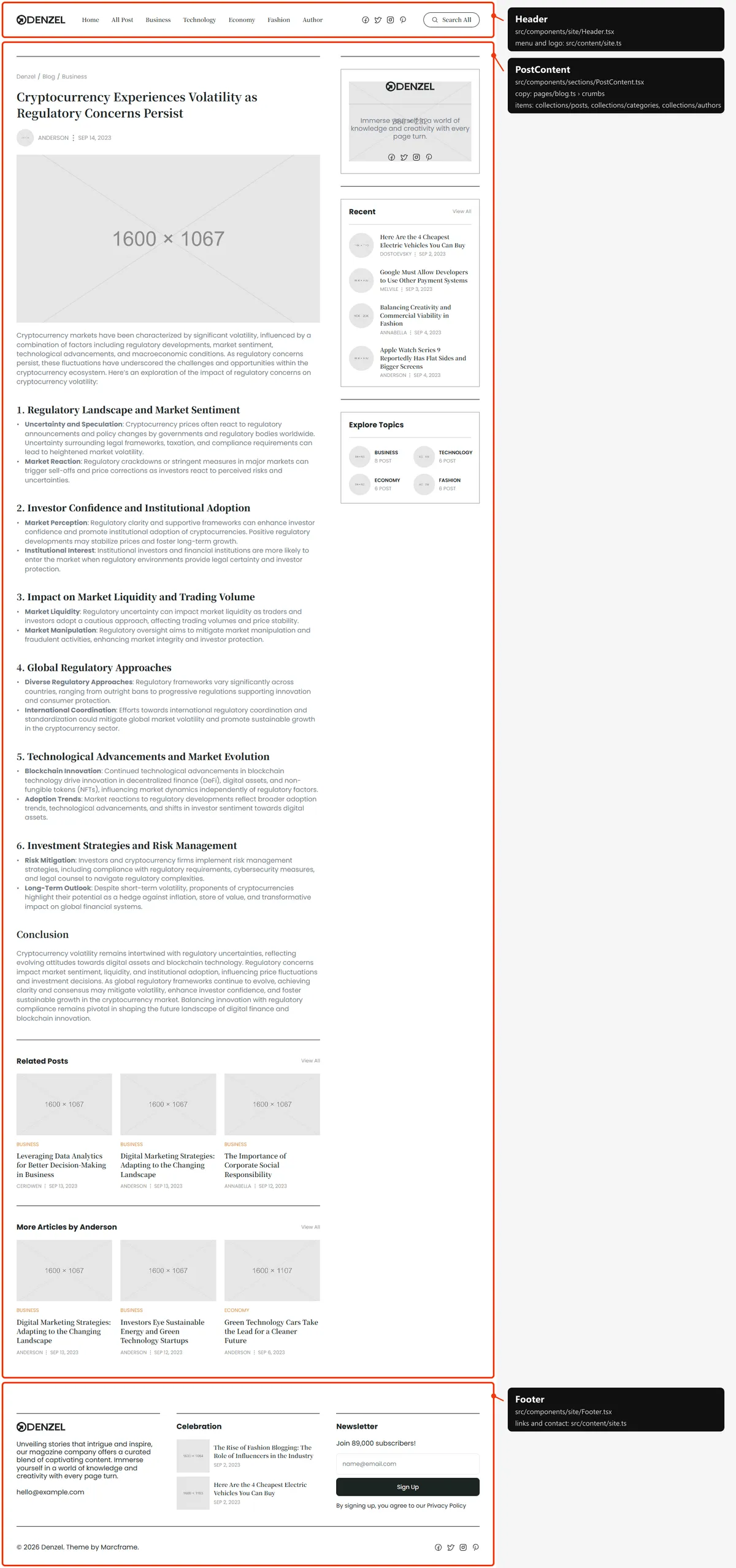
One section, beside the sidebar: the breadcrumb, the title, the author with a photo and the date, the cover photo and the
text; then Related Posts (up to three other posts of the same category) and More Articles by the author (up to three of
their other posts), each left out when there is none. Everything but the labels (post in src/content/pages/blog.ts)
is the post’s own entry in src/content/collections/posts.ts.
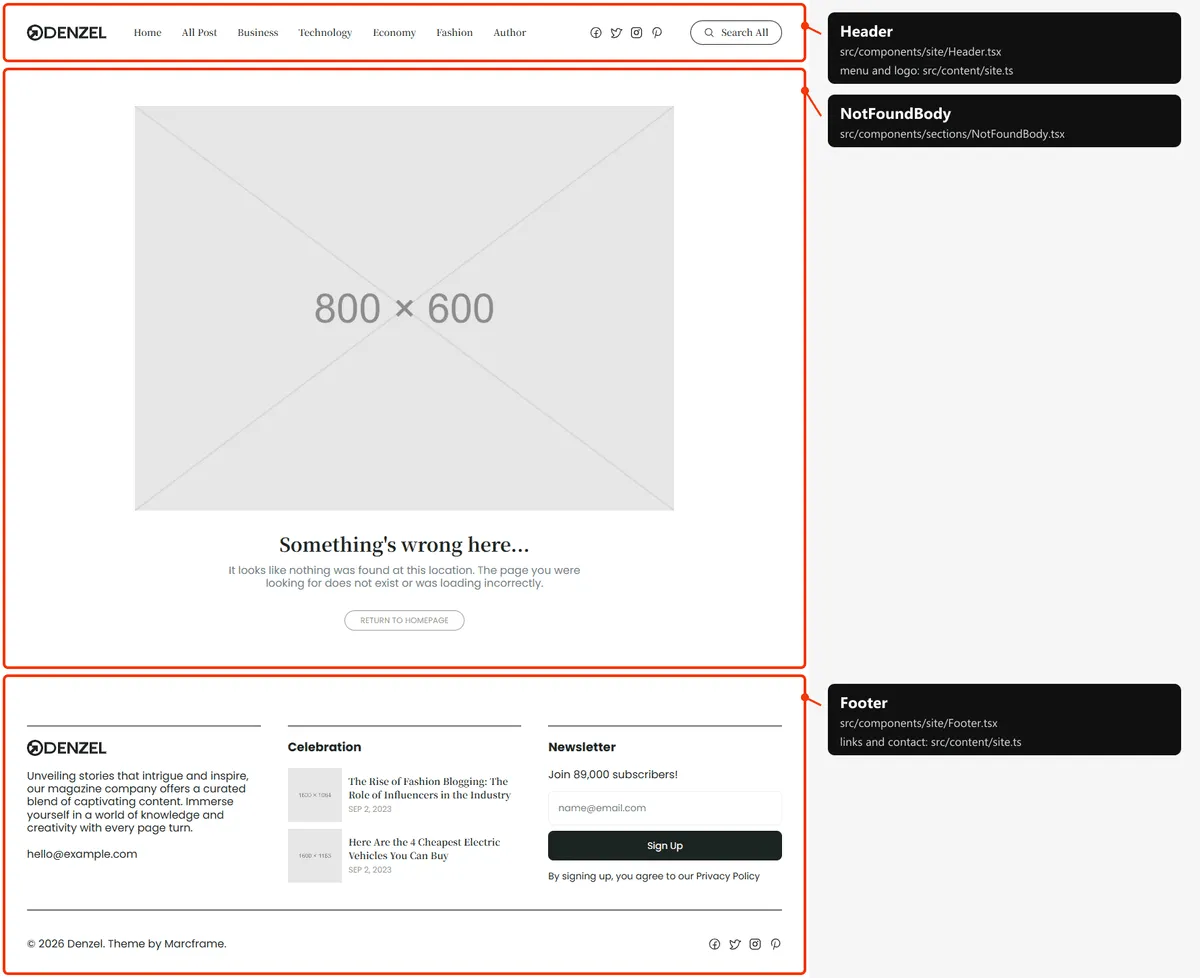
One section, in the middle of a screen-high space: the illustration, “Something’s wrong here…”, the text and “Return to
Homepage”. The words and the illustration are in src/content/pages/not-found.ts.
Reordering or removing a section
Section titled “Reordering or removing a section”Move the lines in the page file, or delete one. To take the slider off the home page, delete <HomeSlider … /> from
src/app/page.tsx; its copy in src/content/pages/home.ts can stay (the page’s screen-reader heading goes with it, so
add an <h1> elsewhere).
The blocks of Home’s column (Editor’s Pick, Trending, Latest) are parts of HomeContent.tsx: reorder or delete them
there. The sidebar is drawn by HomeContent, PostList and PostContent: to remove it from one kind of page, take the
WithSidebar out of that section.
The header is fixed, so no section needs to know about it: <main> starts below a spacer of the header’s height.
Adding a page
Section titled “Adding a page”-
Add the URL to
src/content/routes.ts:about: "/about", -
Add its copy to
src/content/pages/about.ts, with ameta(title, description):export const meta = {title: "About",description: "Who writes Denzel, what we cover and how to reach the newsroom: our editors, our standards and our story.",};export const about = {crumbs: [{ label: "Denzel", href: "/" }, { label: "About" }],title: "About Denzel",text: "Stories that intrigue and inspire, written by a small team of editors.",}; -
Create
src/app/about/page.tsx:import type { Metadata } from "next";import { about, meta } from "@/content/pages/about";import { routes } from "@/content/routes";import { Breadcrumbs, Section, cn, text } from "@/design-system";import { pageMeta } from "@/lib/meta";export const metadata: Metadata = pageMeta(routes.about, meta);export default function AboutPage() {return (<Section padding="py-10 md:py-[50px] lg:py-[60px]" innerClassName="gap-2.5"><Breadcrumbs items={about.crumbs} /><h1 className={cn(text.title, "text-ink")}>{about.title}</h1><p className={cn(text.paragraph, "text-body")}>{about.text}</p></Section>);}The page starts below the header by itself. Give every page one
<h1>. -
Link to it: add
{ label: "About", href: "/about" }tonavigationinsrc/content/site.ts. The menu holds seven links on desktops: with an eighth, check the header at 1200 px. -
Add
routes.aboutto thepathslist insrc/app/sitemap.ts, next toroutes.homeandroutes.blog.
Removing a page
Section titled “Removing a page”Delete its folder under src/app/, its entry in navigation (src/content/site.ts), the route in routes.ts, and its
place in src/app/sitemap.ts. npm run build then tells you about anything still using the route through routes.
Links written as text in the content are not checked: “View All” (picks.viewAll, trending.viewAll in home.ts,
sidebar.recent.viewAll in site.ts), the breadcrumbs in blog.ts. Search src/content/ for the path.
Pages built from a collection
Section titled “Pages built from a collection”src/app/blog/[slug]/page.tsx builds one page per post:
export const dynamicParams = false;
export async function generateStaticParams() {  return (await getPosts()).map((post) => ({ slug: post.slug }));}
Add a post to src/content/collections/posts.ts, and its page, its cards and its sitemap entry appear on the next build.
The same pattern builds the categories (src/app/category/[slug]/page.tsx) and the authors
(src/app/author/[slug]/page.tsx). dynamicParams = false means an address that isn’t in the collection shows the 404
page.
The 404 page
Section titled “The 404 page”src/app/not-found.tsx, with its copy in src/content/pages/not-found.ts. Next.js shows it for any unknown address, and
for a post, category or author slug that doesn’t exist, with a 404 status and noindex, like the style guide.
The header
Section titled “The header”- Fixed, over the top of every page, and the same everywhere: a white bar, 92 px tall on phones and tablets and 96 px on desktops.
- Desktop: the logo, the seven links, the social links and the “Search All” button. Tablet: the logo, the social links in the middle, a round search button and the menu button. Phone: the same without the social links.
- The menu is
navigationinsrc/content/site.ts. The link of the current page is grey and struck through; screen readers hear it as the current page. Only the exact address counts: on a post, no link is marked. On phones and tablets the menu button (four small squares, “Close” when open) opens the links and the social links in a column under the bar; it closes when a link or the button is pressed.
The search
Section titled “The search”“Search All” (the round button on phones and tablets) opens a search box over the page. As the visitor types, it lists
the matches with their address: every post (found by its title, excerpt, category and author), the categories and the
authors that have posts (by their name, description or bio). Every word typed must match. The arrow keys move through
the results and Enter opens one; Escape, a click beside the box or a result closes it. With no match it says “No results
found” (search.empty in site.ts).
The list is built once for the whole site by toSearchItems in src/lib/to-ui.ts, from the collections, and runs in the
visitor’s browser: there is no search server. A CMS-backed site gets it the same way, at build time.
The footer
Section titled “The footer”src/components/site/Footer.tsx: three columns (the logo, the text and the e-mail; “Celebration” with two posts named in
footer.posts.slugs; the newsletter box), then the copyright line and the social links. Its texts are footer in
src/content/site.ts; the newsletter box is described in Forms.
Search engines
Section titled “Search engines”- Sitemap:
src/app/sitemap.tsbuildssitemap.xmlfromroutes.tsand the collections: Home, Blog, then every category, author and post: 39 addresses in the demo. The 404 page and the style guide are left out. - Robots:
src/app/robots.tsbuildsrobots.txt, which allows everything and points at the sitemap. Both usesite.url, so set your domain before publishing. - Per page: every indexable page gets a title, a description, a canonical link, an
og:urland the share image frompageMeta(src/lib/meta.ts). Home and Blog take theirs frommetainhome.tsandblog.ts. A category’s description iscategory.metaDescriptionwith its name; an author’s isauthor.metaDescriptionfollowed by the bio; a post’s is its title and its first paragraph, cut at 160 characters, and a post shares its own cover photo. A title that would be longer than 60 characters with| Denzelappended is shown without the suffix. - One
<h1>per page: the name of a category or author, the title of a post, the 404’s title; on Home and Blog, whose design shows no title, the<h1>is read by screen readers only. - Not indexed: the style guide and the 404 page (
noindex).