Pages and sections — KorDent HTML
KorDent has 10 kinds of page and 29 addresses in its sitemap; each page is one HTML file whose <main> holds its
sections, top to bottom.
This guide lists every kind of page with its sections, says where its words and photos are, and explains how the pages link to each other, the header and what search engines see. To change a section, find its words in the file and edit them there (Editing the site).
The pages
Section titled “The pages”| Page | File | Sections in <main> |
|---|---|---|
| Home | index.html |
8 |
| About | about.html |
5 |
| Services | service.html |
5 |
| Service (one per service) | service/<slug>.html (14) |
2 |
| Blog | blog.html |
2 |
| Post (one per post) | blog/<slug>.html (6) |
3 |
| Contact | contact.html |
1 |
| Book | book.html |
2 |
| Legal page | legal/privacy-policy.html, legal/terms-of-use.html, legal/accessibility-statement.html |
1 |
| Page not found | 404.html |
1 |
Services is service.html, in the singular, as in the original design, and so is its folder: a service is
service/general-dentistry.html. Every page also has the header and the footer, copied into each file. Photos are in
assets/images/, named after their place (home-hero.jpg, service-<slug>.jpg, post-<slug>.jpg);
Editing the site lists them with their sizes. The style guide (style-guide.html) is a page of its own,
linked from nowhere.
In the HTML files a section is a <section> directly inside <main>: count them from the top. The maps below outline
each one and name it, with the file that holds it in the Astro edition (src/components/sections/…, its copy in
src/content/…); in this edition the box is simply the matching <section> of the page file, and its text is in the
HTML. The photos in the maps are the download’s placeholders.

Eight sections, top to bottom:
- The hero: the eyebrow chip, the title (its second half in the accent colour), the lead, “Book Appointment” and
“Our Services”, the review strip, the photo (
home-hero.jpg) with its caption and two badges, and the facts row. - “Our Clinical Departments”: the services grid with the department tabs and the search, six services at a time that match, and the safety banner under it.
- “About Our Clinic”: three photos (
home-about.jpg,-2,-3), two paragraphs, “Why Patients Trust KorDent” (an accordion of four reasons; the first open) and “More About Us”. - “Real Patient Outcomes”: four outcome cards, each with four photos (
outcome-…), and on desktops an index on the left that follows the scroll and links to each card. - The dentists: a tab per dentist and the chosen dentist’s card (portrait, office hours, education, experience, languages); on phones, one row per dentist that opens.
- “Testimonials & Reviews”: the review form (Forms) beside the review cards.
- The closing call to action: the special offer, the title, “Call Now” and “Book Appointment”, three promises and the video (Editing the site).
- “Expert Dental Tips”: three post cards.
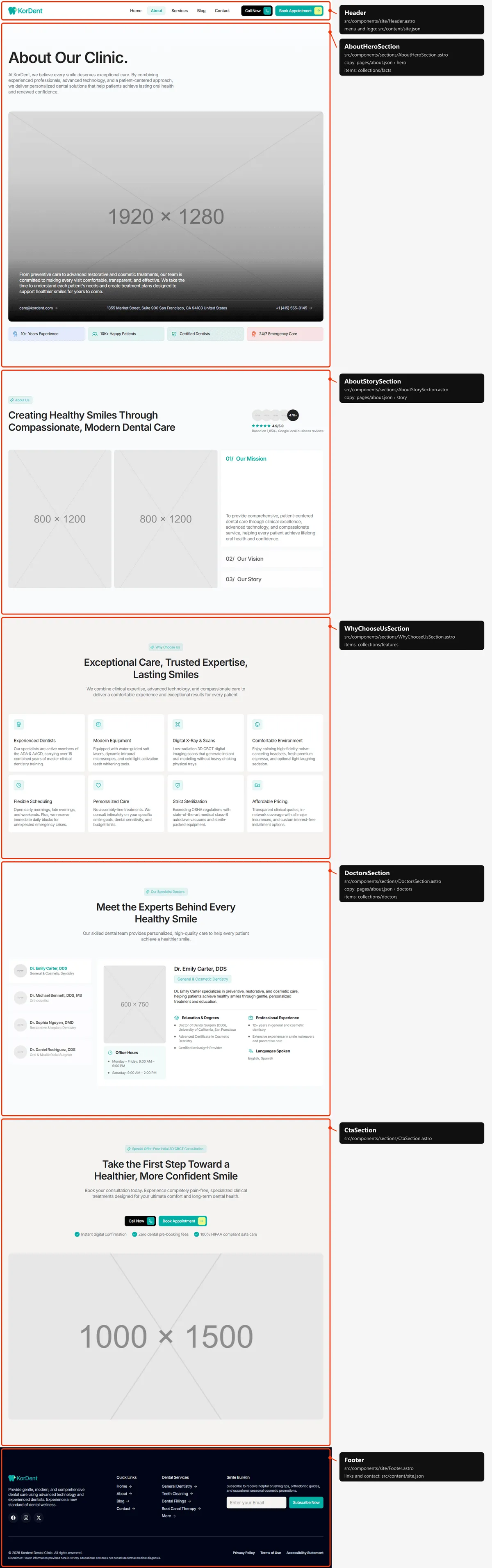
Five sections: the title with the wide photo (about-hero.jpg), a paragraph and the clinic’s e-mail, address and phone
over it, and the facts row; “About Us” with the review strip, two photos (about-mission.jpg, -2) and the Mission,
Vision and Story cards; “Why Choose Us” (eight cards); the dentists, as on Home; the closing call to action.
Services
Section titled “Services”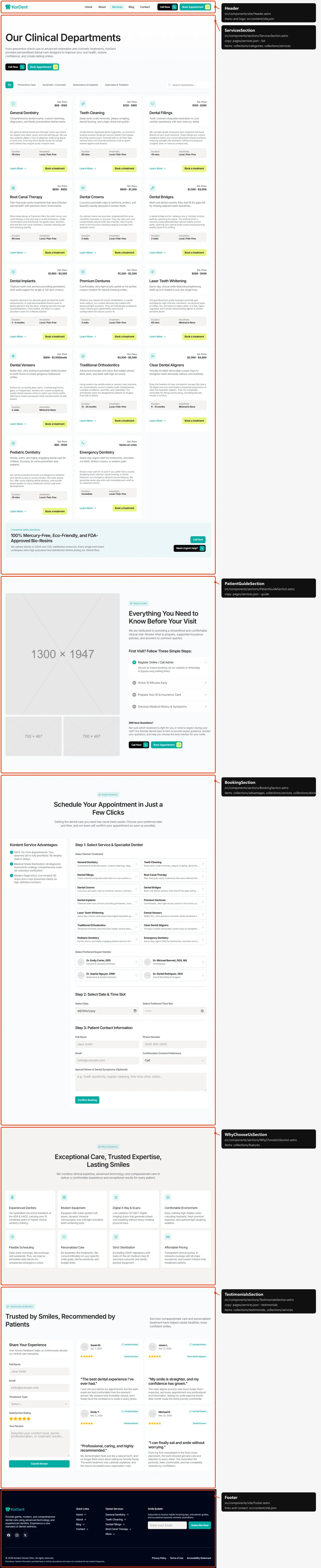
Five sections: the title with “Call Now” and “Book Appointment” over the grid of every service, with the tabs and the
search; the Patient Guide (three photos services-guide…, four first-visit steps in an accordion, “Still Have
Questions?” with two buttons); “Instant Booking”, the advantages panel beside the booking form (Forms);
“Why Choose Us”; the reviews with the review form, as on Home.
Service
Section titled “Service”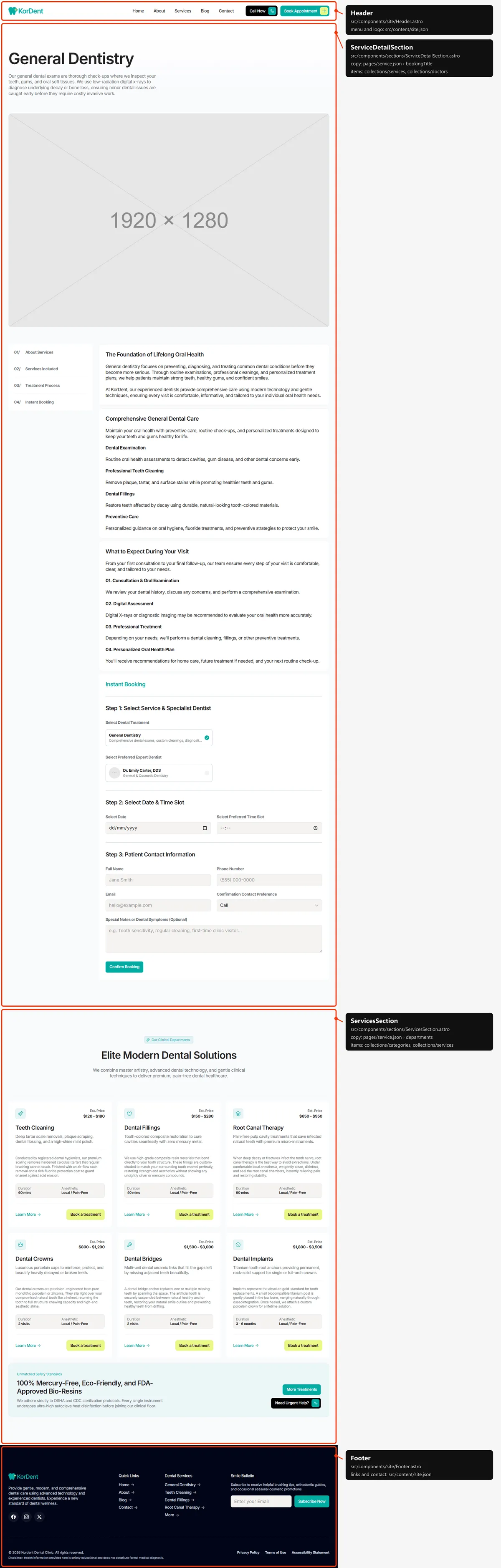
Two sections:
- The service: the title, its description and the wide photo (
service-<slug>.jpg); then the contents card (it stays beside the text on desktops) and the blocks it links to: About Services, Services Included, Treatment Process and “Instant Booking”, the booking form with this service already chosen and its own dentists. The map names this sectionServiceDetailSection. - “Our Clinical Departments”: the other 13 services, six showing, without tabs or search, and the safety banner.
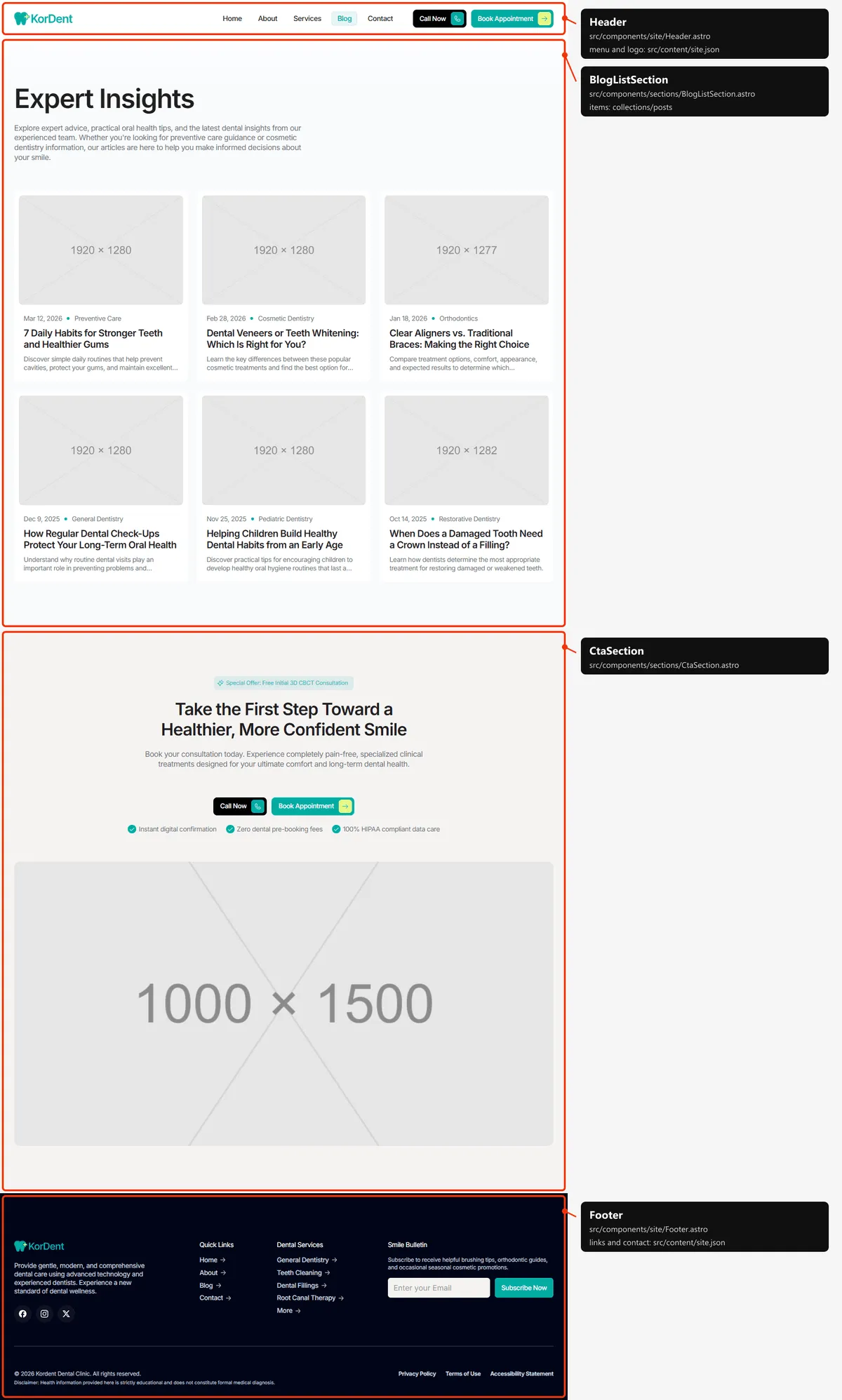
Two sections: the title, the lead and every post as a card (photo, category, date, title and excerpt) in columns: three on desktops, two on tablets, one on phones; and the closing call to action.
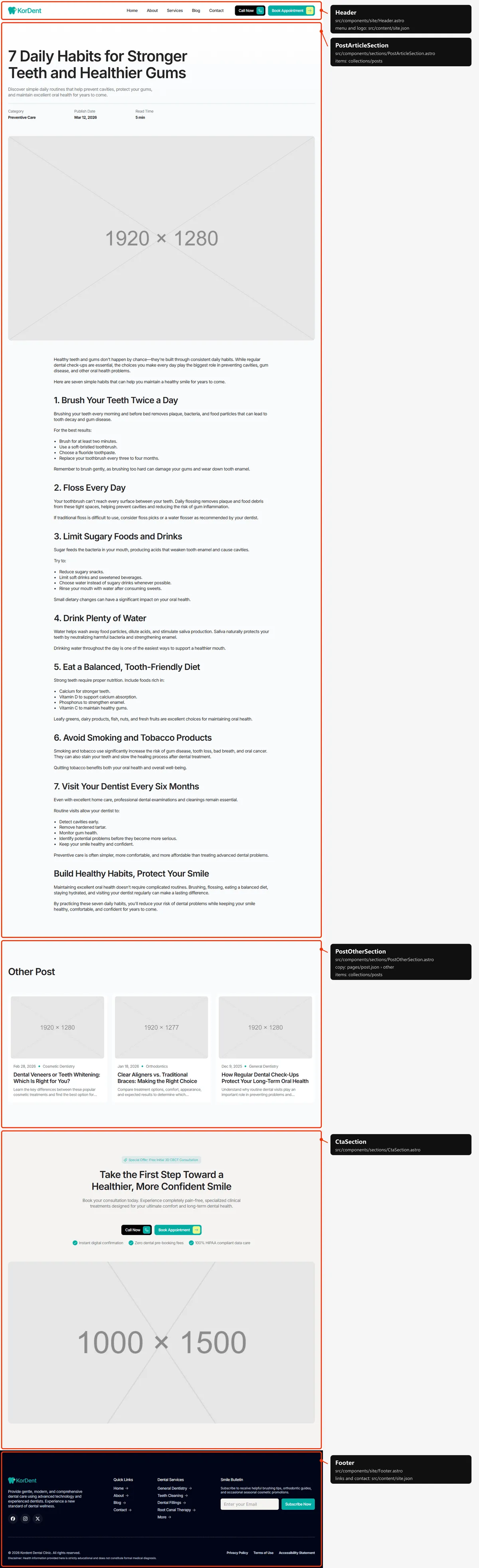
Three sections: the article (the title, the excerpt, Category, Publish Date and Read Time, the photo
post-<slug>.jpg and the text); “Other Post”, three other posts; the closing call to action.
Contact
Section titled “Contact”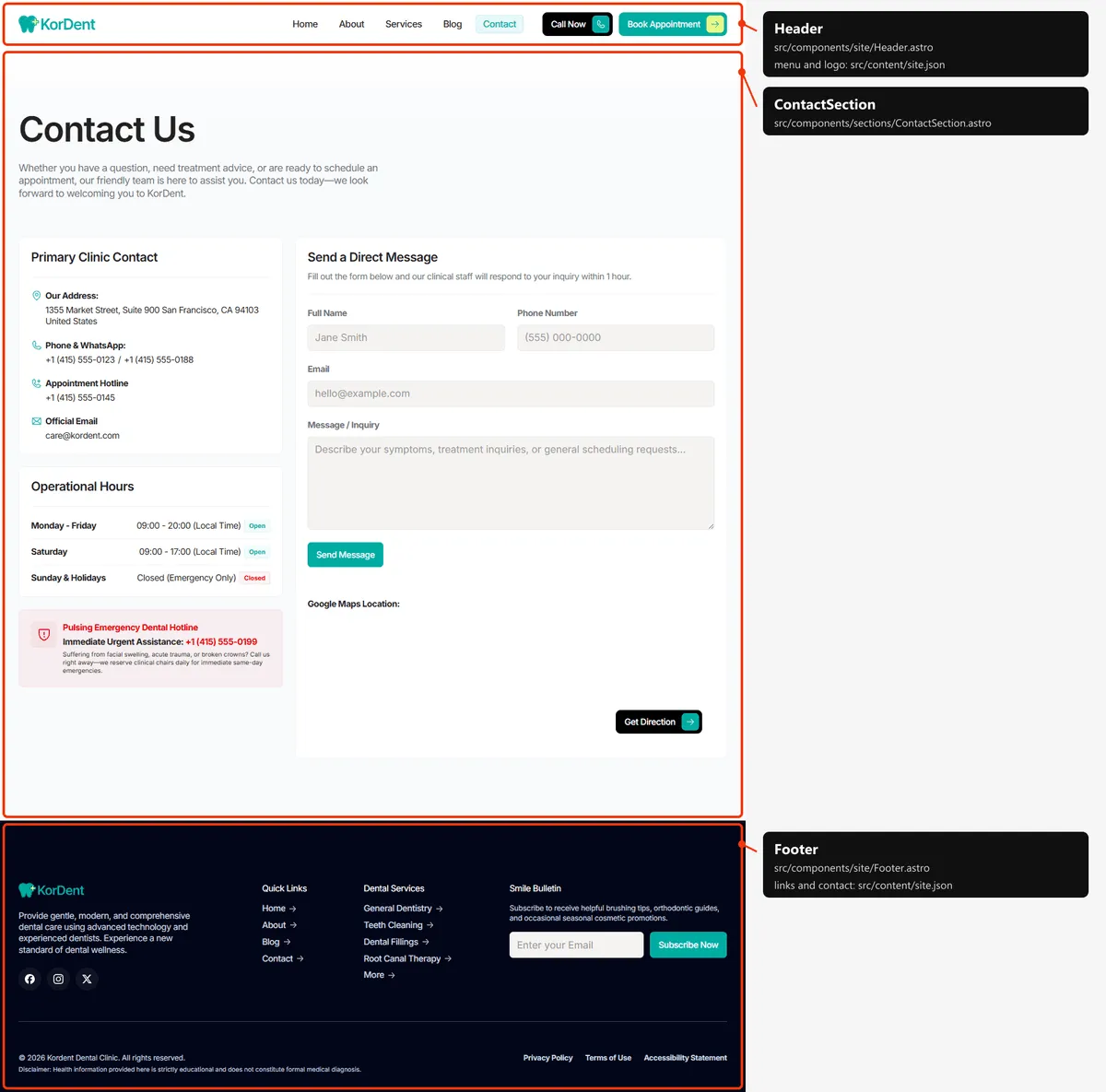
One section: the title; the contact details, the opening hours and the emergency panel beside the contact form (Forms); and “Google Maps Location:” with the map and “Get Direction” (Editing the site).
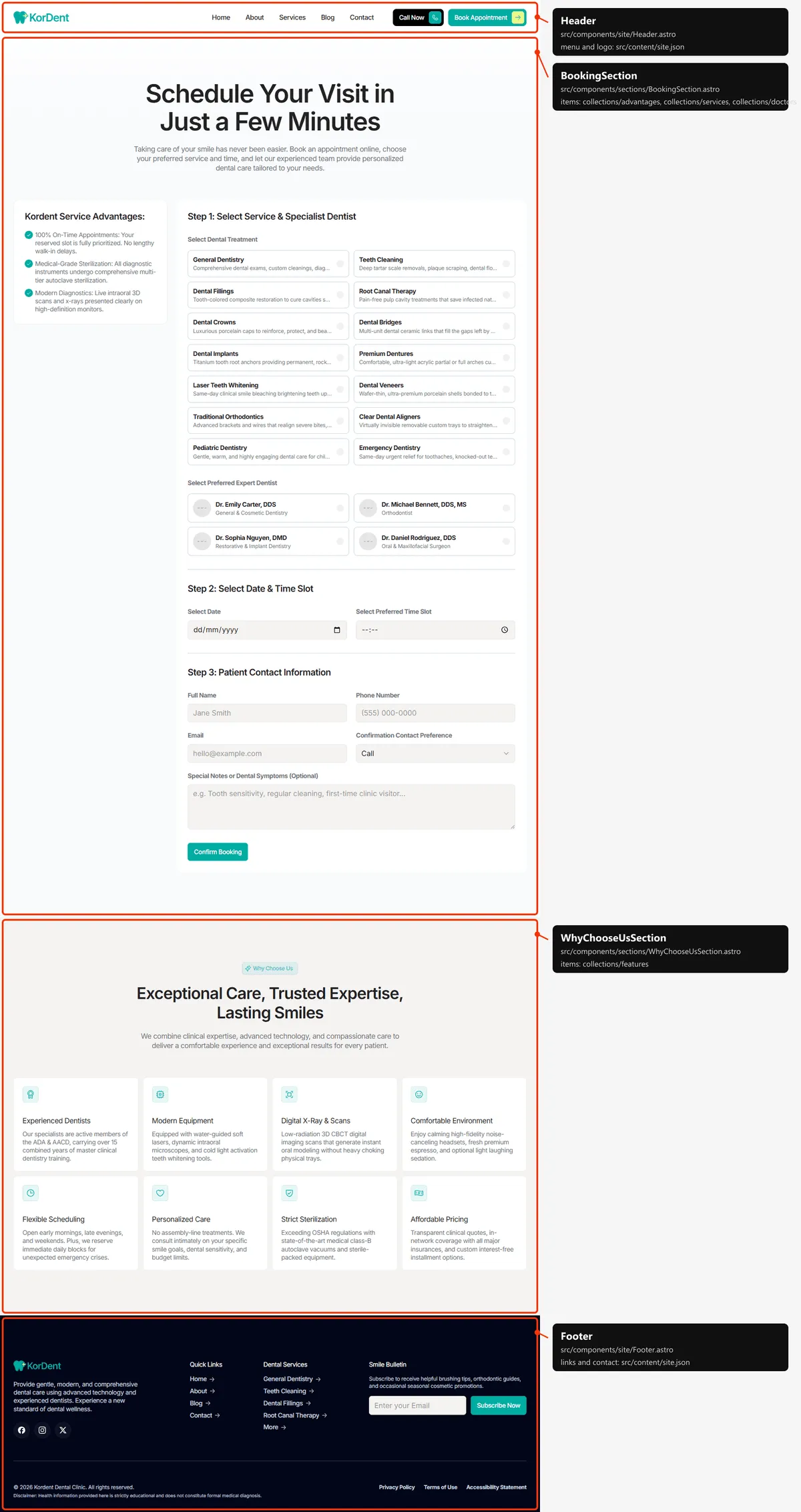
Two sections: the title over the advantages panel and the booking form, with every treatment and dentist (Forms); and “Why Choose Us”.
Legal page
Section titled “Legal page”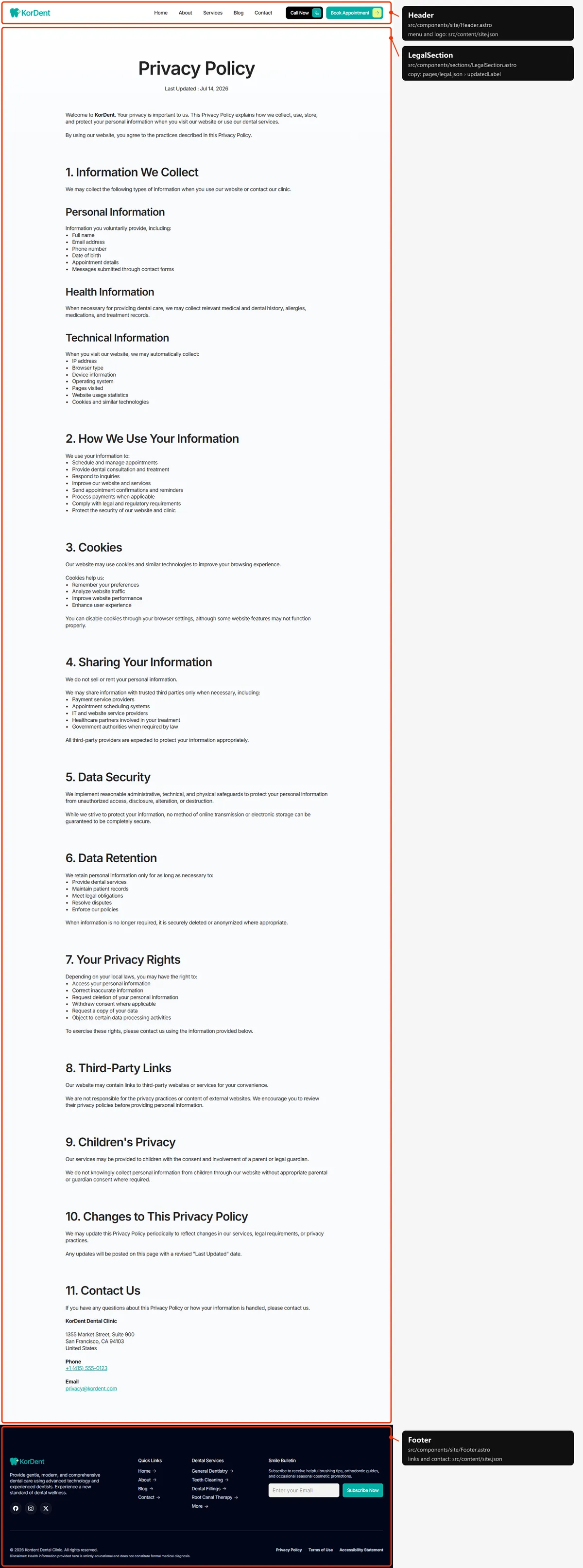
One section: the title, “Last Updated : “ with its date, and the text (Editing the site).
Page not found
Section titled “Page not found”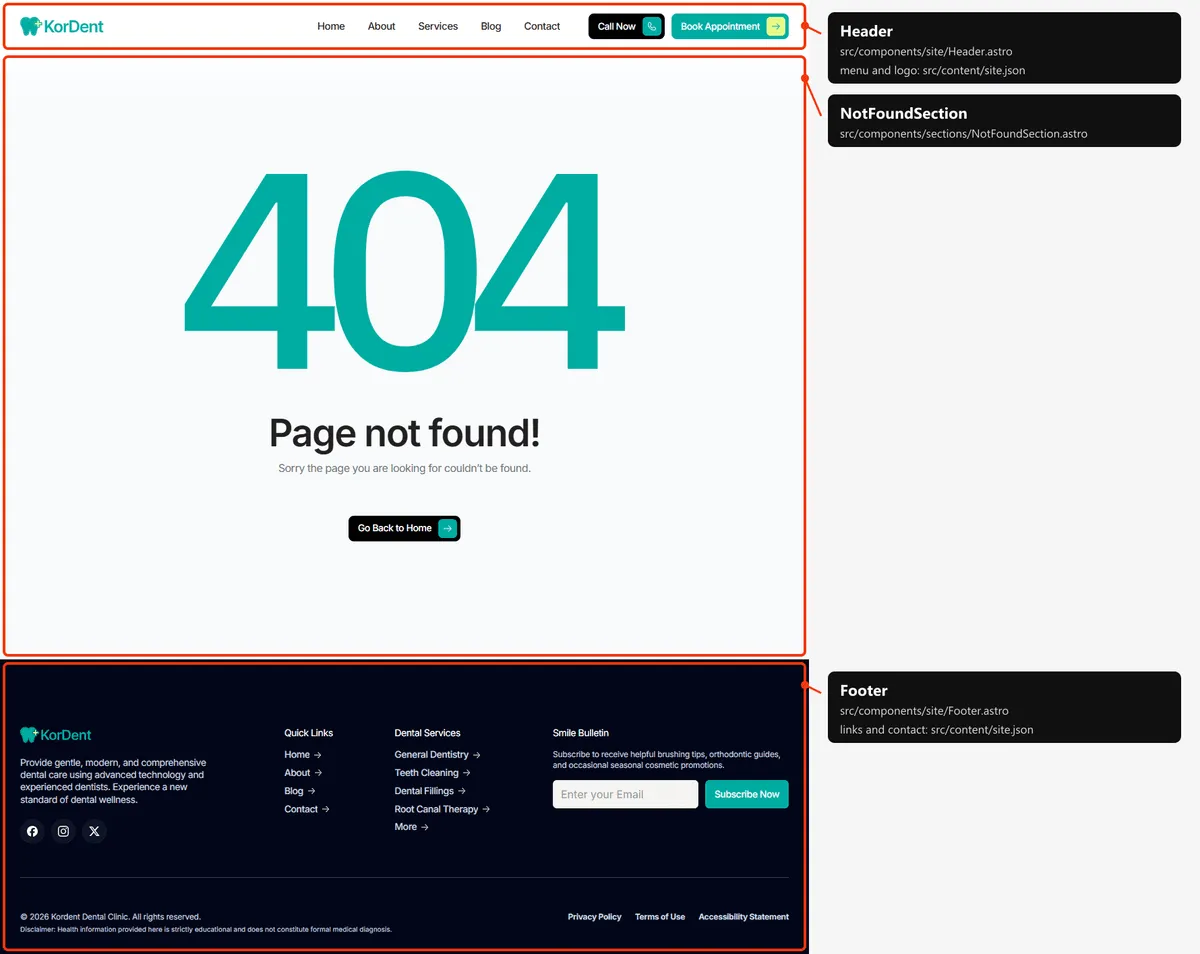
One section: the big “404” graphic in the accent colour, a title, a line and “Go Back to Home”. Its links and images
start at the site’s root (/index.html, /assets/…), because hosts show it at any address
(Going live).
How the pages link to each other
Section titled “How the pages link to each other”The menu holds Home, About, Services, Blog and Contact; the header’s two buttons call the clinic and open Book. The other pages are reached like this:
| Page | Linked from |
|---|---|
| Book | “Book Appointment” in the header, the Home hero, the call to action and the Services page |
| A service | Its card (“Learn More”) in every services grid, and the footer’s Dental Services column; a card’s “Book a treatment” opens the service page at its booking form |
| A post | Its card (Home, Blog, “Other Post”) |
| Legal pages | The footer’s legal links |
The header
Section titled “The header”- A white bar at the top of every page, 68 px tall on phones and 78 px from tablets up, that scrolls away with the
page (it is not fixed);
<main>is padded by that height (pt-[68px] md:pt-[78px]). - Desktop: the logo, the menu links and two buttons, “Call Now” (black) and “Book Appointment” (the accent). Tablet: the two buttons shrink to their icons. Phone: the logo and a menu button; the menu opens under the bar with the links and both buttons, and closes when a link is followed or the visitor presses Escape.
- The menu. The link of the current page carries
aria-current="page"and the accent colour on a tint; pages that aren’t in the menu (a service, a post, a legal page, Book) mark none. On hover a link’s letters roll (data-menu-link).
Search engines
Section titled “Search engines”- Sitemap:
sitemap.xmllists the six main pages (Home, About, Services, Blog, Contact, Book), then every service, post (with its date) and legal page (with its update date): 29 addresses. The 404 page and the style guide are left out. It is a plain file: add or remove a line when you add or remove a page, and put your domain in it. - Robots:
robots.txtallows everything and points at the sitemap; put your domain in itsSitemap:line. - Per page: every page has a title, a description, a canonical link, an
og:urland a share image in its<head>. A title that would be longer than 60 characters with| KorDentis written without the suffix. Services and posts share their own photo; posts are shared as articles, with their date inarticle:published_time; every other page sharesopengraph-image.png. - Not indexed: the style guide (
noindex, nofollow) and the 404 page (noindex).