Pages and sections — KorDent Astro
A page is a small file in src/pages/ that picks sections and hands them content. src/pages/blog.astro is the whole Blog page:
---import BlogListSection from "../components/sections/BlogListSection.astro";import CtaSection from "../components/sections/CtaSection.astro";import blogPage from "../content/pages/blog.json";import siteContent from "../content/site.json";import Layout from "../layouts/Layout.astro";import { getPosts } from "../lib/content";import { toPostCard } from "../lib/to-ui";
const posts = await getPosts();---
<Layout title={blogPage.meta.title} description={blogPage.meta.description}> <BlogListSection copy={blogPage} posts={posts.map(toPostCard)} /> <CtaSection cta={siteContent.cta} /></Layout><Layout>(src/layouts/Layout.astro) gives the page its browser title, description, canonical link and share image, and wraps it in the header and the footer.getPosts()reads the collection (see Editing the content).toPostCardturns each post into what a card shows (src/lib/to-ui.ts).- The sections render them: the title block and every post as a card, then the closing call to action.
The pages
Section titled “The pages”10 kinds of page and 29 addresses in the demo. Every address is in src/content/routes.ts; note that Services lives at
/service, in the singular, so a service is /service/general-dentistry. The build writes each page as a file
(about.html, service/general-dentistry.html), which hosts serve at the clean address (/about,
Going live).
| Page | Address | Page file | Copy (src/content/pages/) |
Items it shows |
|---|---|---|---|---|
| Home | / |
src/pages/index.astro |
home.json |
services, departments, facts, outcomes, dentists, reviews, posts |
| About | /about |
src/pages/about.astro |
about.json |
facts, features, dentists |
| Services | /service |
src/pages/service.astro |
services.json |
services, departments, advantages, dentists, features, reviews |
| Service | /service/<slug> |
src/pages/service/[slug].astro |
service.json |
one service, its dentists, six other services |
| Blog | /blog |
src/pages/blog.astro |
blog.json |
posts |
| Post | /blog/<slug> |
src/pages/blog/[slug].astro |
post.json |
one post, three others |
| Contact | /contact |
src/pages/contact.astro |
contact.json |
— |
| Book | /book |
src/pages/book.astro |
book.json |
services, dentists, advantages, features |
| Legal page | /legal/<slug> |
src/pages/legal/[slug].astro |
legal.json |
one legal page |
| 404 | any unknown address | src/pages/404.astro |
not-found.json |
— |
To change an address, rename its file in src/pages/ and its entry in routes.ts, and search the content for the old
address: links written as text aren’t checked (removing a page).
The sections you can use
Section titled “The sections you can use”In src/components/sections/. Each takes its copy from a page file (or site.json) and its items from a collection.
| Section | Used on |
|---|---|
HeroSection, AboutSection, OutcomesSection, BlogSection |
Home |
ServicesSection (the services grid with filter and search) |
Home, Services, Service |
DoctorsSection (the dentist tabs) |
Home, About |
TestimonialsSection (the review form and cards) |
Home, Services |
AboutHeroSection, AboutStorySection |
About |
ServicesHeader (the page title inside the grid), PatientGuideSection |
Services |
BookingSection (with BookingForm) |
Services, Book |
ServiceDetailSection (with ServiceRichText; it holds the BookingForm too) |
Service |
BlogListSection |
Blog |
PostArticleSection, PostOtherSection |
Post |
ContactSection |
Contact |
LegalSection |
Legal |
NotFoundSection |
404 |
CtaSection (the closing call to action) |
Home, About, Blog, Post |
WhyChooseUsSection |
About, Services, Book |
PageHeading, FactsRow |
parts of the page-title sections |
Blocks that pages share
Section titled “Blocks that pages share”Some blocks have one copy that several pages read, so changing it once changes it everywhere:
| Block | Copy | Shown on |
|---|---|---|
| The closing call to action: title, buttons, promises and the video | cta in src/content/site.json |
Home, About, Blog, every post |
“Why Choose Us”: the title block, and the eight cards of features.json |
whyChooseUs in site.json |
About, Services, Book |
| The booking form and the advantages panel’s title | booking in site.json |
Services, Book, every service page |
| The facts row | facts.json |
Home (under the hero), About (under the photo) |
| The dentist tabs | doctors.json; headings in home.json and about.json |
Home, About |
Other blocks look the same on two pages but carry their own copy in each page file, so they can differ: the services
grid (services in home.json, list in services.json, departments in service.json), the reviews with their
form (testimonials in home.json and services.json) and the dentists’ headings.
How the pages link to each other
Section titled “How the pages link to each other”The menu holds Home, About, Services, Blog and Contact; the header’s buttons call the clinic and open Book. The other pages are reached like this:
| Page | Linked from |
|---|---|
| Book | “Book Appointment” in the header, the Home hero, the call to action and the Services page; the service cards’ “Book a treatment” opens the booking form on the service’s own page (/service/<slug>#booking) |
| A service | Its card (“Learn More”) in every services grid, and the footer’s Dental Services column (footer.services in site.json) |
| A post | Its card (Home, Blog, “Other Post”) |
| Legal pages | The footer’s legal links (footer.legalLinks in site.json) |
Page maps
Section titled “Page maps”Every page type with each section outlined and labelled: the component that renders it, the file to edit, and where its
copy (src/content/pages/*.json, src/content/site.json) and items (src/content/collections/*.json) come from.
Header and footer take their links and details from src/content/site.json. Photos are the placeholders of the
download. A section whose copy is in site.json (the call to action, “Why Choose Us”, the booking form) or that gets a
whole page file shows no copy line: the text below each map names it.
Eight sections, top to bottom: the hero (eyebrow, title, lead, buttons, the review strip, the photo with its caption and
two badges, and the facts row); “Our Clinical Departments”, the services grid with the department tabs, the search
field and the safety banner; “About Our Clinic” with three photos and the reasons accordion; “Real Patient Outcomes”
with the index and four outcome cards; the dentist tabs; the reviews with the review form; the closing call to action
(cta in site.json); “Expert Dental Tips” with the first three posts. Their words are in
src/content/pages/home.json. The grid shows the first six services that match the chosen tab and search
(services.limit); the department tabs are categories.json.

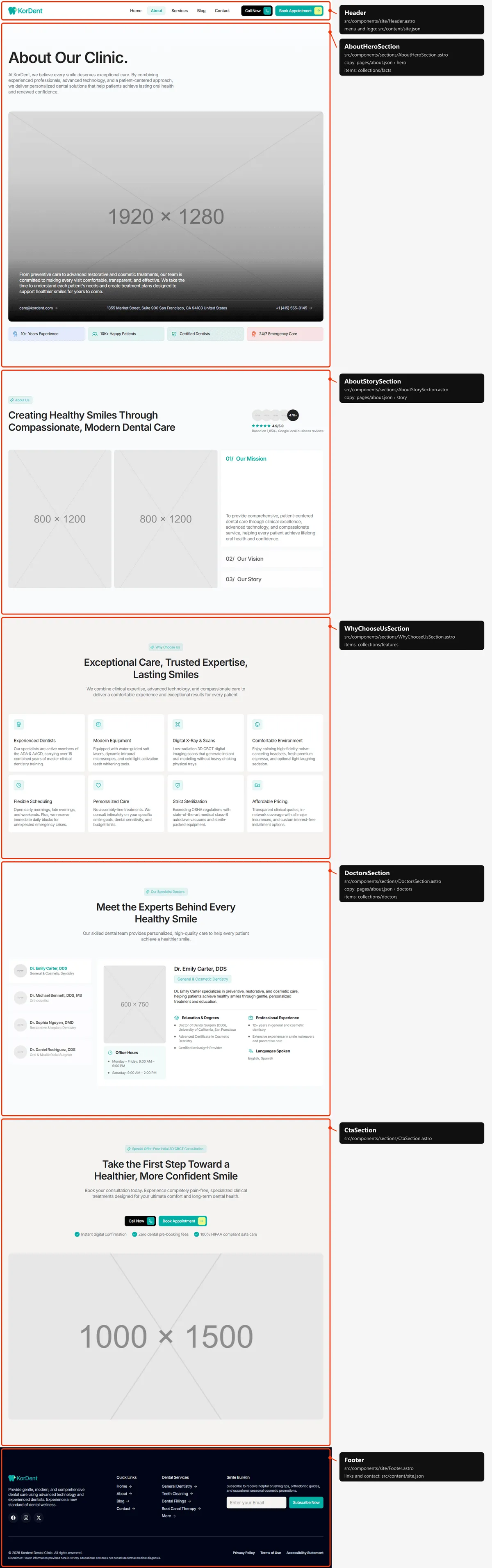
Five sections: the title with the wide photo (its paragraph, the e-mail, the address and the call number from
contact in site.json) and the facts row; “About Us” with the review strip, two photos and the Mission, Vision and
Story cards; “Why Choose Us”; the dentist tabs; the closing call to action. The words are in
src/content/pages/about.json.
Services
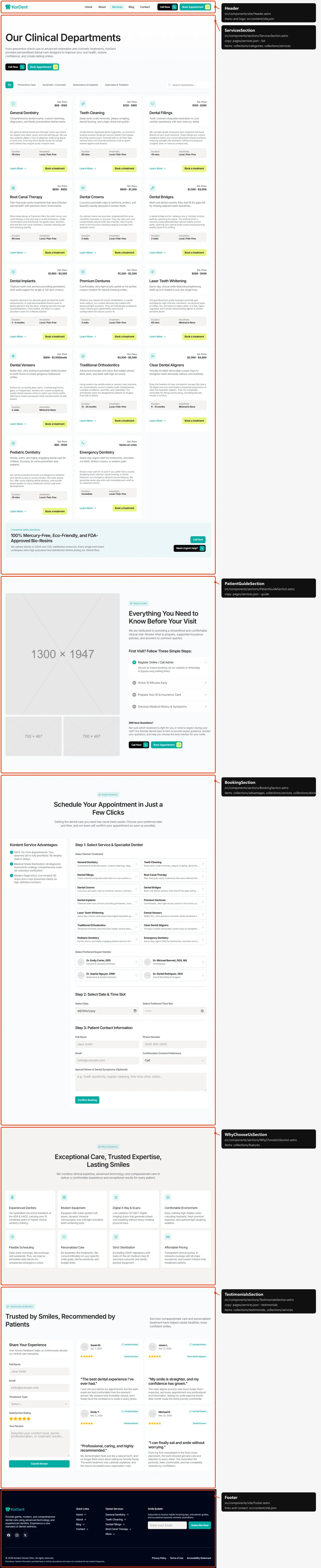
Section titled “Services”Five sections: the page title with two buttons over the grid of every service (with the tabs and the search); the
Patient Guide (three photos, four first-visit steps, “Still Have Questions?”); the booking band (the advantages panel
beside the booking form, Forms); “Why Choose Us”; the reviews with the review form. The words are in
src/content/pages/services.json; the booking form is booking in site.json.
Service
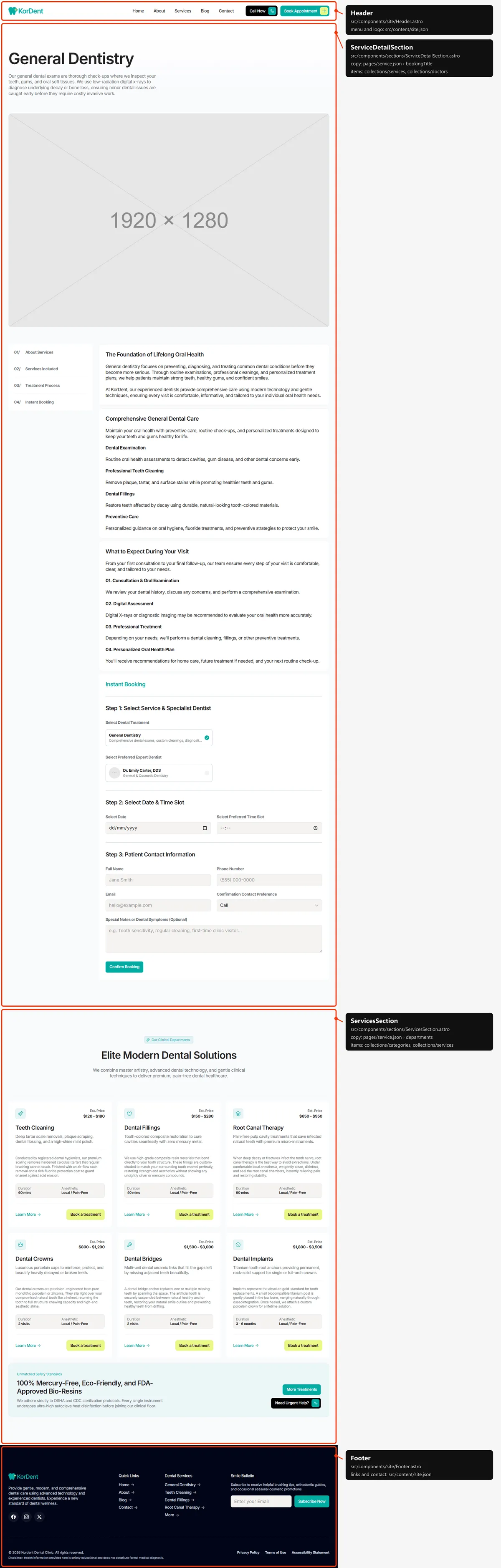
Section titled “Service”Two sections: the service itself (title, description, the wide photo, then a contents card that stays beside the text
on desktop, the three texts — About Services, Services Included, Treatment Process — and “Instant Booking”, the booking
form with this service chosen and its own dentists), and “Our Clinical Departments” with the first six other services
and the safety banner, without tabs or search. Everything about the service is its entry in services.json; the labels
are in src/content/pages/service.json. A service without a Treatment Process text leaves that block and its contents
entry out, and the entries are numbered 01/, 02/, … in order.
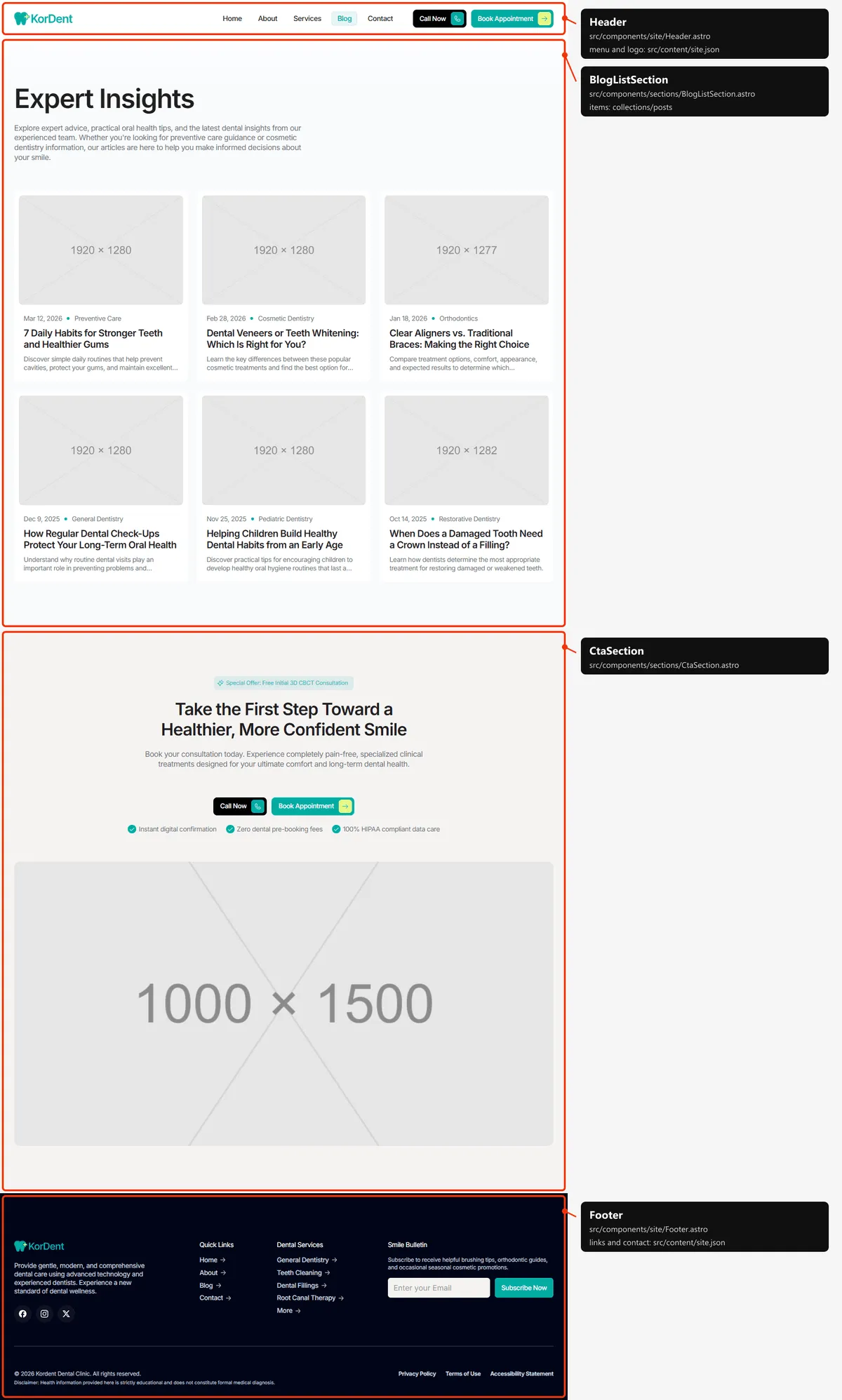
Two sections: the title and every post as a card, in columns (three on desktop, two on tablets, one on phones), and the
closing call to action. The words are in src/content/pages/blog.json, the posts in posts.json.
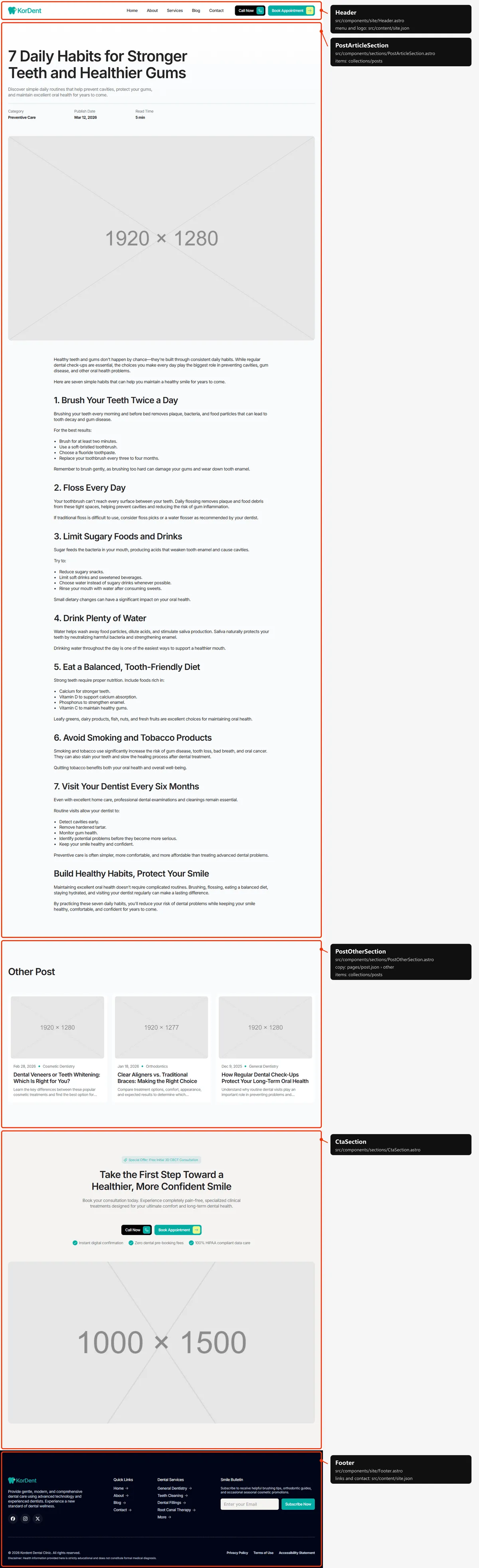
Three sections: the article (the title, the excerpt, Category, Publish Date and Read Time, the cover and the text),
“Other Post” (the first three other posts of the list) and the closing call to action. The article is the post in
posts.json; the labels are in src/content/pages/post.json.
Contact
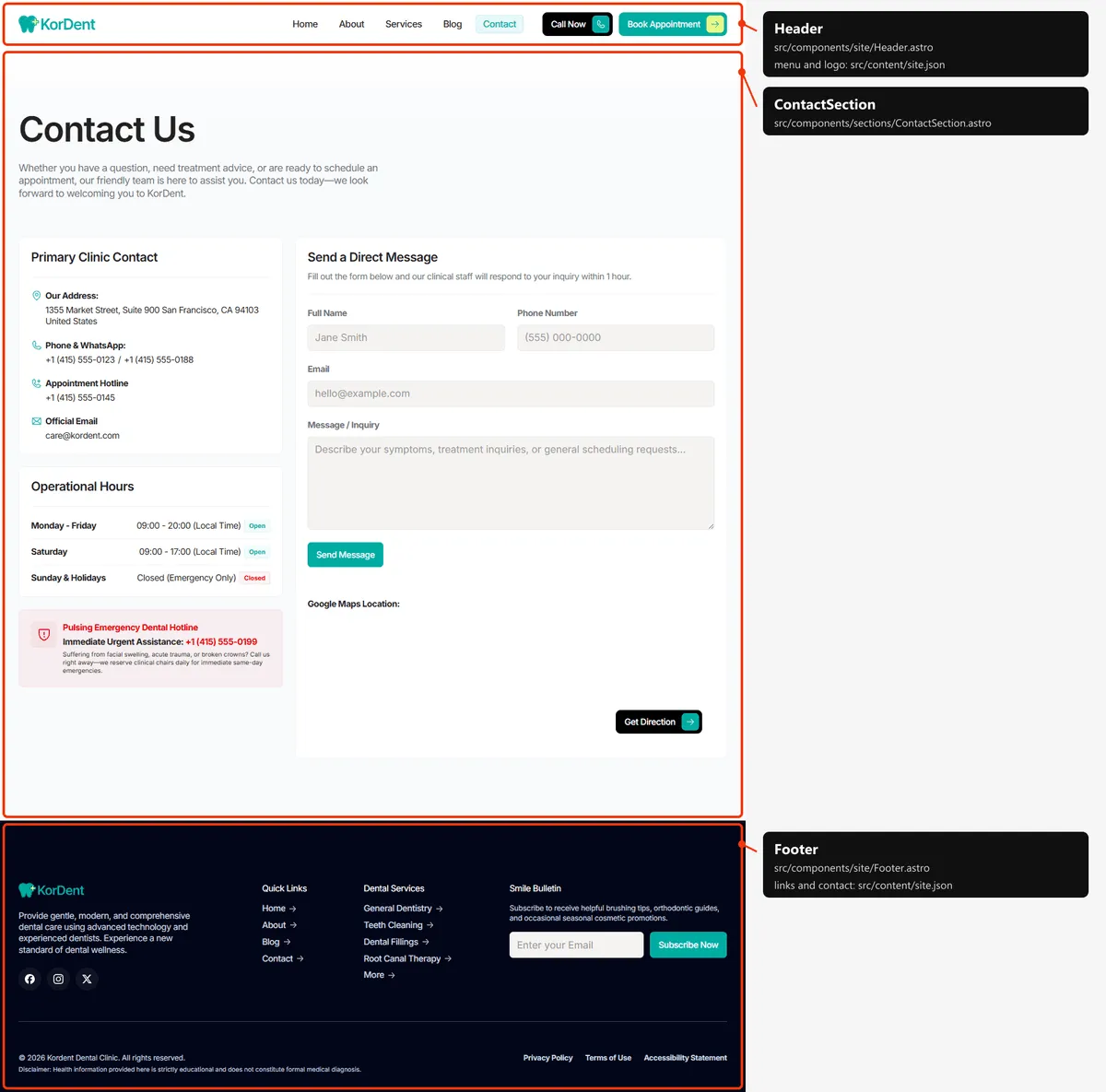
Section titled “Contact”One section: the title; the contact details (address, phone and WhatsApp, the appointment hotline, the e-mail), the
opening hours and the emergency panel beside the contact form; and a Google Maps view of the address with a “Get
Direction” button. The words, the hours and the form are in src/content/pages/contact.json (Forms);
the address, e-mail and numbers are contact in src/content/site.json. The map and the directions are built from
contact.address.
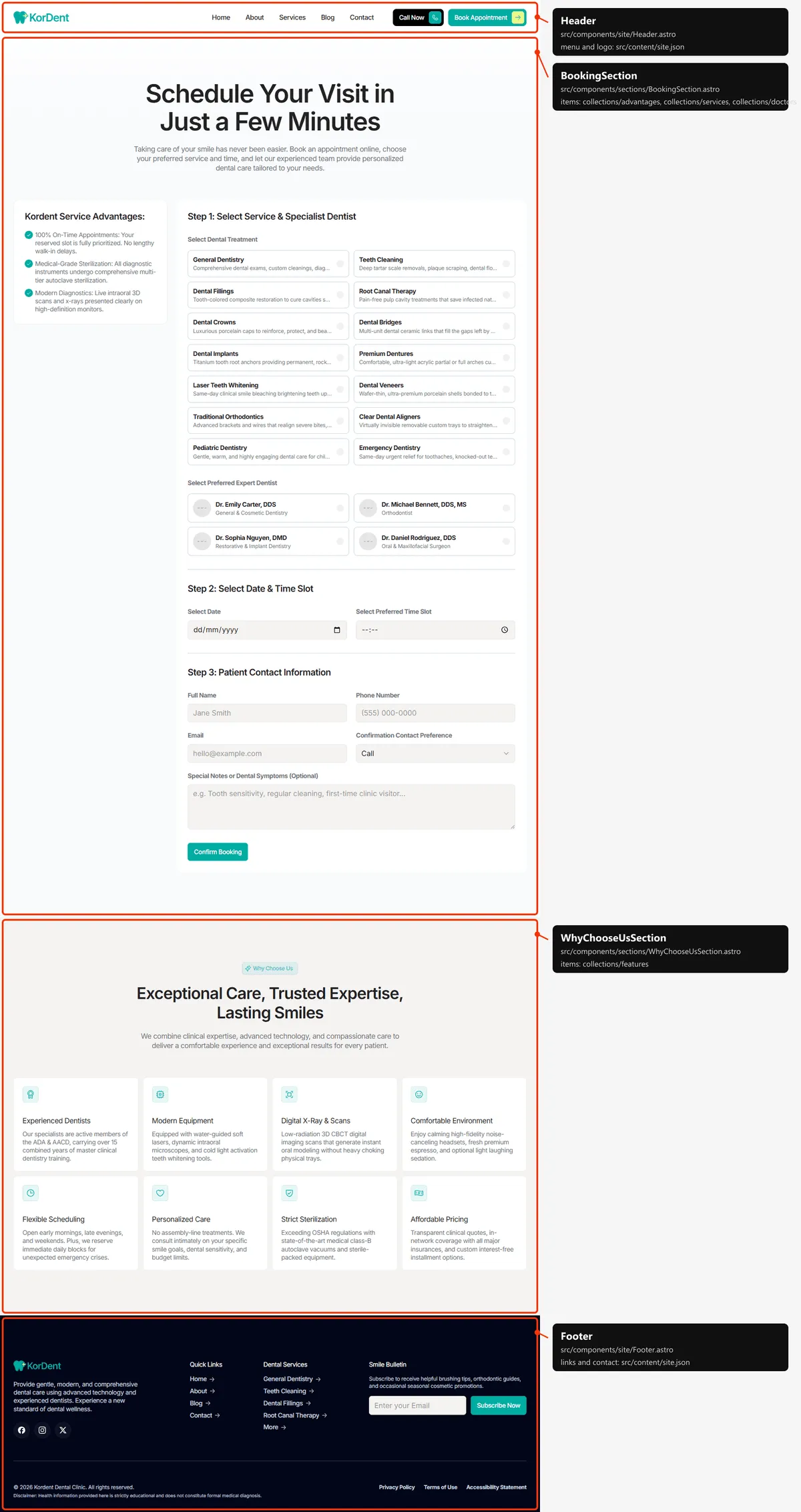
Two sections: the title over the booking band (the advantages panel beside the booking form, with every treatment and
dentist) and “Why Choose Us”. The title is in src/content/pages/book.json; the form is booking in site.json.
Legal page
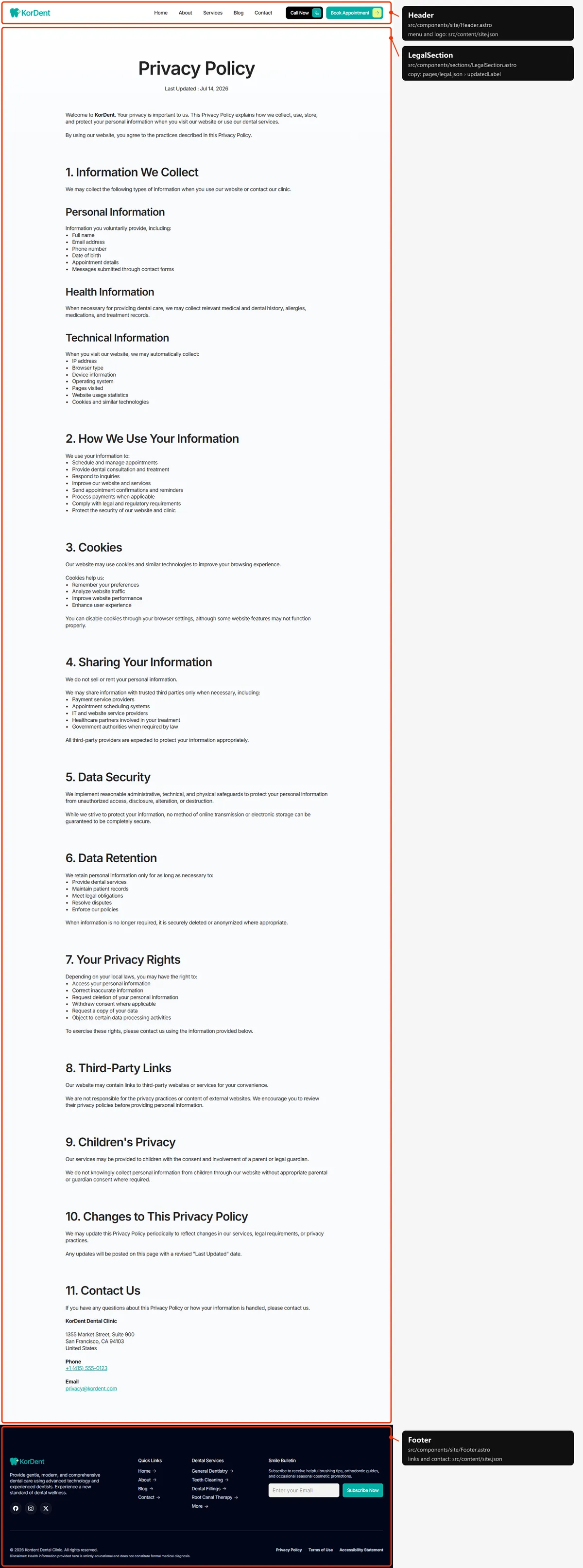
Section titled “Legal page”One section: the title, “Last Updated : “ with its date, and the text. They are the legal page in
src/content/collections/legal.json; the label is in src/content/pages/legal.json. The footer links the three demo
pages.
Page not found
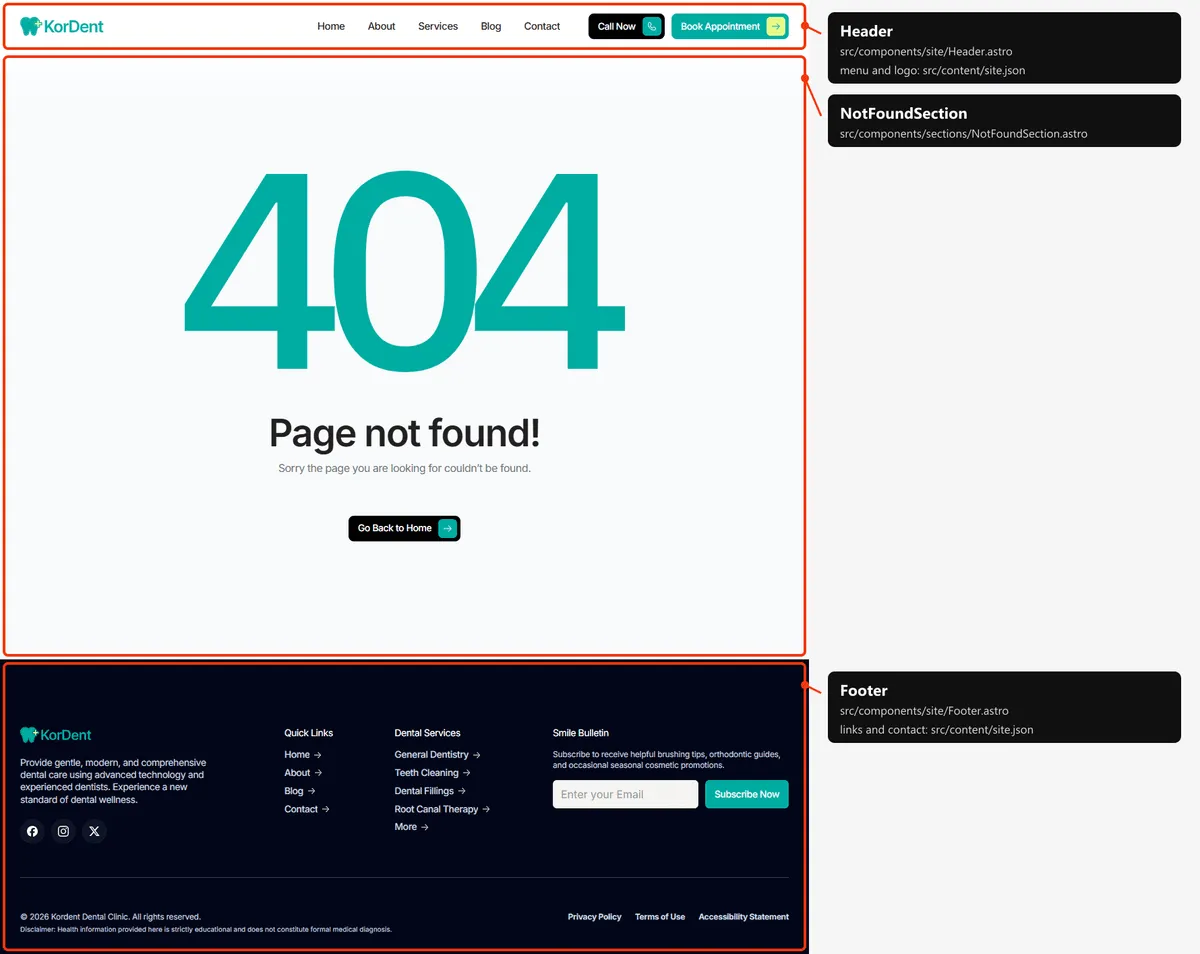
Section titled “Page not found”One section: the big “404” graphic in the accent colour, a title, a line and a button back to Home. They are in
src/content/pages/not-found.json.
Reordering or removing a section
Section titled “Reordering or removing a section”Move the lines in the page file, or delete one (and its import). To take the outcomes off the home page, delete
<OutcomesSection … /> from src/pages/index.astro; its copy in src/content/pages/home.json can stay or go.
Removing a shared block from one page leaves it on the others (shared blocks).
A few blocks are parts of a bigger section, so they go inside its file: the safety banner under a services grid
(ServicesSection.astro), the map of Contact (ContactSection.astro), the review form beside the cards
(TestimonialsSection.astro) and the video of the call to action (Editing the content).
Adding a page
Section titled “Adding a page”-
Add the URL to
src/content/routes.ts:insurance: "/insurance", -
Add its copy to
src/content/pages/insurance.json, with ameta(title, description):{"meta": {"title": "Insurance & Payment","description": "The insurance plans KorDent works with, payment options and how we coordinate cashless treatment for you."},"title": "Insurance & Payment","lead": "We work with most private insurance plans and help you understand your coverage before treatment."} -
Create
src/pages/insurance.astro:---import CtaSection from "../components/sections/CtaSection.astro";import insurance from "../content/pages/insurance.json";import siteContent from "../content/site.json";import Section from "../design-system/components/layout/Section.astro";import { text } from "../design-system/tokens/text";import { cn } from "../design-system/utils/cn";import Layout from "../layouts/Layout.astro";---<Layout title={insurance.meta.title} description={insurance.meta.description}><Section><div class="flex flex-col items-center gap-5 text-center"><h1 class={cn(text.h1, "max-w-[620px]")}>{insurance.title}</h1><p class={cn(text.bodyLarge, "max-w-[620px] text-muted")}>{insurance.lead}</p></div></Section><CtaSection cta={siteContent.cta} /></Layout>The page starts under the header by itself:
<main>is padded by the header’s height (the header). -
Link to it: add
{ "label": "Insurance", "href": "/insurance" }tonavigationinsrc/content/site.json(the menu), and tofooter.quickLinksif you want it in the footer. -
Add
routes.insuranceto thepageslist insrc/pages/sitemap.xml.ts, next to the other top-level pages.
Removing a page
Section titled “Removing a page”Delete its file in src/pages/, its entry in navigation and the footer’s links (src/content/site.json), its line in
src/pages/sitemap.xml.ts, and the route in routes.ts. npm run check then tells you about anything still using the
route through routes. Links written as text in the content are not checked: the /book, /service and /about of
the buttons, and the footer’s columns, for example. Search src/content/ for the path. Removing Book needs the most
care: the header, the hero, the call to action and the service cards all link to it.
Pages built from a collection
Section titled “Pages built from a collection”src/pages/service/[slug].astro builds one page per service:
export const getStaticPaths = (async () => { return (await getServices()).map((service) => ({ params: { slug: service.slug }, props: { service } }));}) satisfies GetStaticPaths;Add a service to src/content/collections/services.json, and its page, its card and its sitemap entry appear on the
next build; any other slug is the 404 page. The same pattern builds the post pages (src/pages/blog/[slug].astro) and
the legal pages (src/pages/legal/[slug].astro). A slug may contain a dot (a demo post’s does).
The 404 page
Section titled “The 404 page”src/pages/404.astro, with its copy in src/content/pages/not-found.json. The build writes it as 404.html; hosts show
it for any unknown address, with a 404 status. It is marked noindex, like the style guide.
The header
Section titled “The header”- A white bar at the top of every page, 68 px tall on phones and 78 px from tablets up, that scrolls away with the
page (it is not fixed).
<main>is padded by its height (pt-[68px] md:pt-[78px]insrc/layouts/Layout.astro). - Desktop: the logo, the menu links and two buttons, “Call Now” (black) and “Book Appointment” (the accent).
Tablet: the buttons shrink to their icons. Phone: the logo and a menu button; the menu opens under the bar with
the links and both buttons, and closes when a link is followed or the visitor presses Escape
(
src/components/site/header.ts). - The menu is
navigationinsrc/content/site.json, the buttonsheaderActions. A link is marked current on its own page only (a service, post or legal page marks no link); on hover its letters roll.
Search engines
Section titled “Search engines”- Sitemap:
src/pages/sitemap.xml.tsbuildssitemap.xmlfromroutes.tsand the collections: the six main pages (Home, About, Services, Blog, Contact, Book), then every service, post (with its date) and legal page (with its update date): 29 addresses in the demo. The 404 page and the style guide are left out. - Robots:
src/pages/robots.txt.tsbuildsrobots.txt, which allows everything and points at the sitemap. Both usesite.url, so set your domain before publishing. - Per page: every indexable page gets a title, a description, a canonical link, an
og:urland a share image fromsrc/layouts/Layout.astroandsrc/lib/meta.ts. The pages with a file insrc/content/pages/write theirs in itsmeta; Home’s description issite.description. The pages built from a collection take theirs from the item: a service its title and summary, a post its title and excerpt (lengthened with its first paragraph when short), a legal page its title and first paragraph. A title that would be longer than 60 characters with| KorDentappended is shown without the suffix. Services and posts share their own photo; posts are shared as articles, with their date. - Not indexed: the style guide and the 404 page (
noindex).