Pages and sections — Fitbricks Astro
A page is a small file that picks sections and hands them content. src/pages/blog.astro is the whole Blog page:
---const posts = await getPosts();---
<Layout title={blog.meta.title} description={blog.meta.description}> <BlogListSection copy={{ eyebrow: blog.eyebrow, title: blog.title, text: blog.text, readMore: blog.list.readMore, pageSize: blog.list.pageSize, loading: blog.list.loading }} posts={posts.map(toPostCard)} /></Layout><Layout>(src/layouts/Layout.astro) gives the page its browser title, description, canonical link and share image, and wraps it in the header and the footer.getPosts()reads the collection, newest first bydate(see Editing the content).toPostCardturns each post into what a card shows (src/lib/to-ui.ts).- The section renders them: the title and every post as a card, five at a time as the visitor scrolls.
The pages
Section titled “The pages”16 kinds of page and 103 addresses in the sitemap, plus the 404 page. Every address is in src/content/routes.ts; the
lists live at /program, /club and /trainer, in the singular, so a program is /program/hatha-yoga, a club
/club/soho-strength and a trainer /trainer/alex-rivera. One program keeps the parentheses of the original design in
its address: /program/ride-(cycling).
| Page | Address | Page file | Copy (src/content/pages/) |
Items it shows |
|---|---|---|---|---|
| Home | / |
src/pages/index.astro |
home.json |
clubs, programs, posts |
| About | /about |
src/pages/about.astro |
about.json |
trainers |
| Programs | /program |
src/pages/program.astro |
programs.json |
programs, categories |
| Program | /program/<slug> |
src/pages/program/[slug].astro |
program.json |
one program, others of its category and of the other categories |
| Program category | /program-category/<slug> |
src/pages/program-category/[slug].astro |
program-category.json |
one category, its programs |
| Clubs | /club |
src/pages/club.astro |
clubs.json |
clubs, cities, trainers |
| Club | /club/<slug> |
src/pages/club/[slug].astro |
club.json |
one club, its facilities and programs, other clubs |
| City | /city/<slug> |
src/pages/city/[slug].astro |
city.json |
one city, its clubs, trainers |
| Trainers | /trainer |
src/pages/trainer.astro |
trainers.json |
trainers |
| Trainer | /trainer/<slug> |
src/pages/trainer/[slug].astro |
trainer.json |
one trainer, their programs, other trainers |
| Free trial | /free-trial |
src/pages/free-trial.astro |
free-trial.json |
cities, programs (the form’s choices) |
| Contact | /contact |
src/pages/contact.astro |
contact.json |
clubs |
| Blog | /blog |
src/pages/blog.astro |
blog.json |
posts |
| Post | /blog/<slug> |
src/pages/blog/[slug].astro |
post.json |
one post, recent and related posts |
| Legal page | /legal/<slug> |
src/pages/legal/[slug].astro |
legal.json |
one legal page |
| 404 | any unknown address | src/pages/404.astro |
not-found.json |
— |
Mind the names: program.astro is the list of programs and its copy is programs.json; program.json is the copy of a
single program’s page. The same goes for clubs and trainers.
To change an address, rename its file in src/pages/ and its entry in routes.ts, and search the content for the old
address: links written as text aren’t checked (removing a page).
The sections you can use
Section titled “The sections you can use”In src/components/sections/, one folder per page. Each section takes its copy from a page file (or site.json) and
its items from a collection.
| Section | Folder | Used on |
|---|---|---|
HeroSection, FactsSection, MembershipSection (“Why Choose Us”), ClubsSection, CoachingSection, PromoSection, ProgramsSection, TestimonialsSection, AppSection, BlogSection |
home/ |
Home |
AboutHero, WhySection, VisionSection, GallerySection |
about/ |
About |
ProgramListSection (with the category filter) |
programs/ |
Programs, a category page |
ProgramHero, ProgramMainSection, OtherProgramsSection |
program/ |
Program |
ClubsListSection (with the city filter) |
clubs/ |
Clubs, a city page |
ClubMainSection (with the booking form), OtherClubsSection |
club/ |
Club |
TrainersListSection |
trainers/ |
Trainers |
TrainerProfileSection, TrainerProgramsSection, OtherTrainersSection |
trainer/ |
Trainer |
FreeTrialSection |
free-trial/ |
Free trial |
ContactMainSection, ContactClubsSection, FaqSection |
contact/ |
Contact |
BlogListSection |
blog/ |
Blog |
PostArticleSection (with “Recent posts”), RelatedPostsSection |
post/ |
Post |
LegalSection |
legal/ |
Legal |
CtaBand, TrainersBand |
shared/ |
the pages listed below |
Blocks that pages share
Section titled “Blocks that pages share”Some blocks have one copy that several pages read, so changing it once changes it everywhere:
| Block | Copy | Shown on |
|---|---|---|
| The CTA band: title, text, “Contact us”, the main office, the photo | ctaBand in src/content/site.json |
Home, About, Programs, a category page, Clubs, a city page, Trainers ("ctaBand": true in their copy) |
| The trainers band: title, text, the first three trainers, “All Trainers” | trainersBand in site.json; the trainers from trainers.json |
About, Clubs, a city page ("trainersBand": true) |
| The store badges | appBadges in site.json |
Home’s app section, the footer |
| The header and the footer | site.json |
every page |
How the pages link to each other
Section titled “How the pages link to each other”The menu holds Home, About, Programs, Trainers, Club and Blog; the header’s button opens Free trial. The other pages are reached like this:
| Page | Linked from |
|---|---|
| A program | Its card everywhere (Home, Programs, a category page, a club’s classes, a trainer’s programs, “Other Programs”), a program page’s sidebar, the footer’s Programs column |
| A program category | The category filter on Programs and on every category page, a program page’s “All Class” sidebar, Home’s promotion (“Reserve your spot today”) |
| A club | Its card on Home, Clubs, a city page, Contact and the other club pages |
| A city | The city filter on Clubs and on every city page, the city under a club’s name |
| A trainer | Their card on Trainers, in the trainers band and under “Other Trainers” |
| Free trial | The header’s button, Home’s hero, every program page (twice) |
| Contact | The CTA band’s “Contact us”, About’s vision, the footer’s Pages column |
| A post | Its card on Home, Blog and a post’s “Recent posts” and “Related Articles” |
| Legal pages | The footer’s Resources column (every legal page, by its title) |
Page maps
Section titled “Page maps”Every page type with each section outlined and labelled: the component that renders it, the file to edit, and where its
copy (src/content/pages/*.json, src/content/site.json) and items (src/content/collections/*.json) come from. Header and
footer take their links and details from src/content/site.json. Photos are the placeholders of the download. A section
whose copy is in site.json or that imports its own copy shows no copy line: the text below each map names it.
Eleven sections, top to bottom: the hero (the photo, the badge, the title, the lead, “Start Your Free Trial” and “Visit
us”, the members’ quotes); three facts; “Why Choose Us” with four feature cards; the first six clubs; personal training
with four coaching cards; the Pilates Reformer promotion; the first six programs; the testimonials (a ticker on desktops,
a carousel below); the app’s features and store badges; the six newest posts; the CTA band. The words are in
src/content/pages/home.json, with the counts of the lists (Editing the content).

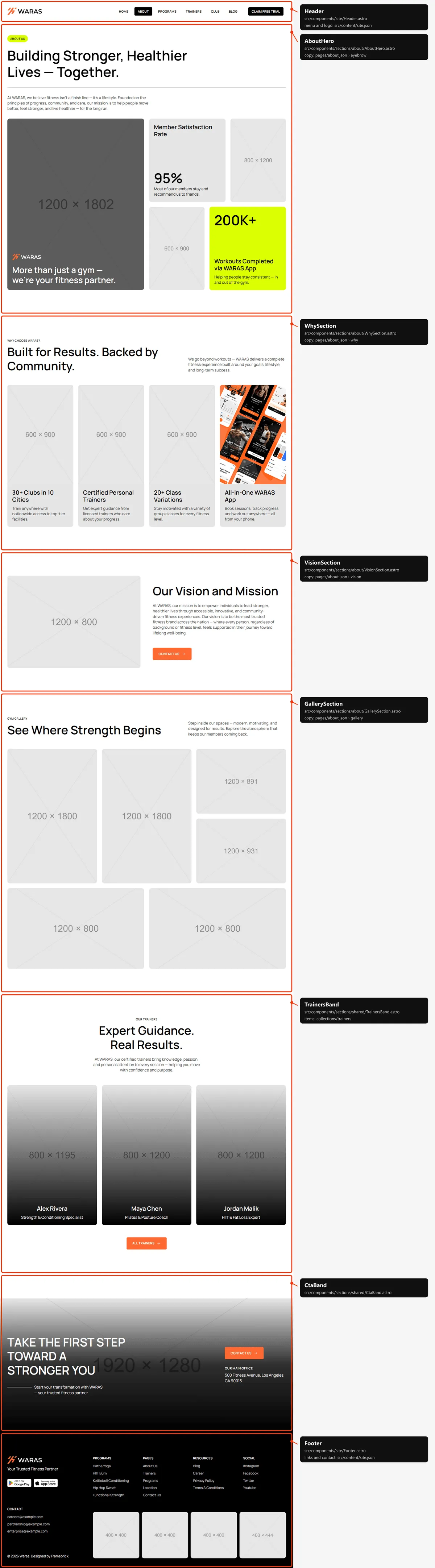
Six sections: the title with the photo and two facts; “Why Choose WARAS?” with four cards; vision and mission; the
gallery of six photos; the trainers band; the CTA band. The words are in src/content/pages/about.json.
Programs
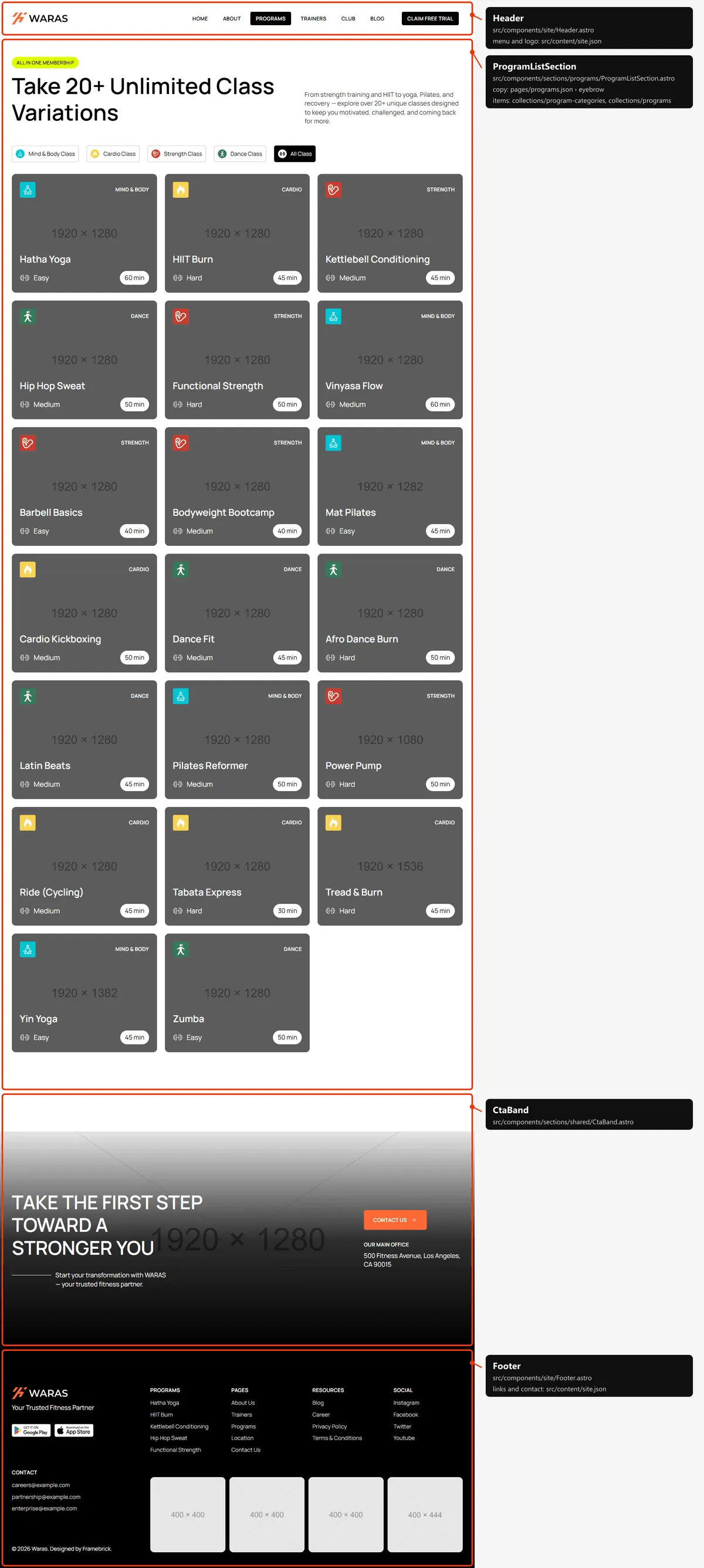
Section titled “Programs”Two sections: the title, the category filter (“All Class” active) and every program, six at a time as the visitor
scrolls; the CTA band. The words are in src/content/pages/programs.json, the programs in programs.json.
Program
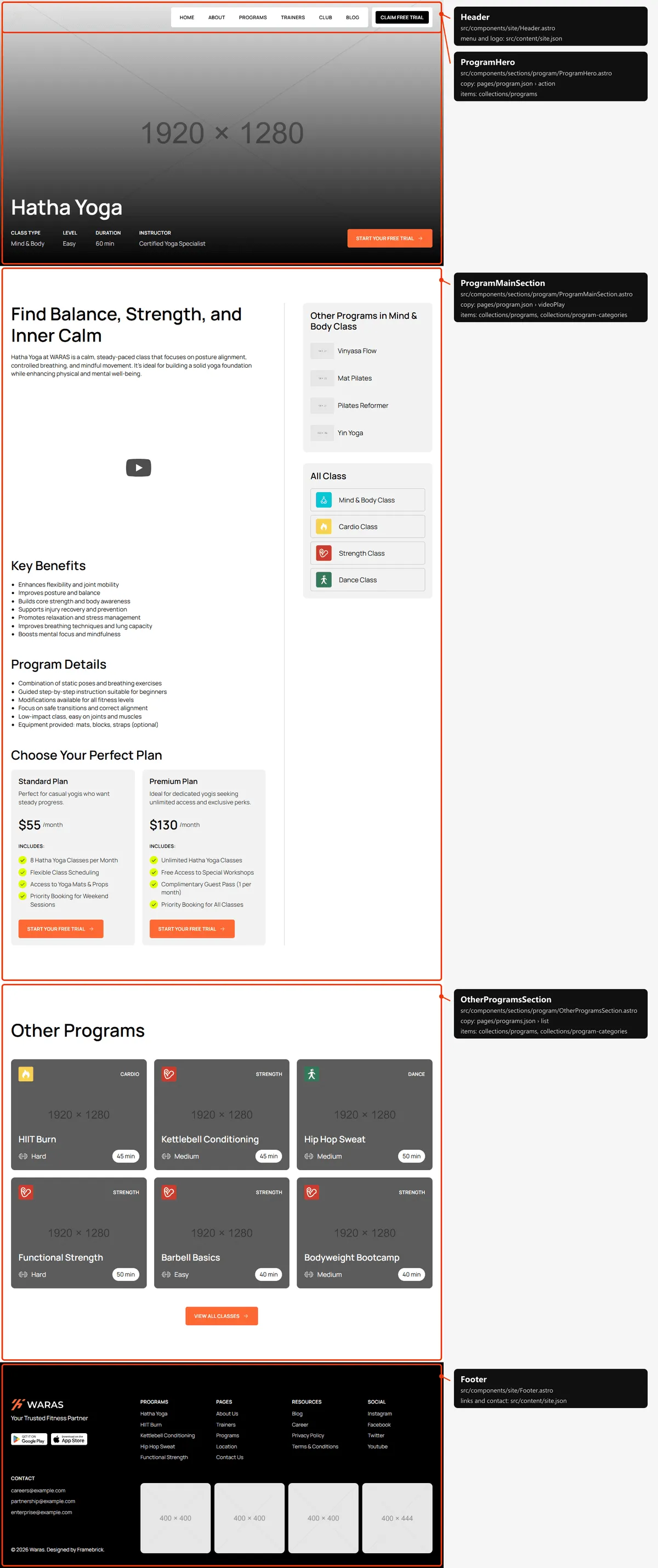
Section titled “Program”Three sections: the cover (the program’s photo under the header, its name, class type, level, duration and instructor,
“Start Your Free Trial”); the main column (the subtitle, “About the Class”, the video, “Key Benefits”, “Program Details”,
the two plans) beside the sidebar (“Other Programs in … Class” and “All Class”); “Other Programs” with six programs of
the other categories. Everything about the program is its entry in programs.json; the labels are in
src/content/pages/program.json.
Program category
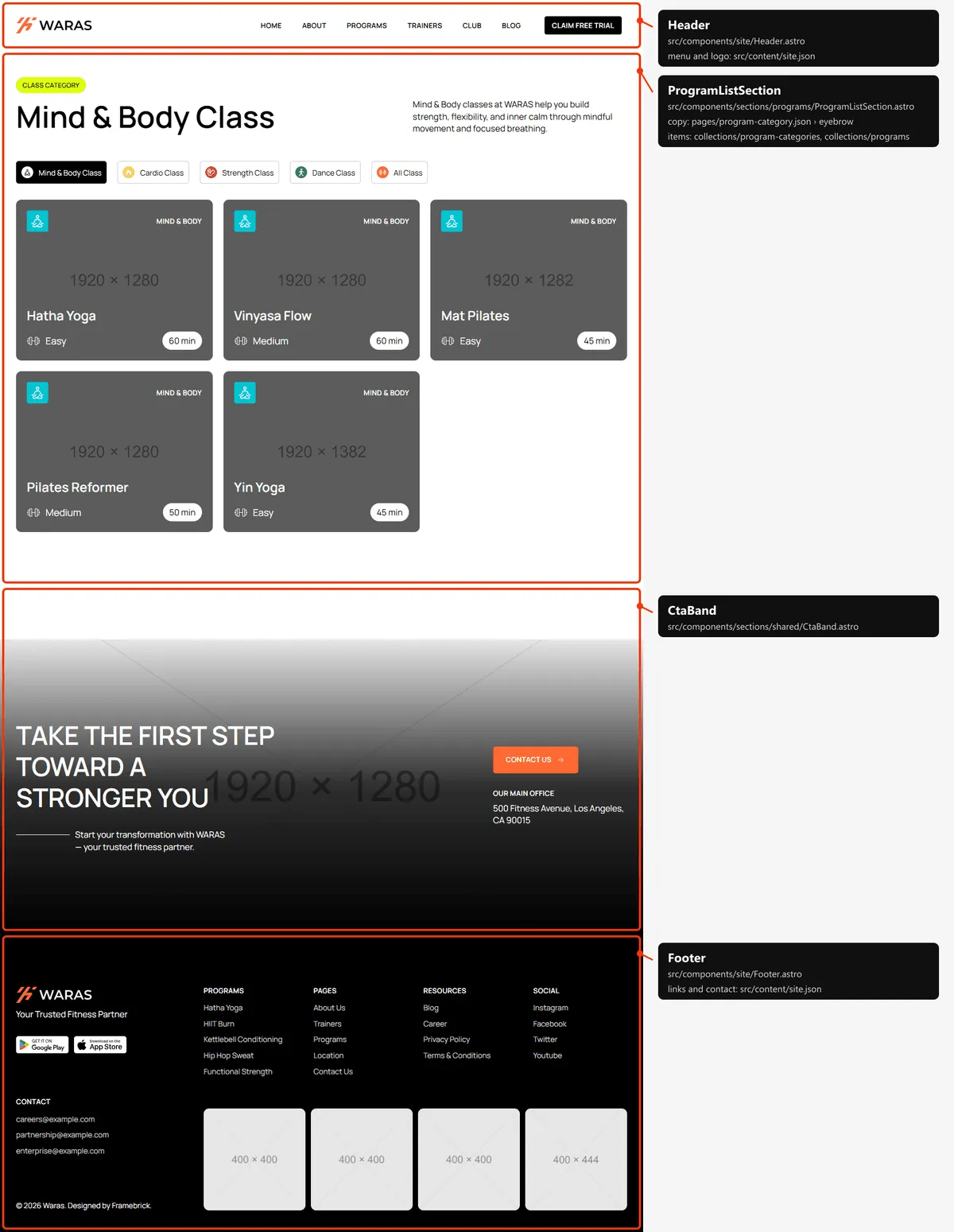
Section titled “Program category”Two sections: “{name} Class” with the category’s description, the filter with the category active and its programs, six
at a time; the CTA band. The category is its entry in program-categories.json; the words are in
src/content/pages/program-category.json. The Default category’s page is empty, as in the original design.
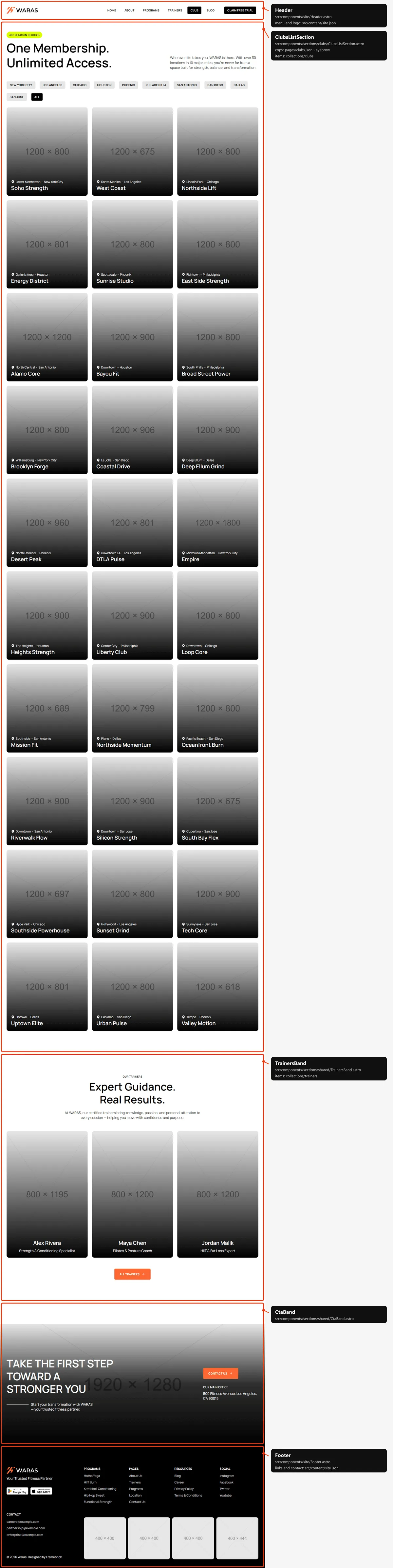
Three sections: the title, the city filter (“All” active) and every club, six at a time; the trainers band; the CTA
band. The words are in src/content/pages/clubs.json, the clubs in clubs.json.
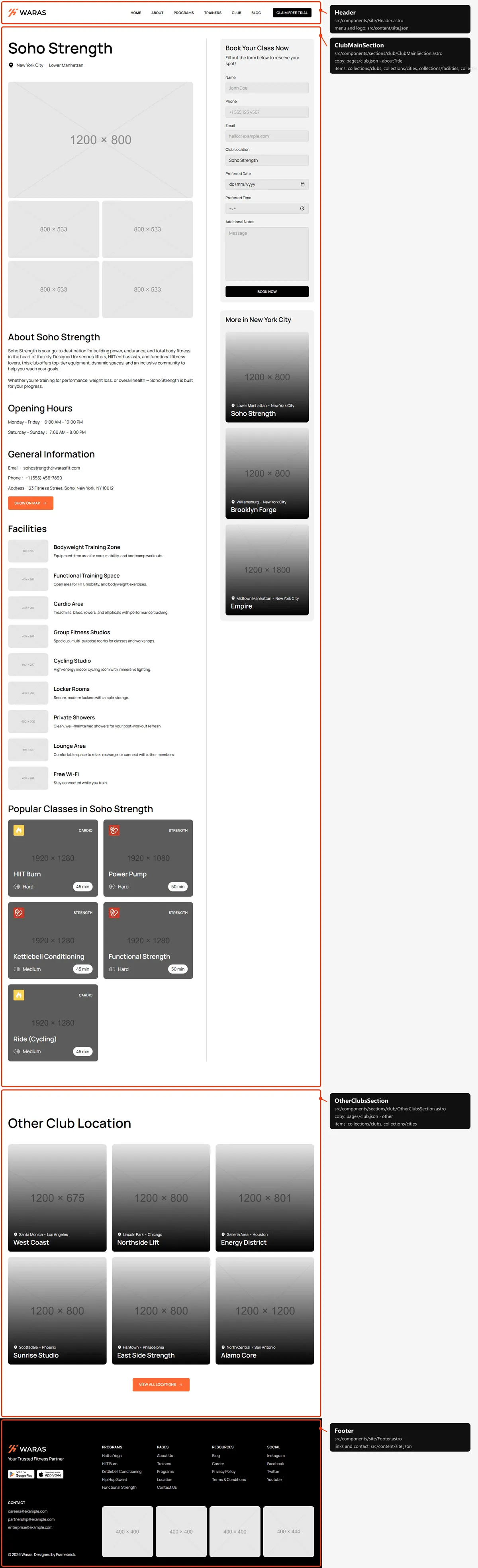
Two sections: the club (its name and city, the five photos, “About”, “Opening Hours”, “General Information” with “Show
on map”, “Facilities” and “Popular Classes”) beside the sidebar (the booking form and “More in {city}”); “Other Club
Location” with six clubs of the other cities. The club is its entry in clubs.json; the labels and the booking form are
in src/content/pages/club.json (Forms).
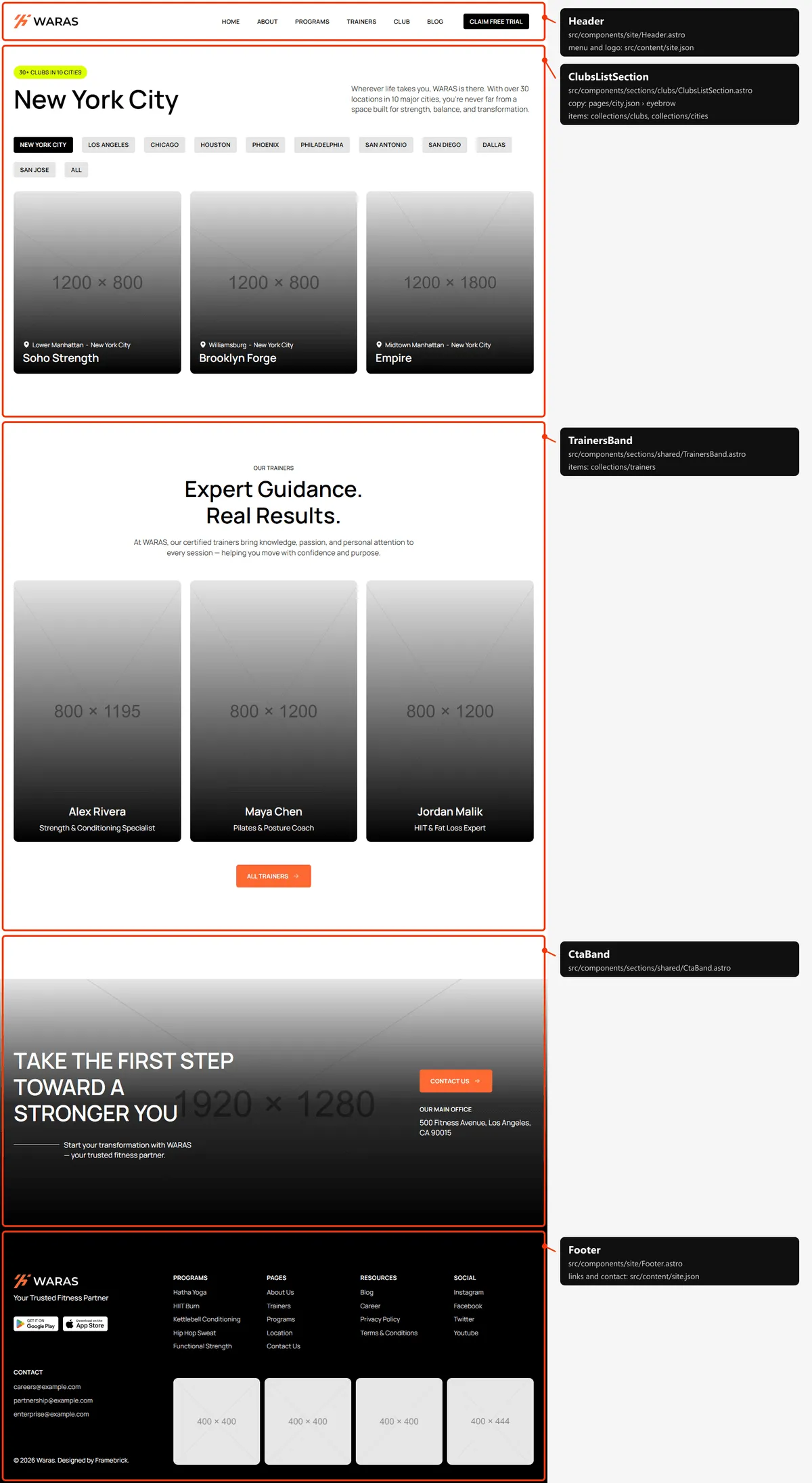
The layout of Clubs with the city’s name as the title, the city active in the filter and only its clubs; then the
trainers band and the CTA band. The words are in src/content/pages/city.json.
Trainers
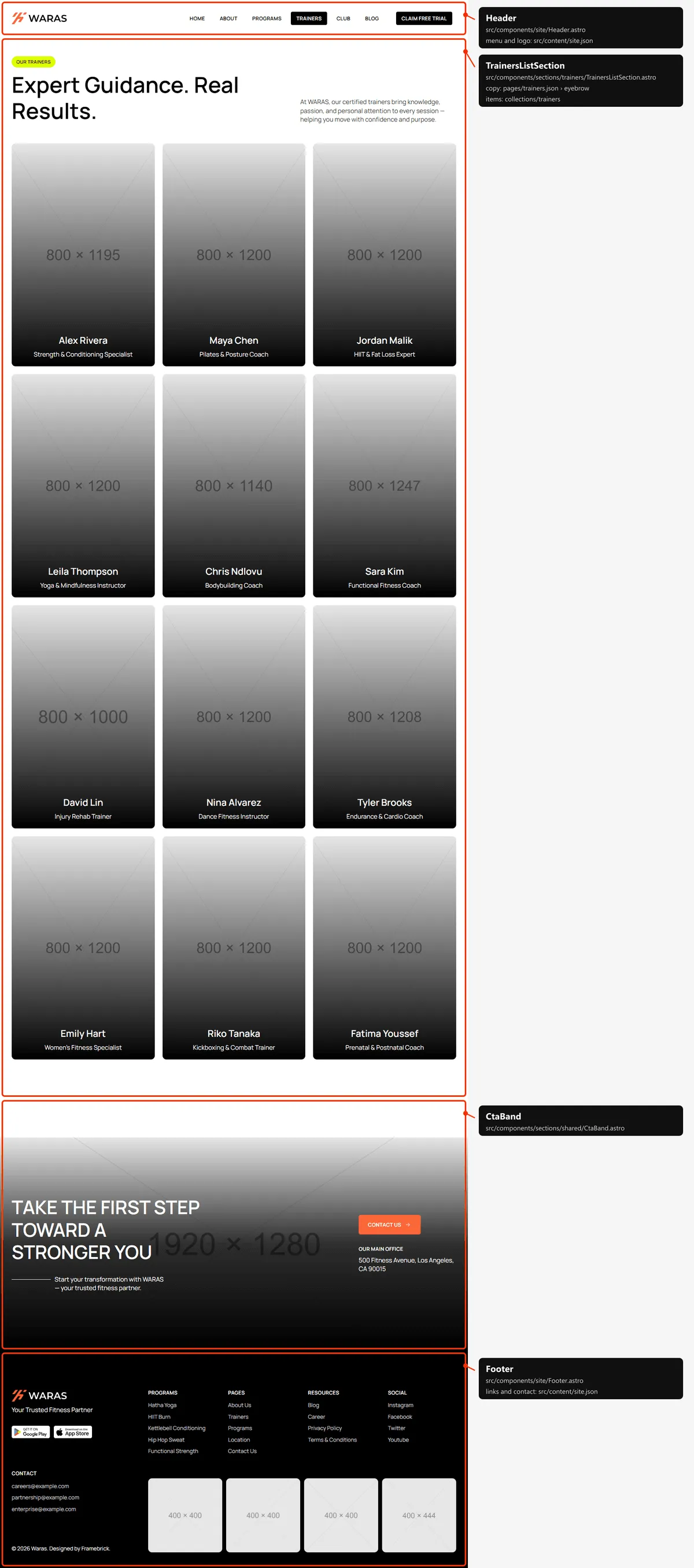
Section titled “Trainers”Two sections: the title and every trainer, six at a time on desktops and four on tablets and phones; the CTA band. The
words are in src/content/pages/trainers.json, the trainers in trainers.json.
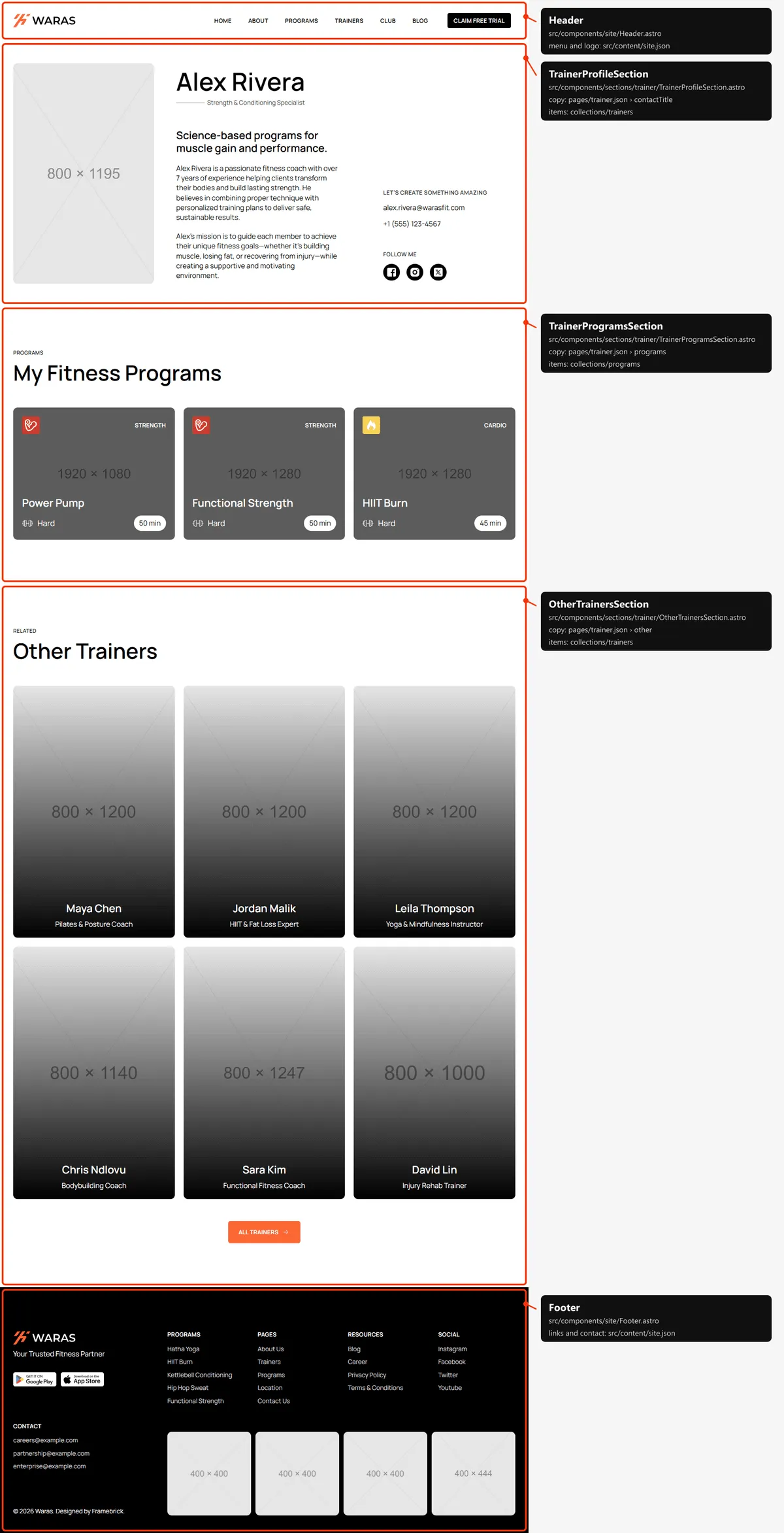
Trainer
Section titled “Trainer”Three sections: the profile (the portrait, the name and role, the summary, the about text, e-mail and phone, “Follow
me”); “My Fitness Programs”; “Other Trainers”. The trainer is their entry in trainers.json; the words are in
src/content/pages/trainer.json.
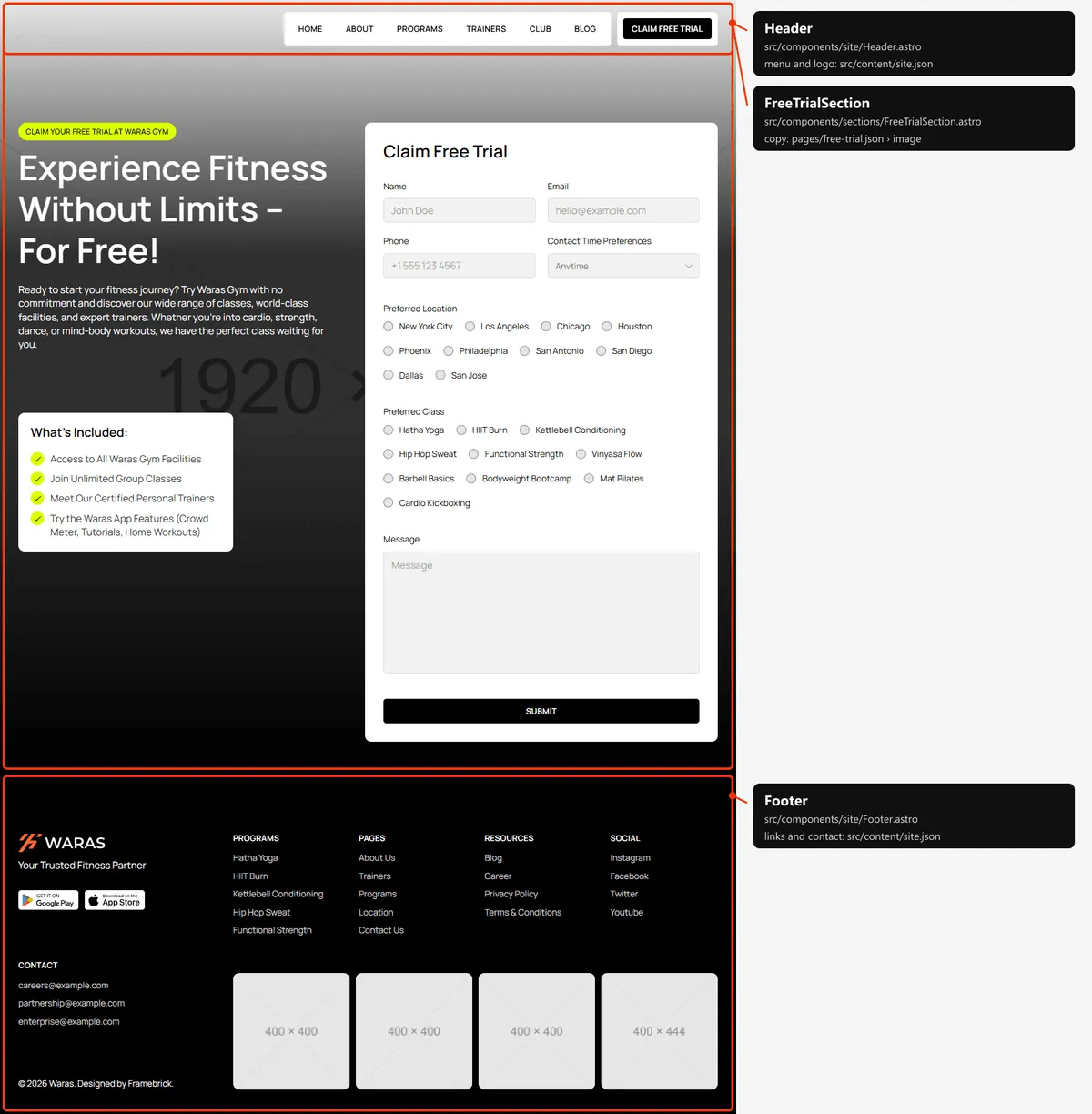
Free trial
Section titled “Free trial”One section over a full-window photo: the title, “What’s Included” and the “Claim Free Trial” form. The words and the
form are in src/content/pages/free-trial.json (Forms).
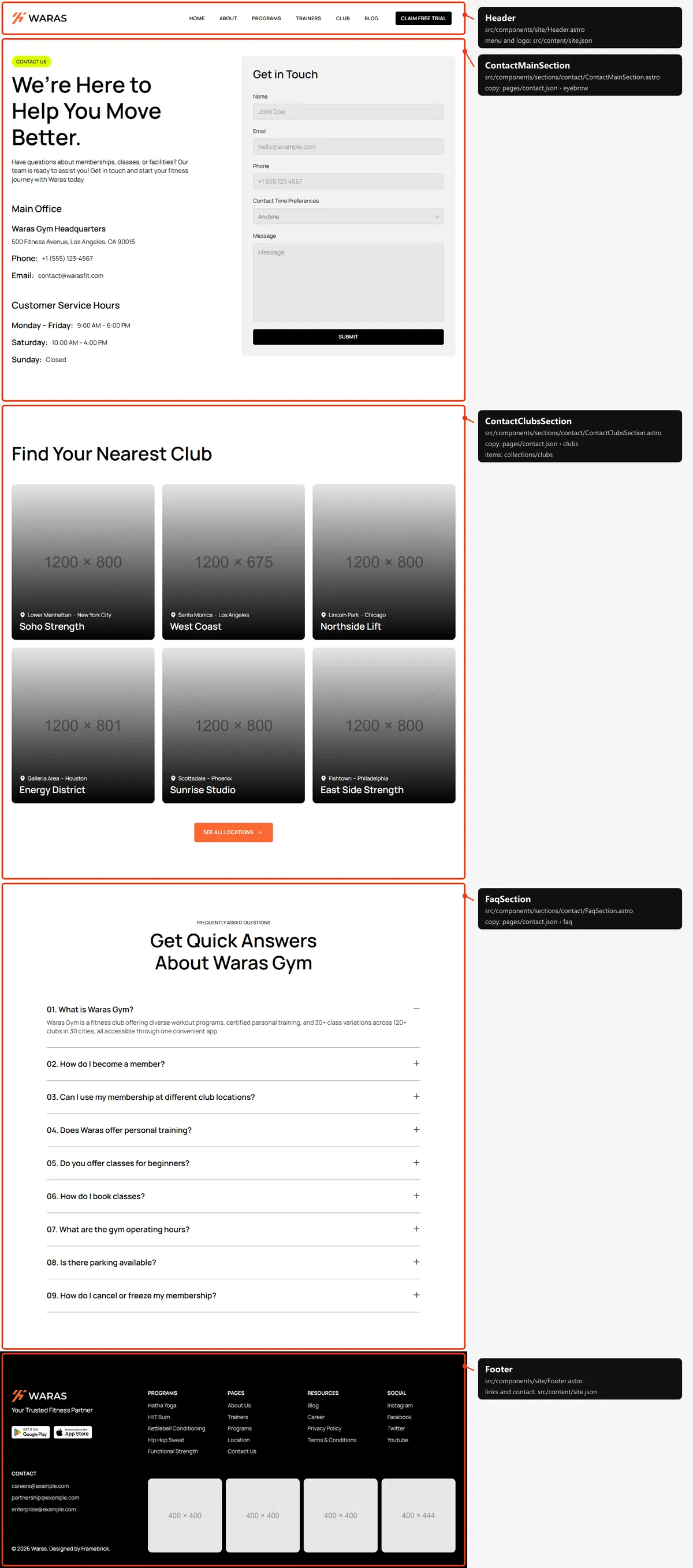
Contact
Section titled “Contact”Three sections: the title, the main office and the service hours beside the “Get in Touch” form; “Find Your Nearest
Club” with the first six clubs; the FAQ. The words, the form and the answers are in src/content/pages/contact.json.
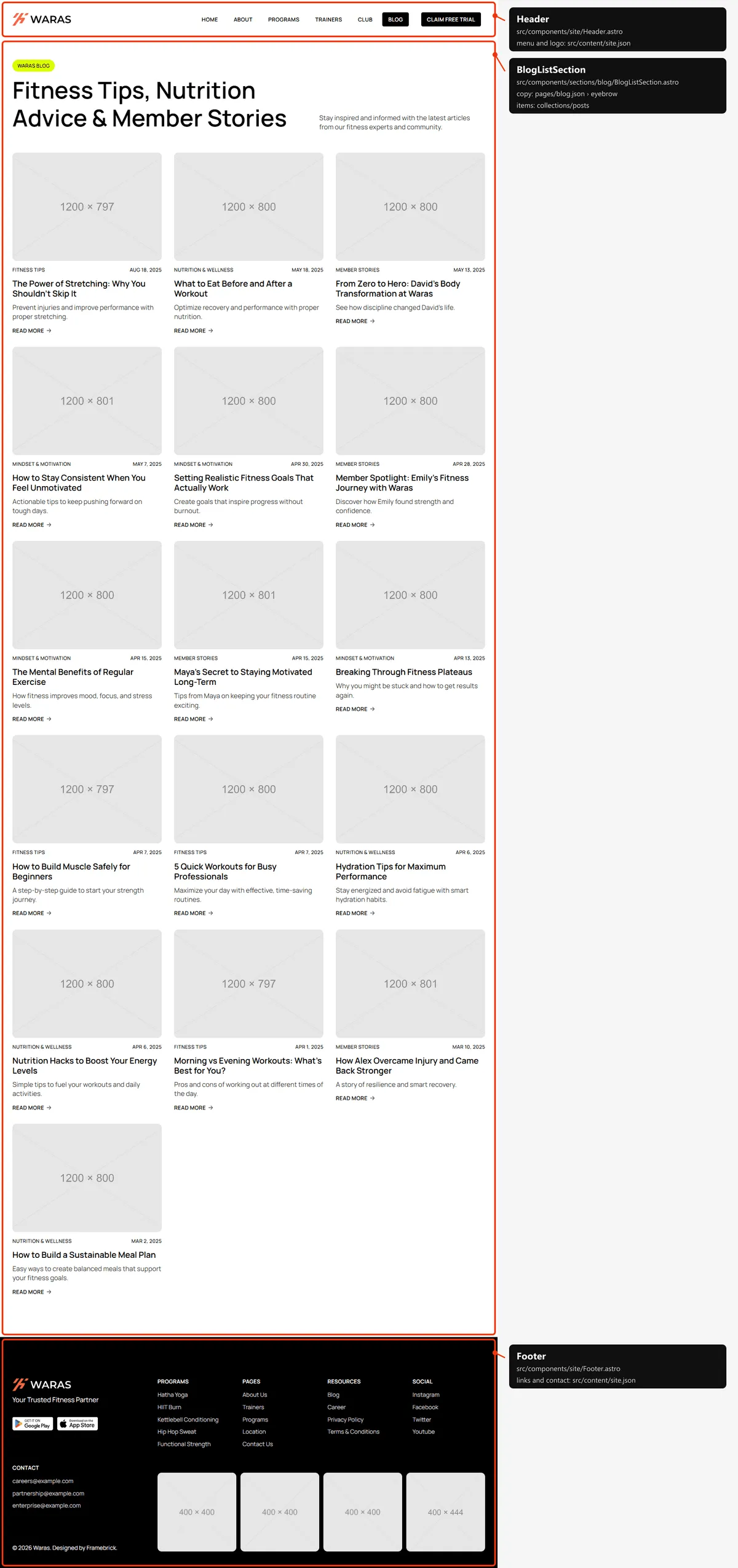
One section: the title and every post as a card, in columns (three on desktop, two on tablets, one on phones). Five
posts show at first, and five more load each time the end of the list comes into view (list.pageSize in
src/content/pages/blog.json).
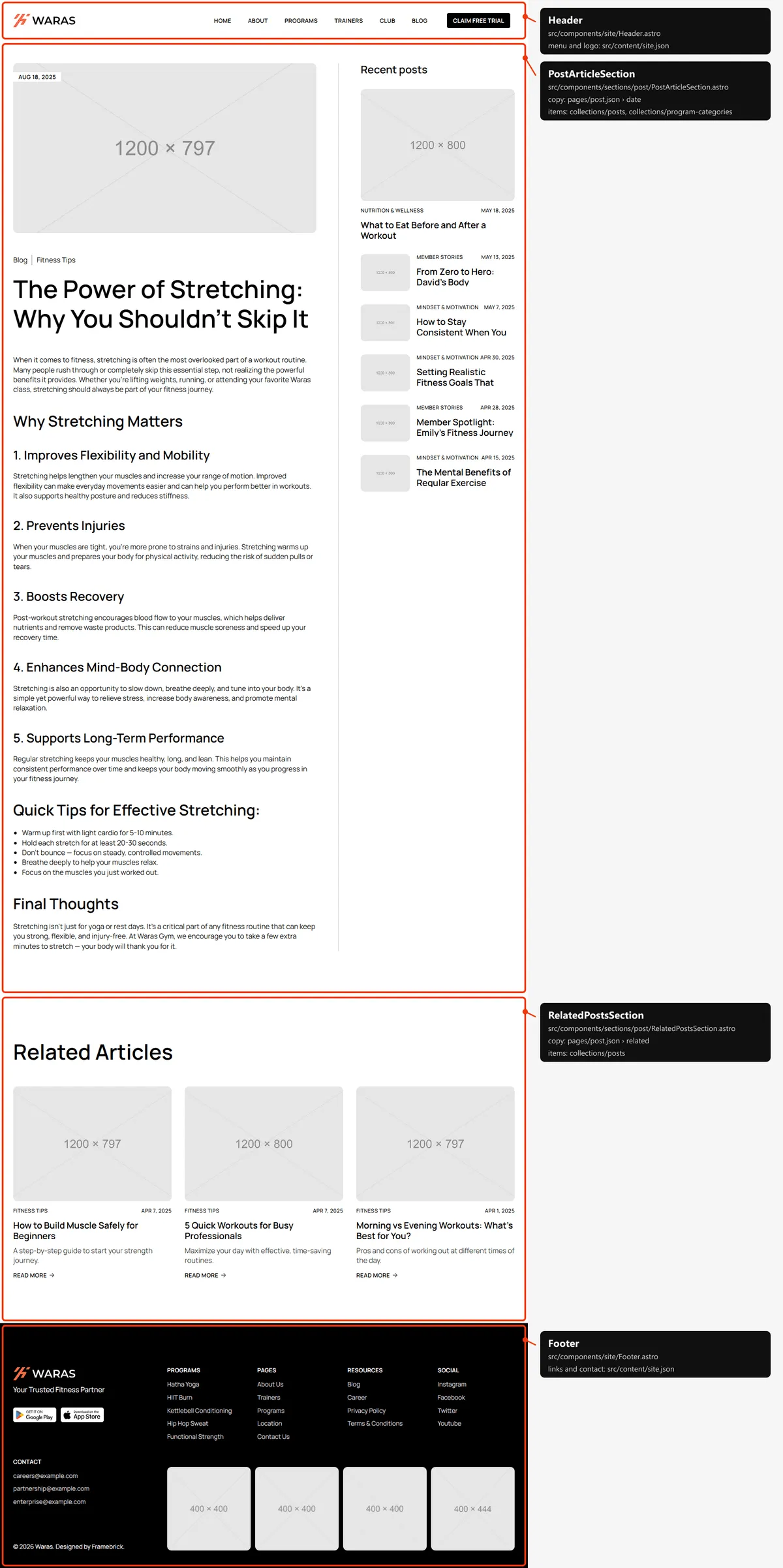
Two sections: the article (the photo with the date, “Blog” and the category, the title, the text) beside “Recent posts”;
“Related Articles” (the other posts of its category, shown only when there are some). The article is the post in
posts.json; the labels are in src/content/pages/post.json.
Legal page
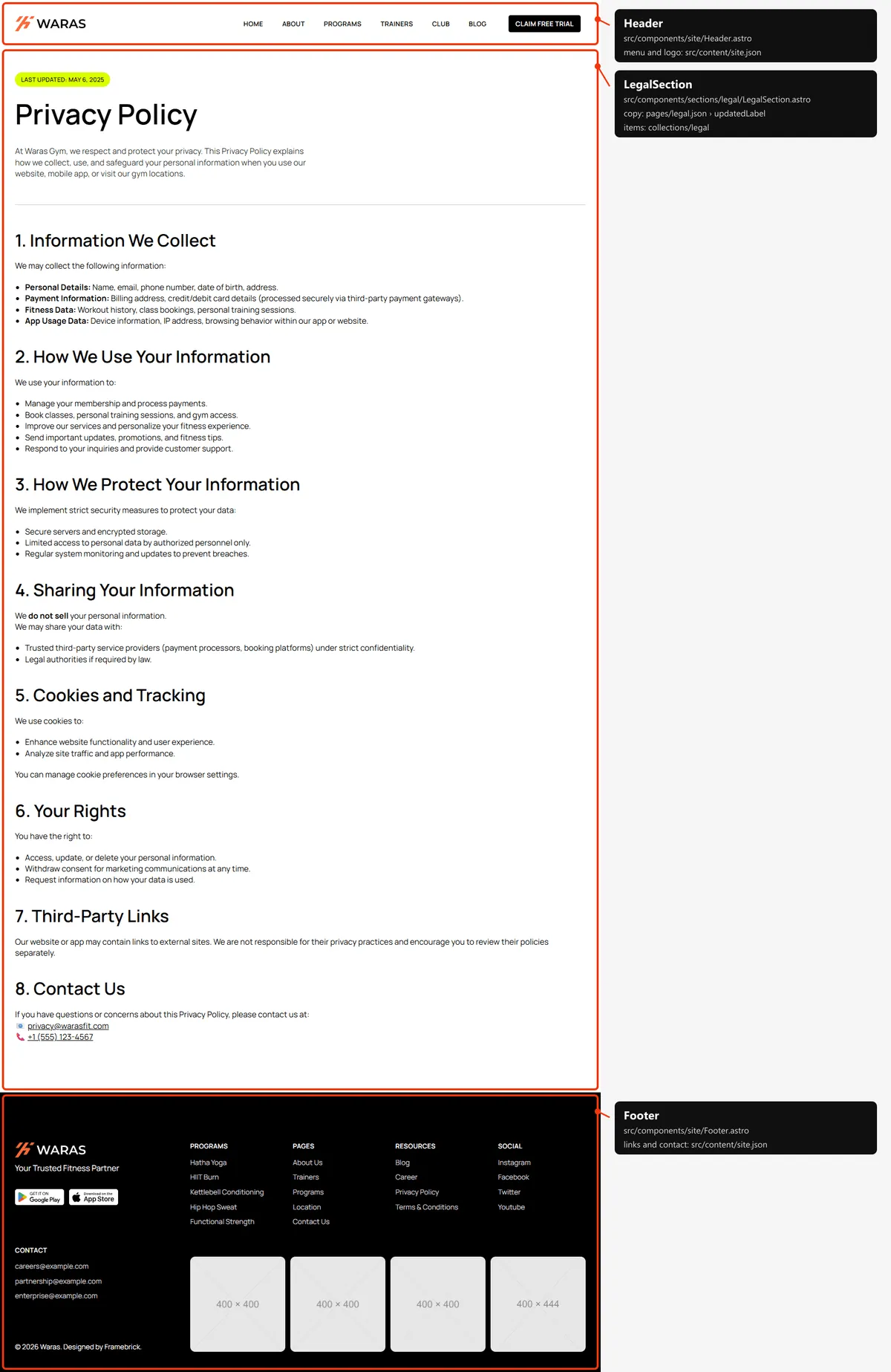
Section titled “Legal page”One section: “Last Updated” with the date, the title, the lead and the text. They are the legal page in
src/content/collections/legal.json; the label is in src/content/pages/legal.json. The legal pages have no CTA band.
Their texts are samples to replace (Editing the content).
Page not found
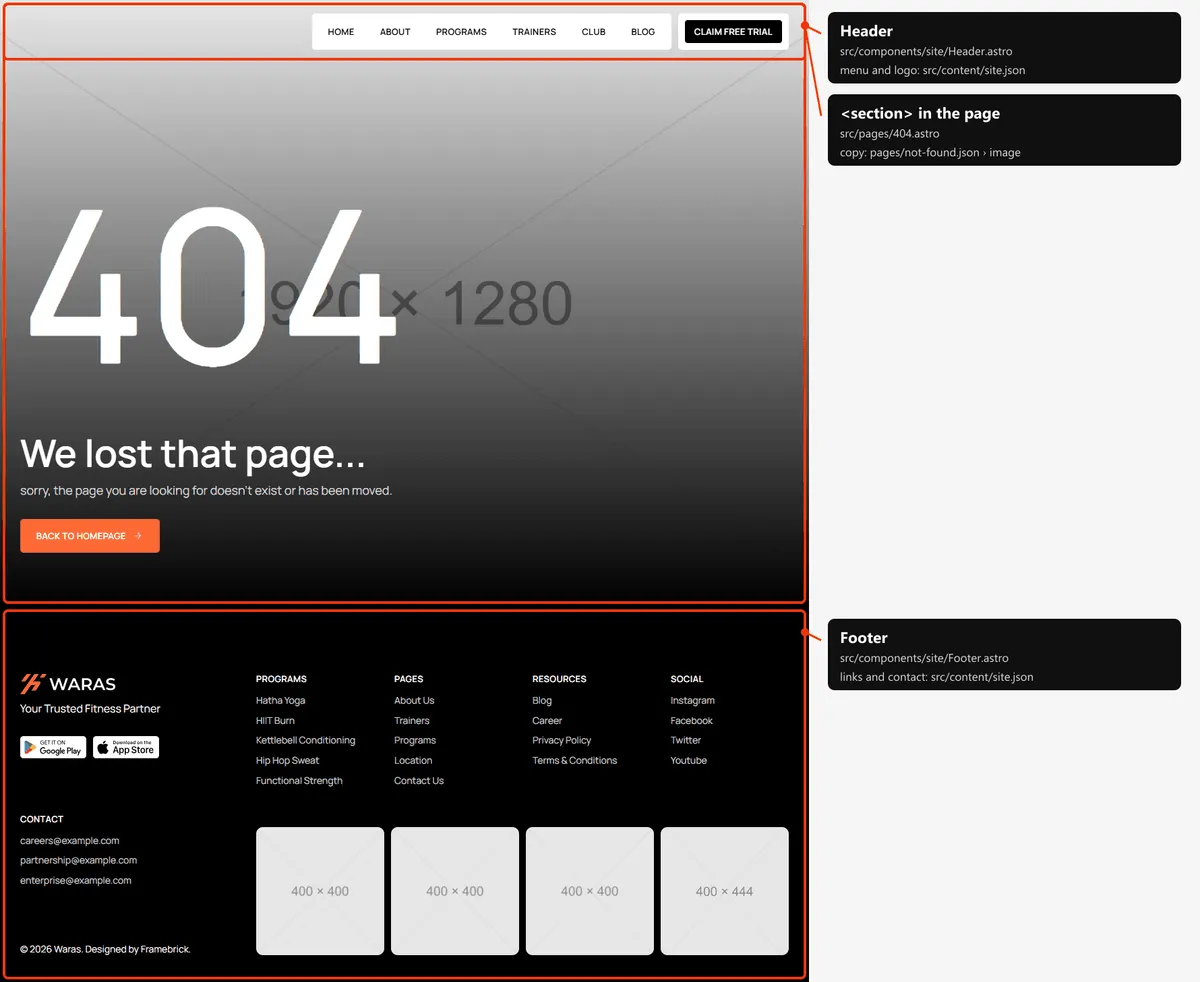
Section titled “Page not found”One block, a screen tall over a photo: the big “404”, a title, a line and a button back to Home. They are in
src/content/pages/not-found.json; the layout is written in src/pages/404.astro.
Reordering or removing a section
Section titled “Reordering or removing a section”Move the lines in the page file, or delete one. To take the coaching cards off Home, delete <CoachingSection … /> from
src/pages/index.astro. To drop a shared band from one page, set "ctaBand" or "trainersBand" to false in its copy;
the other pages keep it (shared blocks).
Adding a page
Section titled “Adding a page”-
Add the URL to
src/content/routes.ts:membership: "/membership", -
Add its copy to
src/content/pages/membership.json, with ameta(title, description):{"meta": {"title": "Membership","description": "One membership, every club: compare our plans and find the one that fits your goals and your schedule."},"eyebrow": "Membership","title": "Plans for every goal","text": "No hidden fees. Cancel anytime.","ctaBand": true} -
Create
src/pages/membership.astro:---import CtaBand from "../components/sections/shared/CtaBand.astro";import { pageTopPadding } from "../components/sections/shared/page-top";import membership from "../content/pages/membership.json";import Eyebrow from "../design-system/components/brand/Eyebrow.astro";import Section from "../design-system/components/layout/Section.astro";import { text } from "../design-system/tokens/text";import { cn } from "../design-system/utils/cn";import Layout from "../layouts/Layout.astro";---<Layout title={membership.meta.title} description={membership.meta.description}><Section padding={pageTopPadding} inner="flex flex-col items-start gap-5"><Eyebrow variant="lime" label={membership.eyebrow} /><h1 class={cn(text.h1, "max-w-[700px]")}>{membership.title}</h1><p class={cn(text.body, "max-w-[600px] text-black/80")}>{membership.text}</p></Section>{membership.ctaBand && <CtaBand />}</Layout>Layoutwrites the head (title, description, canonical link, share card), the header and the footer. The page starts under the header by itself (the header). -
Link to it: add
{ "label": "Membership", "href": "/membership" }tonavigationinsrc/content/site.json(the menu), or to the links of the footer’s Pages column (footer.columns). -
Add
routes.membershipto thepageslist insrc/pages/sitemap.xml.ts, next to the other top-level pages.
Removing a page
Section titled “Removing a page”Delete its file under src/pages/, its entry in navigation and the footer’s links (src/content/site.json), its line
in src/pages/sitemap.xml.ts, and the route in routes.ts. npm run build then tells you about anything still using the
route through routes. Links written as text in the content are not checked: the header’s “Claim free trial” and the
buttons to /free-trial, the CTA band’s “Contact us” (/contact), the “View all …” links (/club, /program,
/blog), “All Trainers” (/trainer) and the footer’s columns, for example. Search src/content/ for the path.
Pages built from a collection
Section titled “Pages built from a collection”src/pages/club/[slug].astro builds one page per club:
export async function getStaticPaths() { return (await getClubs()).map((club) => ({ params: { slug: club.slug }, props: { club } }));}Add a club to src/content/collections/clubs.json, and its page, its cards and its sitemap entry appear on the next
build; a slug that isn’t in the list is a 404. The same pattern builds the program, category, city, trainer, post and
legal pages.
The 404 page
Section titled “The 404 page”src/pages/404.astro, with its copy in src/content/pages/not-found.json. The build writes it as 404.html, which hosts
show for any unknown address (and for a slug that doesn’t exist) with a 404 status; it is noindex, like the style
guide.
The header and the footer
Section titled “The header and the footer”- The header is fixed at the top of every page, 70 px tall on phones and 94 px from tablets up
(
src/components/site/Header.astro, its scriptheader.ts). On most pages it is white with the dark logo and the page starts below it. On Home, Free trial, the program pages and the 404 it is transparent with the light logo, over the page’s photo (isCoverPathinsrc/content/routes.ts); scrolling down hides the logo on desktops and turns the bar white on tablets and phones, and scrolling up brings it back. - Desktop: the logo, the menu links on a white panel and “Claim free trial”. Tablet: the logo, “Claim free trial” and a “Menu” button; phone: the logo and a menu button. The menu opens under the bar with the links (and on phones the button), and closes when a link is followed, on Escape, or when the window grows to desktop width.
- The menu is
navigationinsrc/content/site.json, the buttonheaderAction. - The footer (
src/components/site/Footer.astro) is black: the light logo and tagline, the store badges, the contact e-mails and the copyright; the Programs, Pages, Resources and Social columns; the Instagram grid. All of it isfooter,appBadgesandsocialsinsite.json; the Programs column lists the first five programs and Resources ends with the legal pages.
Search engines
Section titled “Search engines”-
Sitemap:
src/pages/sitemap.xml.tsbuildssitemap.xmlfromroutes.tsand the collections: the eight top-level pages, every program, category, club, city, trainer, post (with its date) and legal page — 103 addresses in the demo. The 404 page and the style guide are left out. -
Robots:
src/pages/robots.txt.tsbuildsrobots.txt, which allows everything and points at the sitemap. Both usesite.url, so set your domain before publishing. -
Per page: every indexable page gets a title, a description, a canonical link, an
og:urland a share image from<Layout>andsrc/lib/meta.ts:- Home:
meta.titleofhome.jsonas it is (“Fitbricks - Gym and Fitness Website”) andsite.description; - the other pages with one address: “
| Fitbricks” and the description of their copy’s <code dir="auto">meta</code>;</li> <li>a program: its name and the start of its “About the Class”; a club: its name and the start of its “About”; a category: “{name} Class” and its description; a city: <code dir="auto">meta</code> of <code dir="auto">city.json</code> with the city’s name; a trainer: their name and “<name>, <role>. <summary>” (<code dir="auto">meta</code> of <code dir="auto">trainer.json</code>); a post: its title and excerpt; a legal page: its title and its <code dir="auto">metaDescription</code>.</li> </ul> <p>A title that would be longer than 60 characters with <code dir="auto"> | Fitbricks</code> appended is shown without the suffix; the suffix is <code dir="auto">site.name</code>. Programs, clubs, trainers and posts share their own photo; posts are shared as articles, with their date.</p> </li> <li> <p><strong>Not indexed:</strong> the style guide and the 404 page (<code dir="auto">noindex</code>).</p> </li> </ul> </div><footer class="sl-flex astro-ddtxxk7k"><div class="meta sl-flex astro-ddtxxk7k"></div><div class="pagination-links print:hidden astro-b5raizh3" dir="ltr"><a href="/docs/fitbricks/astro/design" rel="prev" class="astro-b5raizh3"><svg aria-hidden="true" class="astro-b5raizh3 astro-hkc32dio" width="16" height="16" viewBox="0 0 24 24" fill="currentColor" style="--sl-icon-size: 1.5rem;"><path d="M17 11H9.41l3.3-3.29a1.004 1.004 0 1 0-1.42-1.42l-5 5a1 1 0 0 0-.21.33 1 1 0 0 0 0 .76 1 1 0 0 0 .21.33l5 5a1.002 1.002 0 0 0 1.639-.325 1 1 0 0 0-.219-1.095L9.41 13H17a1 1 0 0 0 0-2Z"/></svg><span class="astro-b5raizh3">Previous<br class="astro-b5raizh3"><span class="link-title astro-b5raizh3">Design</span></span></a><a href="/docs/fitbricks/astro/forms" rel="next" class="astro-b5raizh3"><svg aria-hidden="true" class="astro-b5raizh3 astro-hkc32dio" width="16" height="16" viewBox="0 0 24 24" fill="currentColor" style="--sl-icon-size: 1.5rem;"><path d="M17.92 11.62a1.001 1.001 0 0 0-.21-.33l-5-5a1.003 1.003 0 1 0-1.42 1.42l3.3 3.29H7a1 1 0 0 0 0 2h7.59l-3.3 3.29a1.002 1.002 0 0 0 .325 1.639 1 1 0 0 0 1.095-.219l5-5a1 1 0 0 0 .21-.33 1 1 0 0 0 0-.76Z"/></svg><span class="astro-b5raizh3">Next<br class="astro-b5raizh3"><span class="link-title astro-b5raizh3">Forms</span></span></a></div></footer><footer class="fb-footer not-content"><p>© 2026 Framebrick by Marcframe. All rights reserved.</p><ul><li><a href="/support">Support</a></li><li><a href="/docs">Docs</a></li><li><a href="/license">License</a></li><li><a href="/legal/terms">Terms of service</a></li><li><a href="/legal/refund-policy">Refund policy</a></li><li><a href="/legal/privacy-policy">Privacy policy</a></li><li><a href="/legal/cookie-policy">Cookie policy</a></li><li><a href="https://x.com/hi_marcframe" target="_blank" rel="noopener">X (Twitter)</a></li></ul></footer></div></div></main></div></div></div></div></body></html>
- Home: