Pages and sections — Metuo Next.js
A page is a small file that picks sections and hands them content. src/app/testimonial/page.tsx is the whole Testimonial page:
export const metadata: Metadata = pageMeta(routes.testimonials, meta);
export default async function TestimonialPage() {  const stories = (await getTestimonials()).map((item) => toTestimonialCard(item, outcomesLabel));  return (    <>      <PageTitleSection title={pageTitle.title} lead={pageTitle.lead} image={pageTitle.image} />      <TestimonialStoriesSection stories={stories} label={storiesLabel} />      <CtaSection content={ctaBand} ratings={clientRatings} question={questionLine} socials={socialLinks} />    </>  );}
pageMeta(route, meta)gives the page its browser title, description, canonical link and share image.getTestimonials()reads the collection (see Editing the content).toTestimonialCardturns each story into what a card shows (src/lib/to-ui.ts).- The sections render them: the photo with the page’s title, every story as a full-screen card, and the call to action band.
The pages
Section titled “The pages”9 kinds of page and 20 addresses in the demo. Every address is in src/content/routes.ts.
| Page | Address | Page file | Copy (src/content/pages/) |
Items it shows |
|---|---|---|---|---|
| Home | / |
src/app/page.tsx |
home.ts, shared.ts, pricing.ts, faq.ts, book.ts |
the first four services, the first four client stories, the three newest posts |
| About | /about |
src/app/about/page.tsx |
about.ts, shared.ts |
the team |
| Service | /service |
src/app/service/page.tsx |
service.ts, shared.ts, pricing.ts, faq.ts, book.ts |
every service |
| Testimonial | /testimonial |
src/app/testimonial/page.tsx |
testimonial.ts, shared.ts |
every client story |
| Blog | /blog |
src/app/blog/page.tsx |
blog.ts, shared.ts |
every post, six at a time |
| Post | /blog/<slug> |
src/app/blog/[slug]/page.tsx |
post.ts, faq.ts |
one post, up to three of the same category |
| Contact | /contact |
src/app/contact/page.tsx |
contact.ts, book.ts, shared.ts, faq.ts |
every service (as the form’s session types) |
| Legal | /legal/<slug> |
src/app/legal/[slug]/page.tsx |
legal.ts |
one legal page |
| 404 | any unknown address | src/app/not-found.tsx |
not-found.ts |
— |
The addresses are the original design’s: the services page is /service and the client stories /testimonial, even
though the menu calls them “Services” and “Stories”. The style guide (/style-guide, src/app/style-guide/) is a page
too, for you: it is hidden from search engines and linked from nowhere.
To change an address, rename its folder in src/app/ and its entry in routes.ts, and search the content for the old
address: links written as text aren’t checked (removing a page).
The sections you can use
Section titled “The sections you can use”In src/components/sections/, one file each. Each takes its copy from a page file (or site.ts) and its items from a
collection.
| Section | Used on |
|---|---|
HomeHeroSection, HomeAboutSection, HomeServiceSection, HomeWhySection, HomeStepSection, HomeStoriesSection |
Home |
PageTitleSection (the photo with the page’s title) |
About, Service, Testimonial, Blog |
FounderQuoteSection |
Home, About, Service |
CtaBandSection (the call to action band inside another section) |
Home (in “Why choose us”), About (in the team) |
CtaSection (the same band as a section of its own) |
Testimonial, Blog |
PricingSection |
Home, Service |
VideoSection |
Home, About |
BlogSection (three post cards under an intro) |
Home (“Our journal”), Post (“More insights for you.”) |
FaqSection |
Home, Service, Contact, Post |
BookSection (the booking form) |
Home, Service, Contact (as the page’s main section: page) |
AboutVisionSection, AboutValueSection, AboutTeamSection |
About |
ServiceMainSection |
Service |
TestimonialStoriesSection |
Testimonial |
BlogListSection |
Blog |
PostArticleSection |
Post |
LegalArticleSection |
Legal |
NotFoundSection |
404 |
SectionIntro (the “// label”, the title and the lead) is the top of most sections; it is a helper, not a section.
Blocks that pages share
Section titled “Blocks that pages share”Several blocks have one copy that several pages read, so changing it once changes it everywhere:
| Block | Copy | Shown on |
|---|---|---|
| The founder quote: the dark band with the photo, the quote and the founder | founderQuote in shared.ts |
Home, About, Service |
| The call to action band: “Ready to take the first step…”, the button, the rating, the e-mail line and the social icons | ctaBand, clientRatings, questionLine in shared.ts; the icons from socials in site.ts |
Home, About, Testimonial, Blog |
| The plans | pricing.ts |
Home, Service |
| The questions | faq.ts |
Home, Service, Contact, every post |
| The booking form, with the trust line, the rating, the e-mail line and the social icons beside it | book.ts (and the shared.ts parts) |
Home, Service, Contact |
| The four figures | stats in home.ts |
Home (under the client stories), Service |
To give a page its own words for one of these blocks, pass it an object of your own instead of the shared one, with the
same fields: <FaqSection content={myFaq} />.
How the pages link to each other
Section titled “How the pages link to each other”The menu holds Home, About, Services, Stories and Journal, followed by “Book a session”; the logo leads home. The other pages are reached like this:
| Page | Linked from |
|---|---|
| Home | The logo, the menu, the footer’s Quick links, “Back to homepage” (404) |
| About | The menu, “Learn more about us” (Home) |
| Service | The menu (“Services”), “Explore programs” (Home hero), “View all services” (Home) |
| Testimonial | The menu (“Stories”), “Read full stories” (Home) |
| Blog | The menu (“Journal”) |
| A post | Its card: Home’s “Our journal”, Blog and “More insights for you.” |
| Contact | “Book a session” (header, footer, About), “Start your journey” (Home hero), “Book a consultation” (the call to action band), “Get started” and “Contact us” (the plans) |
| A legal page | The footer’s legal links (footer.legalLinks in site.ts) |
Services and client stories have no page of their own, as in the original design.
Page maps
Section titled “Page maps”Every page type with each section outlined and labelled: the component that renders it, the file to edit, and where its
copy (src/content/pages/*.ts, src/content/site.ts) and items (src/content/collections/*.ts) come from. Header and
footer take their links and details from src/content/site.ts. Photos are the placeholders of the download, and the
video bands are empty.
Twelve sections, top to bottom: the hero (the photo, the “Available for treatment” pill, the title, the text, the two
buttons and the foot line); “About us” (two paragraphs, a small photo, “What we believe” and the founder card); “How we
can help” (the first four services as rows that open one at a time); the founder quote; “Why choose us” (four points
beside four photos, then the call to action band); “Our process” (four steps that open one at a time, two photos); the
plans; the video; “Client stories” (a pinned card that turns through four stories, then the four figures); “Our
journal” (the three newest posts); the questions; the booking form. The words are in src/content/pages/home.ts,
except the shared blocks (above).

Six sections: the photo with “About Metuo”; “Vision & Mission” (two cards, a line with “Book a session”, two photos);
the founder quote; “Our core values” (five points beside five photos); the video; “Meet the team” (the team cards, each
with its “+” bio, then the call to action band). The words are in src/content/pages/about.ts, the team in
src/content/collections/team.ts.

Service
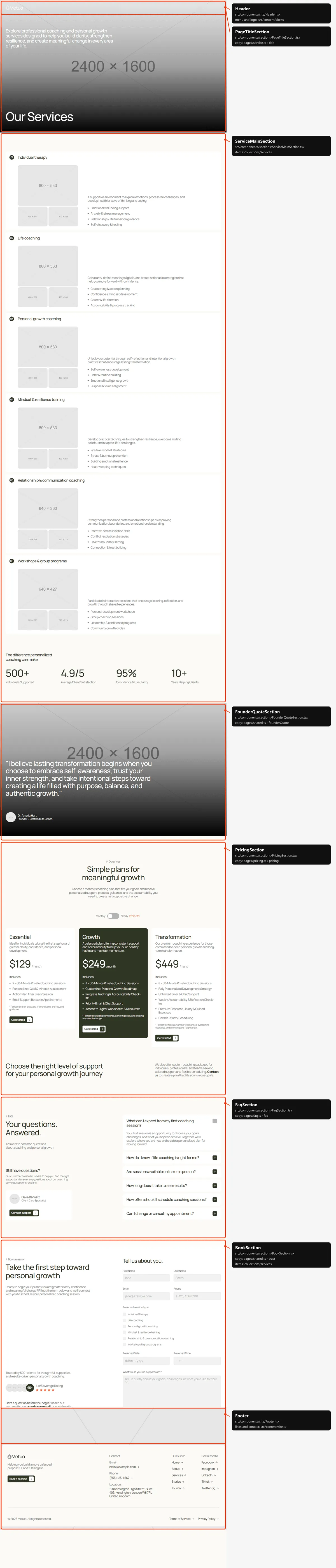
Section titled “Service”Six sections: the photo with “Our Services”; every service as an open card with its number, then the four figures; the
founder quote; the plans; the questions; the booking form. The words are in src/content/pages/service.ts, the
services in src/content/collections/services.ts.
Testimonial
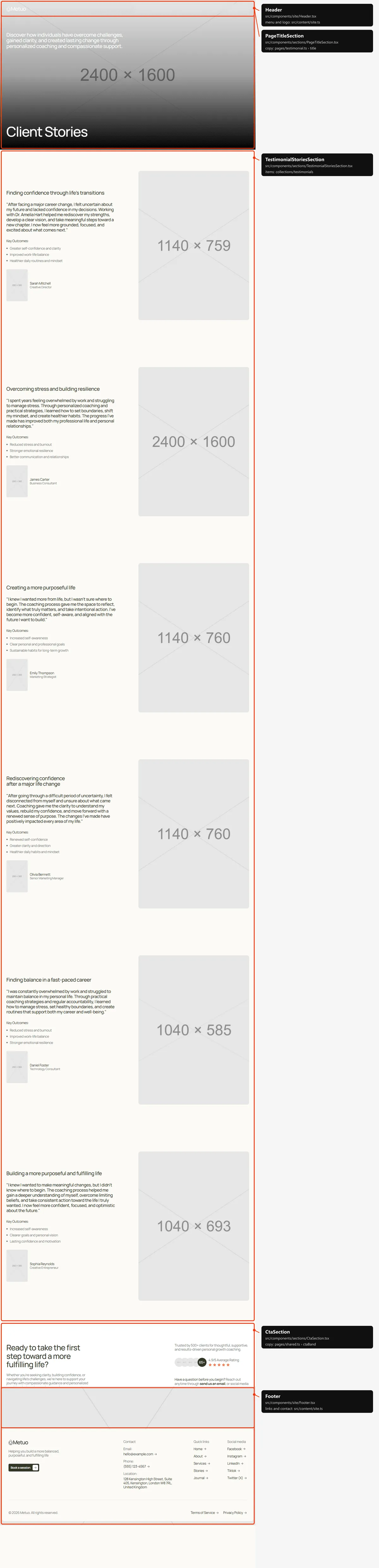
Section titled “Testimonial”Three sections: the photo with “Client Stories”; every client story as a full-screen card (the headline, the quote,
“Key Outcomes:”, the client and a big photo), each stopping at the top while the next slides over it; the call to action
band. The words are in src/content/pages/testimonial.ts, the stories in src/content/collections/testimonials.ts.
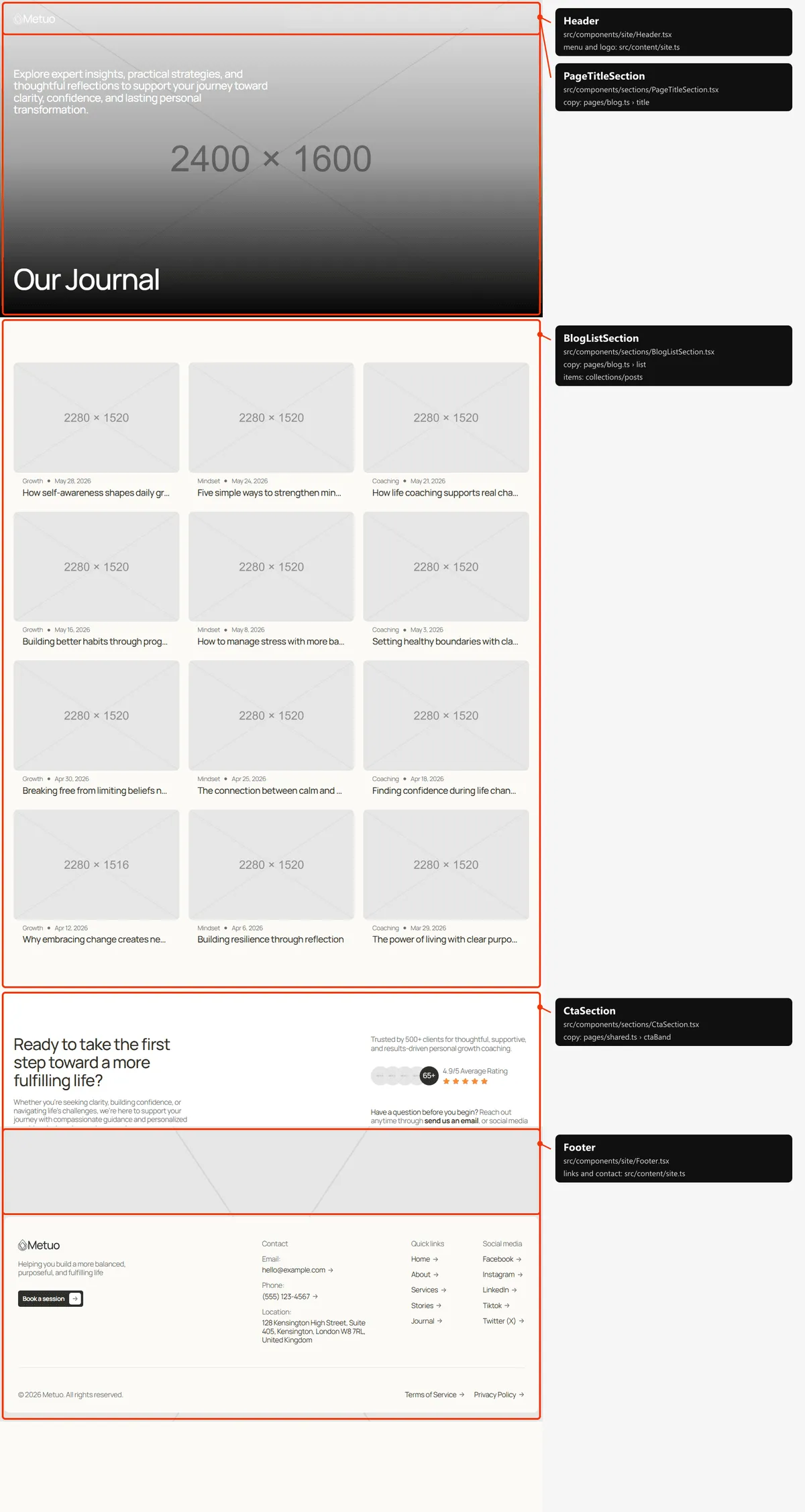
Three sections: the photo with “Our Journal”; every post as a card, six at a time; the call to action band. The words
are in src/content/pages/blog.ts, the posts in src/content/collections/posts.ts.
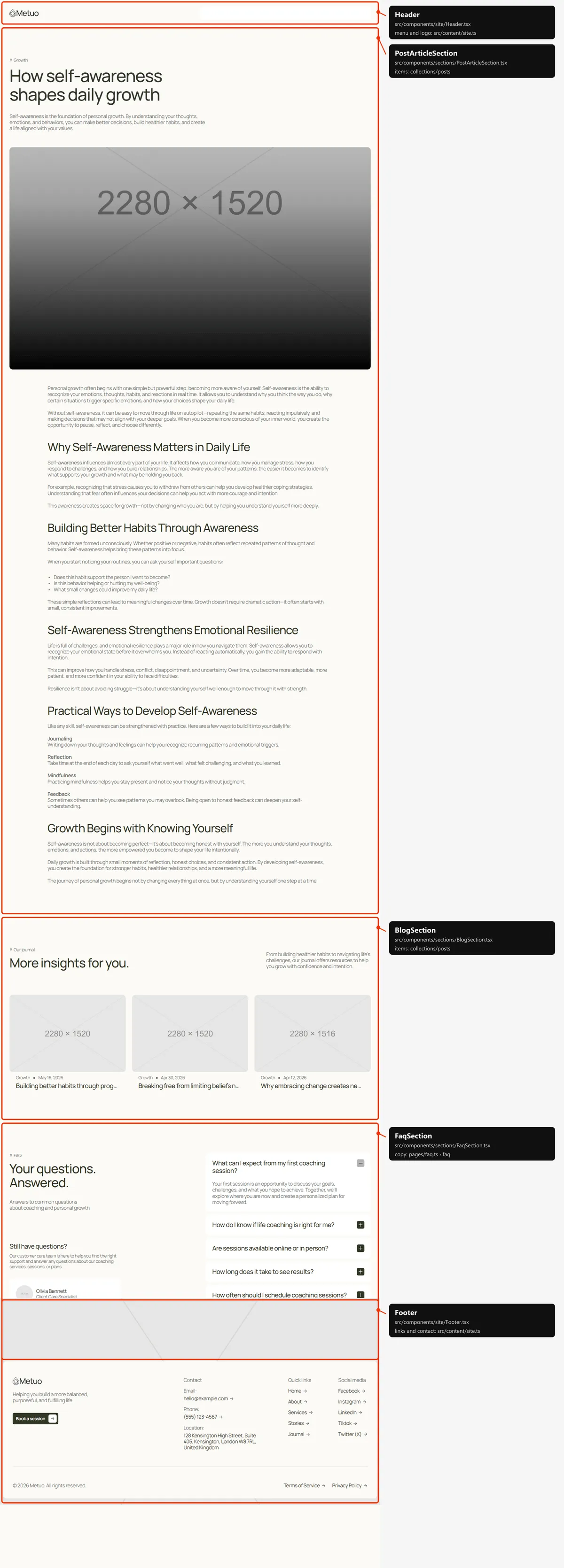
Three sections: the article (“// category”, the title, the excerpt, the cover photo and the text); “More insights for
you.” (up to three other posts of the same category; left out when there is none); the questions. Everything but the
fixed words (related in src/content/pages/post.ts) is the post’s own entry in src/content/collections/posts.ts.
Contact
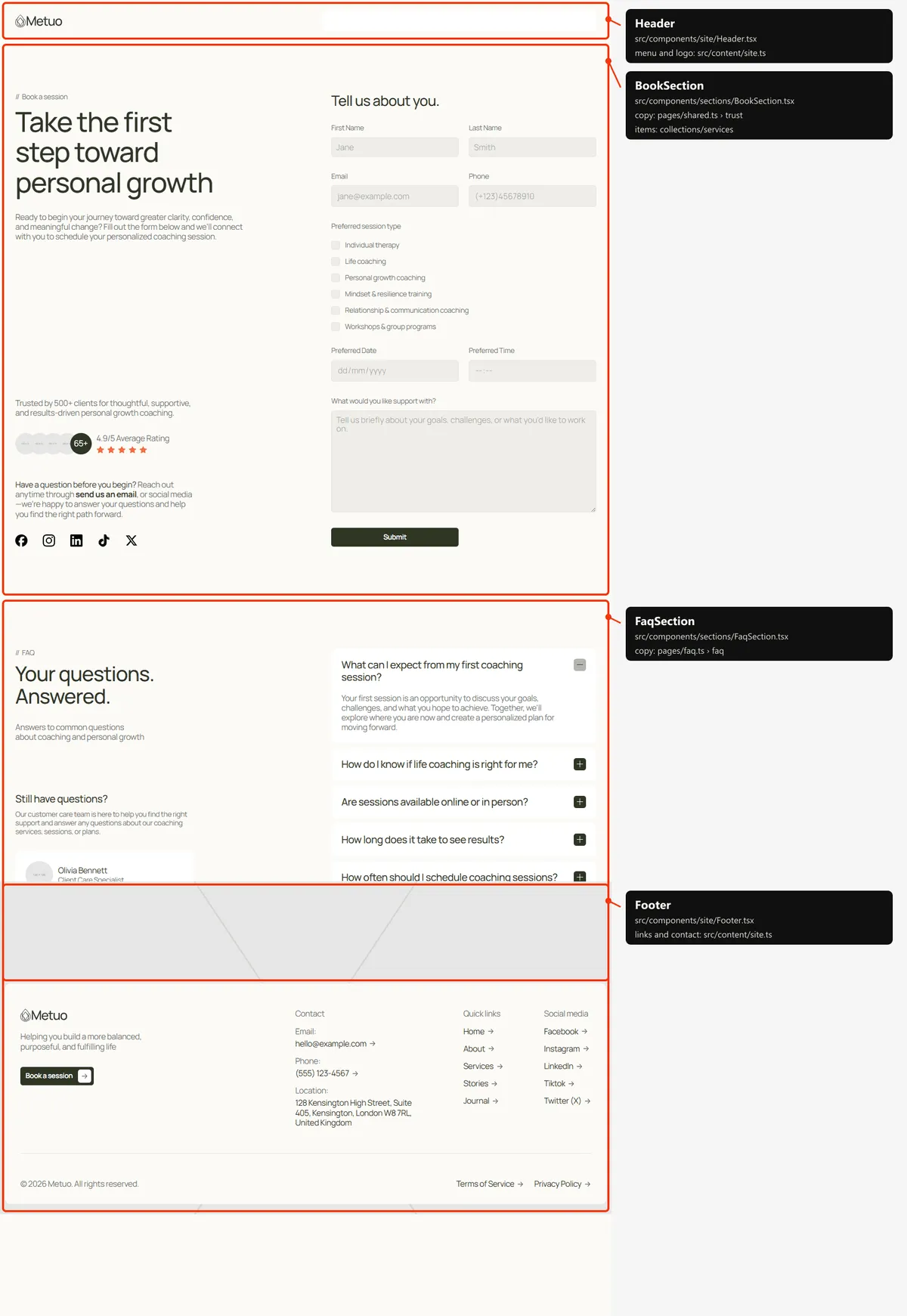
Section titled “Contact”Two sections: the booking form, with its intro as the page’s title and the trust line, the rating, the e-mail line and
the social icons beside it; the questions. The words are in src/content/pages/book.ts (Forms) and
faq.ts.
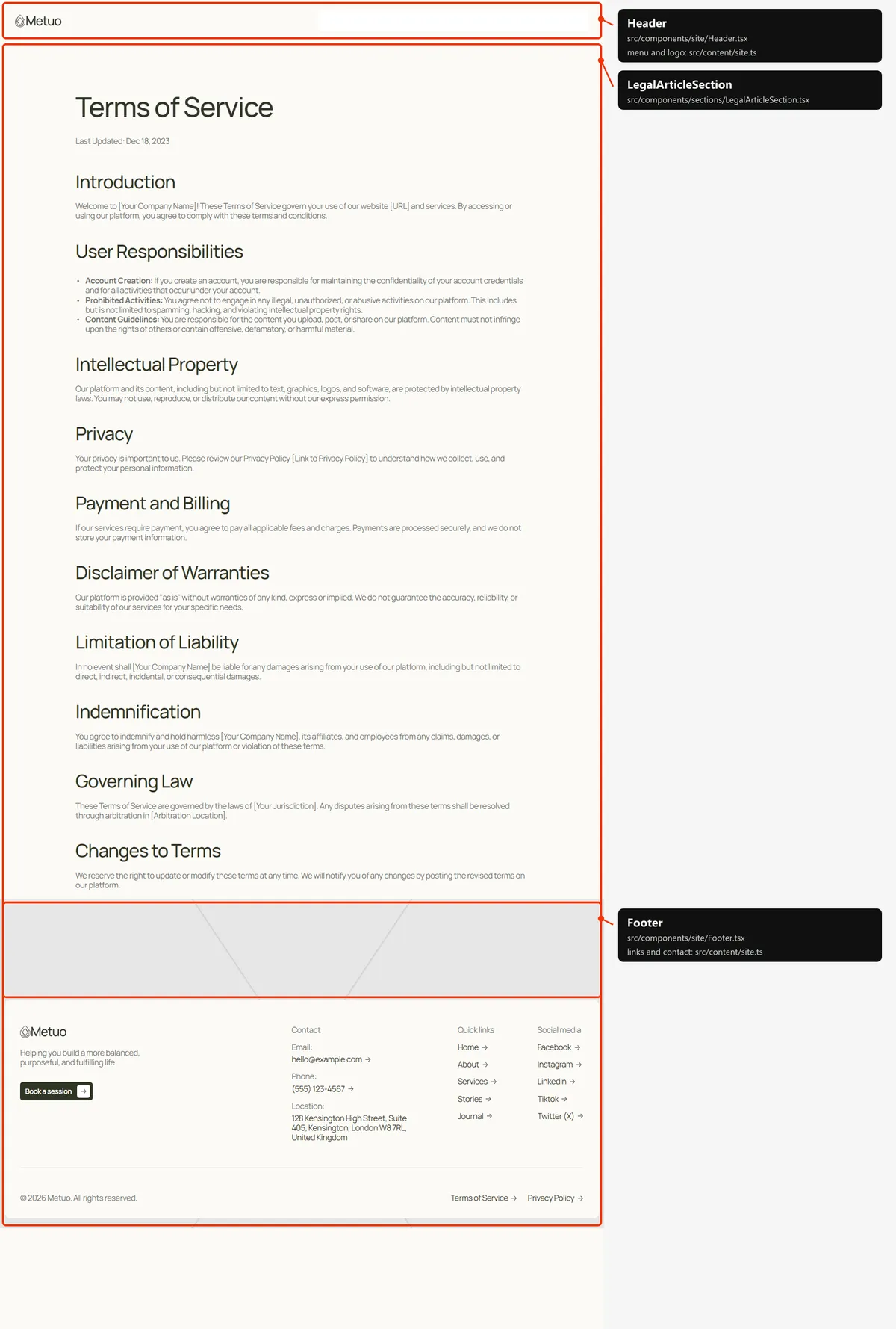
One section: the title, “Last Updated:” with the date, and the text. Everything but “Last Updated:” (updatedLabel in
src/content/pages/legal.ts) is the page’s own entry in src/content/collections/legal.ts.
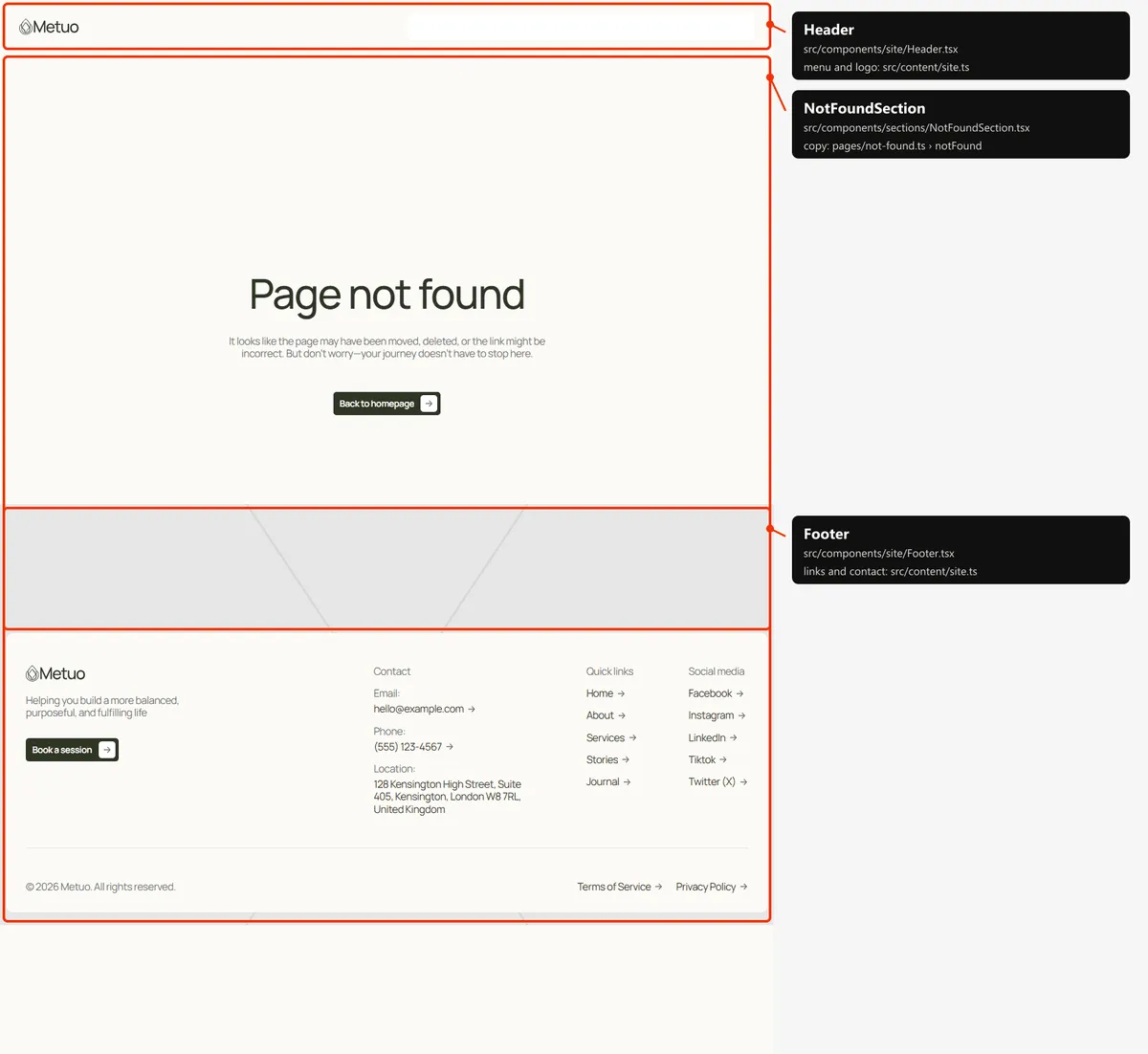
One section: “Page not found”, a line and “Back to homepage”, in the middle of the screen. The words are in
src/content/pages/not-found.ts.
Reordering or removing a section
Section titled “Reordering or removing a section”Move the lines in the page file, or delete one. To take the plans off the home page, delete <PricingSection … /> from
src/app/page.tsx; its copy in src/content/pages/pricing.ts stays for the Service page.
A few blocks are parts of a bigger section, so they go inside its file or its children: the call to action band of
Home and About is passed as the children of <HomeWhySection> and <AboutTeamSection> (delete the
<CtaBandSection … /> line inside them to remove it), the four figures belong to HomeStoriesSection.tsx and
ServiceMainSection.tsx, the founder card to HomeAboutSection.tsx, and the trust block beside the form to
BookSection.tsx.
The header runs transparent over the first section of Home, About, Service, Testimonial and Blog, because that section
carries data-header-cover, and turns solid when the section that carries data-header-switch (the headerSwitch prop of
<Section>) reaches the middle of the screen. If you remove or move the photo at the top of one of those pages, give the
new first section of the page data-header-cover (and the next one headerSwitch), or leave both out: the page then
starts below a solid header.
Adding a page
Section titled “Adding a page”-
Add the URL to
src/content/routes.ts:workshops: "/workshops", -
Add its copy to
src/content/pages/workshops.ts, with ameta(title, description):import type { SectionIntro } from "../types";export const meta = {title: "Workshops",description: "Group workshops on mindset, resilience and communication: small groups, practical tools and a supportive space.",};export const intro: SectionIntro = {label: "Workshops",title: "Grow together in small, supportive groups",text: "Practical sessions on mindset, resilience and communication, led by our coaches.",}; -
Create
src/app/workshops/page.tsx:import type { Metadata } from "next";import { CtaSection } from "@/components/sections/CtaSection";import { SectionIntro } from "@/components/sections/SectionIntro";import { intro, meta } from "@/content/pages/workshops";import { clientRatings, ctaBand, questionLine, socialLinks } from "@/content/pages/shared";import { routes } from "@/content/routes";import { Section } from "@/design-system";import { pageMeta } from "@/lib/meta";export const metadata: Metadata = pageMeta(routes.workshops, meta);export default function WorkshopsPage() {return (<><Section><SectionIntro intro={intro} as="h1" className="max-w-[620px]" /></Section><CtaSection content={ctaBand} ratings={clientRatings} question={questionLine} socials={socialLinks} /></>);}The page starts below the solid header by itself. Give every page one
<h1>: here the title ofSectionIntro(as="h1"). -
Link to it: add
{ label: "Workshops", href: "/workshops" }tonavigationinsrc/content/site.ts. The menu and the footer’s Quick links both show that list. The header’s links are 75 px wide each, made for five short labels: with a sixth, check the header on a tablet. -
Add
routes.workshopsto thepathslist insrc/app/sitemap.ts, next to the other top-level pages.
Removing a page
Section titled “Removing a page”Delete its folder under src/app/, its entry in navigation (src/content/site.ts), its entry in the paths list of
src/app/sitemap.ts, and the route in routes.ts. npm run build then tells you about anything still using the route
through routes. Links written as text in the content are not checked: the footer’s legal links, for example. Search
src/content/ for the path.
Pages built from a collection
Section titled “Pages built from a collection”src/app/blog/[slug]/page.tsx builds one page per post:
export const dynamicParams = false; // only the slugs below exist; anything else is a 404export async function generateStaticParams() { return (await getPosts()).map((post) => ({ slug: post.slug }));}Add a post to src/content/collections/posts.ts, and its page, its card and its sitemap entry appear on the next build.
The same pattern builds the legal pages (src/app/legal/[slug]/page.tsx).
The 404 page
Section titled “The 404 page”src/app/not-found.tsx, with its copy in src/content/pages/not-found.ts. Next.js shows it for any unknown address,
and for a post or legal slug that doesn’t exist, with a 404 status and noindex, like the style guide.
The header
Section titled “The header”- Fixed, over the top of every page. On Home, About, Service, Testimonial and Blog it starts transparent, with a White logo and links over the photo, and turns solid (the page colour, a Green logo and links) when the section after the photo reaches the middle of the screen; it turns back when you scroll up again. On Contact, a post, a legal page and the 404 page it is solid from the start, and the page begins below it. It is 65 px tall on phones and 82 px from tablets up.
- Tablet and desktop: the logo on the left; on the right a pill with the five links and “Book a session”. A dark pill slides to the link under the pointer. Phone: the logo and a menu button.
- On load, the logo, the links one after the other and the button rise into place.
- The menu is
navigationinsrc/content/site.ts, the buttonbookLink. The link of the current page looks like the others; screen readers hear it as the current page. On phones the menu button turns into an X and the bar grows over the page with the links and the button; it closes when a link is tapped, when the visitor presses Escape, when the page changes and when the window grows to tablet width.
Search engines
Section titled “Search engines”- Sitemap:
src/app/sitemap.tsbuildssitemap.xmlfromroutes.tsand the collections: the six main pages (Home, About, Service, Testimonial, Blog, Contact), then every post and every legal page: 20 addresses in the demo. The 404 page and the style guide are left out. - Robots:
src/app/robots.tsbuildsrobots.txt, which allows everything and points at the sitemap. Both usesite.url, so set your domain before publishing. - Per page: every indexable page gets a title, a description, a canonical link, an
og:urland the share image frompageMeta(src/lib/meta.ts). The pages with a file insrc/content/pages/write theirs in itsmeta(a title of at most 60 characters and a description of 80 to 160: the demo’s are); Home usessite.titleandsite.description. A post takes its title and excerpt (an excerpt under 80 characters is followed by the start of the article) and shares its own cover photo; a legal page takes its title and its line indescriptions(legal.ts). A title that would be longer than 60 characters with| Metuoappended is shown without the suffix. - One
<h1>per page: the hero’s title on Home, the photo title on About, Service, Testimonial and Blog, the booking form’s intro on Contact, the title of a post or legal page. - Not indexed: the style guide and the 404 page (
noindex).