Pages and sections — Catchup Astro
A page is a small file that picks sections and hands them content. src/pages/about.astro is the whole About page:
---import AboutAwards from "../components/sections/AboutAwards.astro";import AboutPhilosophy from "../components/sections/AboutPhilosophy.astro";import AboutProcess from "../components/sections/AboutProcess.astro";import AboutTeam from "../components/sections/AboutTeam.astro";import AboutTitle from "../components/sections/AboutTitle.astro";import HeaderSpacer from "../components/sections/HeaderSpacer.astro";import about from "../content/pages/about.json";import { routes } from "../content/routes";import siteContent from "../content/site.json";import Layout from "../layouts/Layout.astro";import { getTestimonials } from "../lib/content";
const testimonials = await getTestimonials();const { site } = siteContent;---
<Layout title={about.meta.title} description={about.meta.description}> <HeaderSpacer /> <AboutTitle data={{ ...about.hero, faces: testimonials.slice(0, about.hero.faces).map((item) => item.photo) }} /> <AboutPhilosophy data={about.philosophy} brand={site.name} homeHref={routes.home} /> <AboutProcess intro={about.process.intro} steps={about.process.steps} /> <AboutAwards intro={about.awards.intro} columns={about.awards.columns} items={about.awards.items} images={about.awards.images} /> <AboutTeam intro={about.team.intro} members={about.team.members} /></Layout>Layout(src/layouts/Layout.astro) gives the page its browser title, description, canonical link, share image and icons, the header and the footer.HeaderSpacertakes the room of the fixed header, so the page starts under it (Home has none: its hero runs under the header).- Each section gets its copy from
about.json;AboutTitlealso gets the photos of the first testimonials (the clients’ faces), andAboutPhilosophythe site’s name for the logo link on its photo.
Pages built from a collection read it through src/lib/content.ts (getWorks(), getServices(), getPosts(), …) and
turn each item into what a card shows with src/lib/to-ui.ts (see Editing the content).
The pages
Section titled “The pages”11 kinds of page and 28 addresses in the demo. Every address is in src/content/routes.ts.
| Page | Address | Page file | Copy (src/content/pages/) |
Items it shows |
|---|---|---|---|---|
| Home | / |
src/pages/index.astro |
home.json |
every project (intro, hero, logos, cards), every service, every testimonial, the three newest posts |
| About | /about |
src/pages/about.astro |
about.json |
the faces of the first testimonials |
| Work | /work |
src/pages/work.astro |
work.json (workPage) |
every project |
| Project | /work/<slug> |
src/pages/work/[slug].astro |
work.json (workItemPage) |
one project, its services’ names, its client’s testimonial, two other projects |
| Services | /service |
src/pages/service.astro |
services.json (servicesPage) |
every service |
| Service | /service/<slug> |
src/pages/service/[slug].astro |
services.json (serviceItemPage) |
one service, the testimonial of each plan, the three others |
| Blog | /blog |
src/pages/blog.astro |
blog.json |
every post, newest first |
| Post | /blog/<slug> |
src/pages/blog/[slug].astro |
post.json |
one post, up to two more of its category |
| Contact | /contact |
src/pages/contact.astro |
contact.json |
the legal pages (the consent note’s links) |
| Legal | /legal/<slug> |
src/pages/legal/[slug].astro |
legal.json |
one legal page |
| 404 | any unknown address | src/pages/404.astro |
not-found.json |
— |
The addresses are the original design’s: the Services page is /service, and a service is /service/<slug>. Pages are
built as files (about.html, work/liva-beauty-skincare.html), which hosts serve at /about and
/work/liva-beauty-skincare (Going live). To change an address, rename its file in src/pages/
(and its folder, for the pages built from a collection) and its entry in routes.ts, and search the content for the old
address: links written as text aren’t checked (removing a page).
The sections you can use
Section titled “The sections you can use”In src/components/sections/, one file per section. Each takes its copy from a page file (or site.json) and its
items from a collection.
| Section | File | Used on |
|---|---|---|
HomeIntro, HomeHero, HomeLogos, HomeAbout (with StatBlock, PhotoCard), HomeServices, HomeWorks, HomeTestimonials, HomeCta, HomeBlog |
one file each | Home |
AboutTitle, AboutPhilosophy, AboutProcess, AboutAwards, AboutTeam |
one file each | About |
WorkList |
WorkList.astro |
Work |
WorkItemHero (with WorkItemDetails), WorkItemStory (with WorkItemPhoto), WorkItemOther |
one file each, and work-item.ts |
Project |
ServicesList |
ServicesList.astro |
Services |
ServiceHero, ServiceOffer, ServicePricing, ServiceMore |
one file each | Service |
BlogList (with BlogGrid) |
BlogList.astro, BlogGrid.astro |
Blog |
PostArticle (with TallAppear), PostMore |
one file each | Post |
ContactMain |
ContactMain.astro |
Contact |
LegalPage |
LegalPage.astro |
Legal |
NotFoundMain |
NotFoundMain.astro |
404 |
HeaderSpacer |
HeaderSpacer.astro |
every page but Home |
Some parts are shared: TitleBlock.astro (the page title appearing word by word, with the lead and a slot beside and
under it) opens Work, Services, About and a project page, with the padding of page-title.ts; WorkItemStory draws The
Challenge, Our Solution and The Outcome with three layouts of photos.
Blocks that appear on several pages
Section titled “Blocks that appear on several pages”Collections feed several pages at once, so changing an item there changes every page that shows it:
| Block | Comes from | Shown on |
|---|---|---|
| The project cards | work.json |
Home (“Our Work”), Work, “Other works” on a project page |
| The service cards | services.json |
Home (“What We Do”), “More Services” on a service page; Services shows each service as a larger card |
| The testimonials | testimonials.json |
Home (the rows, and the faces of the 4.9★ card), About (the faces), every service page (one per plan), every project page (its client’s quote) |
| The post cards | posts.json |
Home (“News & Insights”), Blog, “More Blog” on a post |
| The footer’s Services, Recent Works and legal links | services.json, work.json, legal.json |
every page |
| The contact details and social links | contact and socials in site.json |
Contact, the footer |
Other blocks are written in each page’s file, so a page can say something different; to change one everywhere, change it in every file that has it:
| Block | Field | Shown on |
|---|---|---|
| The numbers (80+ brands, 150+ projects, 120 %, 4.9★) | about.brands, about.projects, about.engagement, about.satisfaction in home.json; philosophy.stats in about.json |
Home, About |
| “Start a Project”, “Let’s Connect” and the other buttons to Contact | the action, primary and cta entries of each page file |
Home, About, Work, Services |
| “Book a 15-min call” | bookingHref and footer.action.label in site.json; serviceItemPage.pricing.action in services.json |
the footer, every service page |
How the pages link to each other
Section titled “How the pages link to each other”The menu holds Home, Studio (About), Works, Services and Insights (Blog), and the Contact button; the logo leads Home. The other pages are reached like this:
| Page | Linked from |
|---|---|
| A project | Its card (Home, Work, “Other works”), its slide in the Home hero, the footer’s Recent Works |
| A service | Its card (Home, Services, “More Services”), the tags of the project cards and the hero slides, a project’s Details, the footer’s Services |
| A post | Its card (Home, Blog, “More Blog”) |
| A legal page | The footer’s bottom row, the consent note under the contact form, links inside the other legal page |
| Home, About, Work, Services, Blog, Contact | Also the footer’s Sitemap (footer.sitemap in site.json) and the buttons of the copy (“Let’s Collaborate”, “More About Us”, “View All Works”, “View All”…) |
Page maps
Section titled “Page maps”Every page type with each section outlined and labelled: the component that renders it, the file to edit, and where its
copy (src/content/pages/*.json, src/content/site.json) and items (src/content/collections/*.json) come from.
Header and footer take their links and details from src/content/site.json and the collections. Photos are the
placeholders of the download.
Nine blocks, top to bottom: the intro (a black cover where the project photos rise into a window, then the logo; once
per visit); the hero (every project as a full-screen slide, with the tag, the title, the text and two buttons, the
current project’s card and the list of titles); the moving row of client logos; “About Us” with five numbers and the Core
Values card; “What We Do”, the service cards and the mint call-to-action card; “Our Work”, every project as a card;
“What Our Clients Say”, the testimonials in two moving rows (a carousel on tablets and phones); the call to action with a
photo; “News & Insights”, the three newest posts. Their words are in src/content/pages/home.json; the slides, logos,
cards, faces and quotes come from the collections.

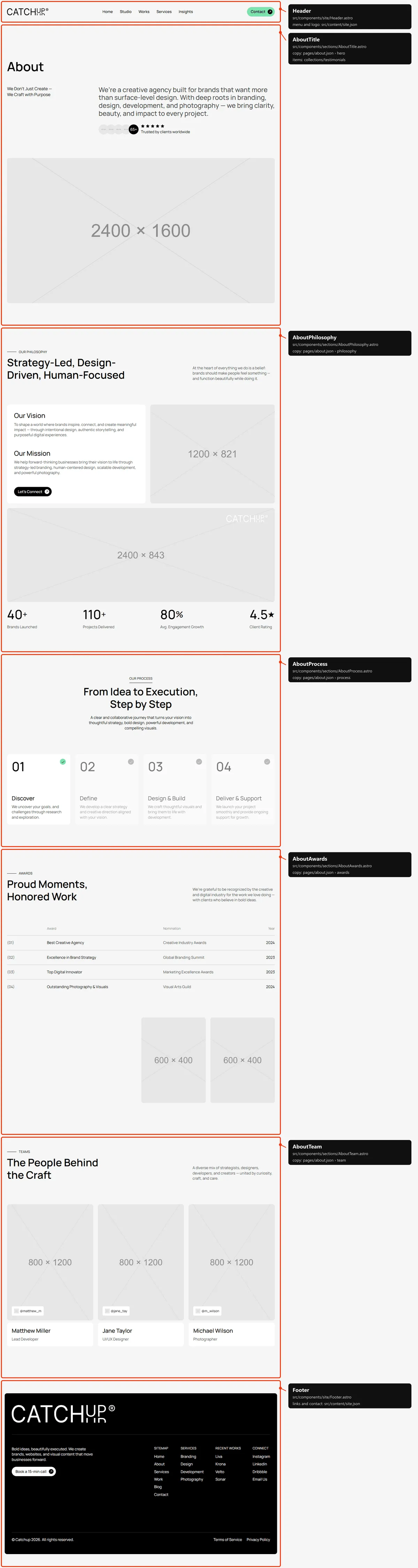
Five sections: the title with the subtitle, the text and the clients (their faces, the count, the stars), over a wide
photo; “Our Philosophy” (Our Vision and Our Mission in a card with a button, two photos, the logo on the wide one, four
numbers); “Our Process”, four steps that light up when the block comes into view; “Awards”, a table of four award rows
and two photos; “Teams”, the members with their social chip. The words are in src/content/pages/about.json; the faces
are the first testimonials’ photos.
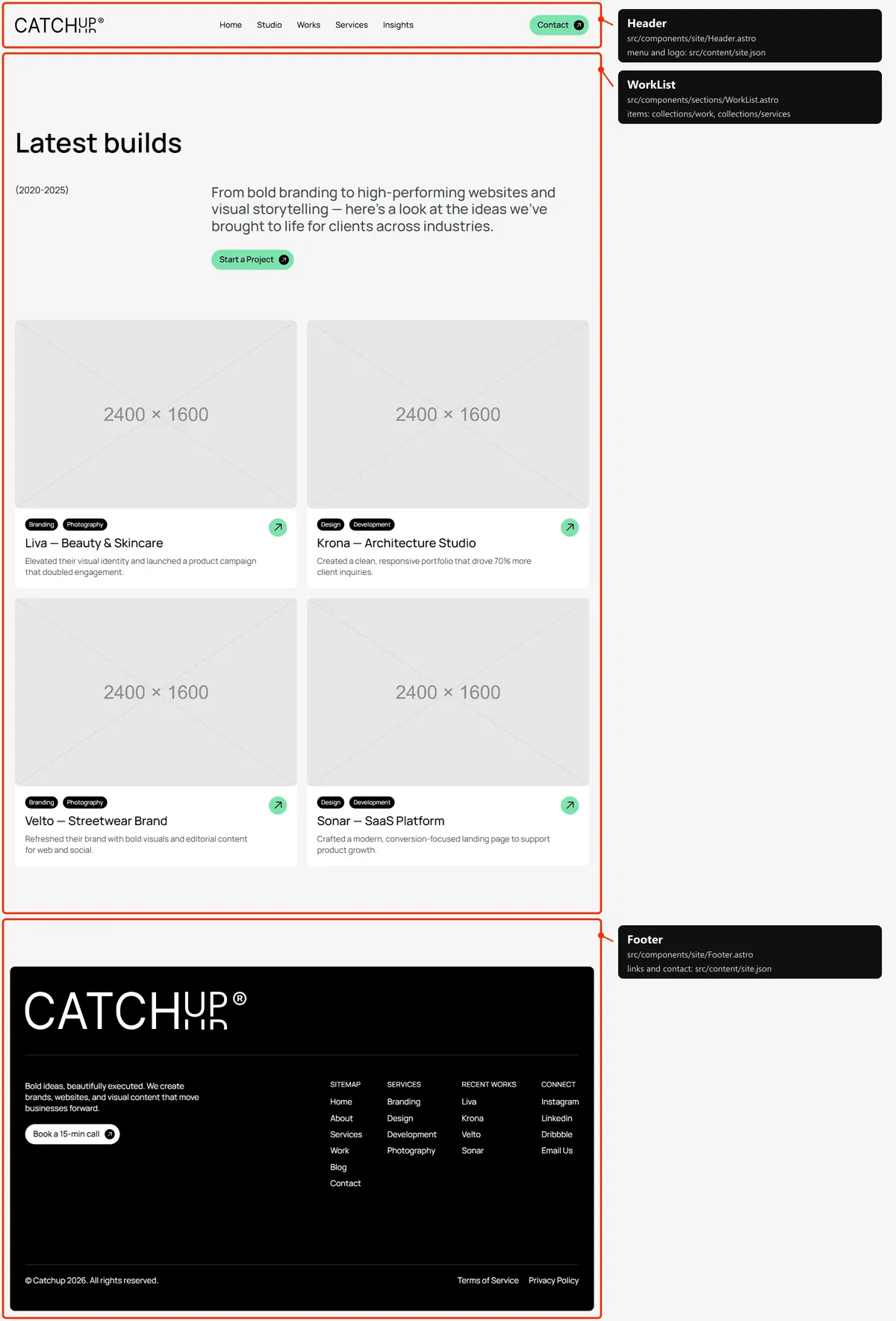
One section: the title, the years beside the text, “Start a Project”, then every project as a card (two per row on
desktops). The words are workPage in src/content/pages/work.json, the projects work.json.
Project
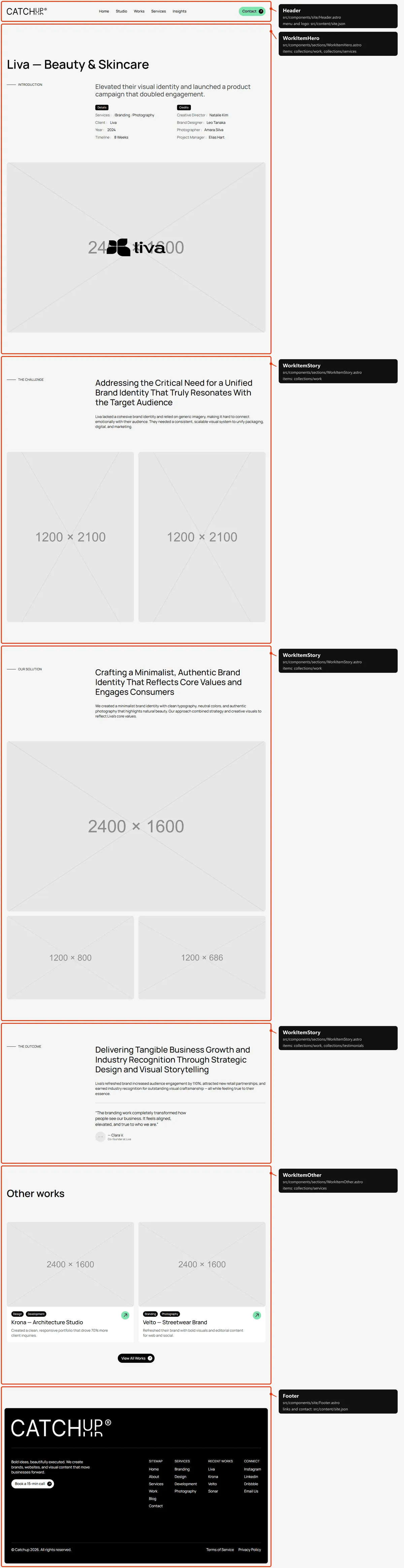
Section titled “Project”Five sections: the title with “Introduction” and the summary, the Details (services, client, year, timeline) and Credits
tables, the wide photo with the client’s logo; “The Challenge” with two photos; “Our Solution” with three; “The Outcome”
with the client’s quote; “Other works”, the next two projects in the file’s order, and “View All Works”. Everything but
the headings is the project in work.json (and its client in testimonials.json); the headings are workItemPage in
src/content/pages/work.json.
Services
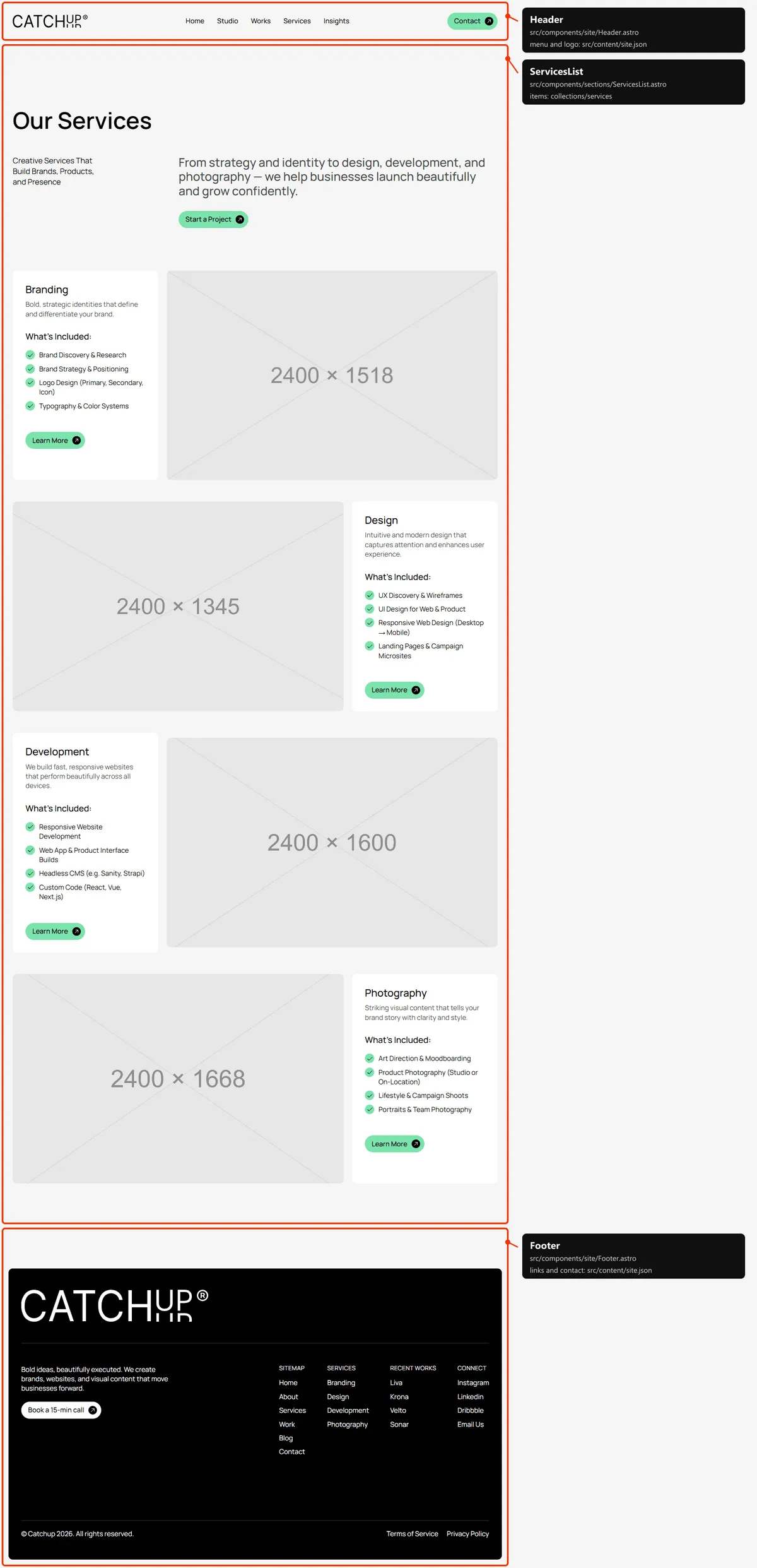
Section titled “Services”One section: the title, the tagline beside the text, “Start a Project”, then every service as a large card (its name,
summary, “What’s Included:” with its first four deliverables and “Learn More”, beside its photo; alternating sides on
desktops). The words are servicesPage in src/content/pages/services.json; the cards are services.json.
Service
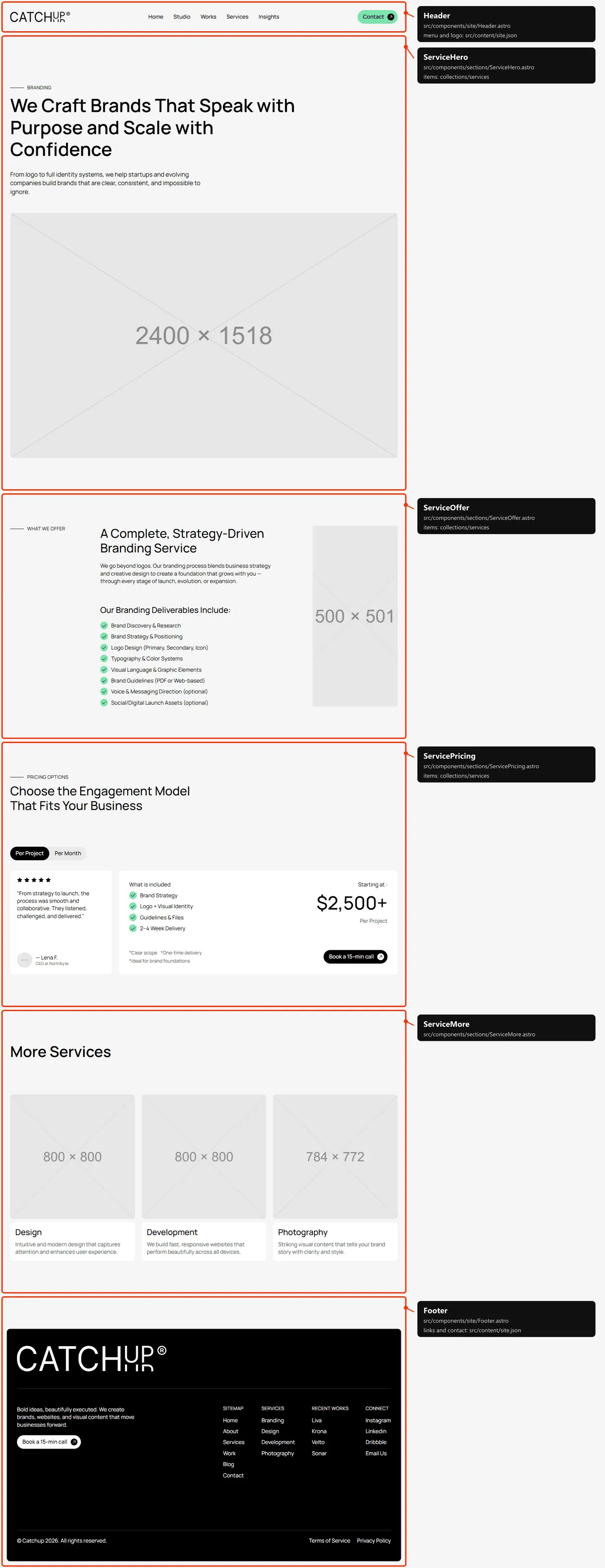
Section titled “Service”Four sections: the title (the service’s name above its overview title, the overview text, the wide photo); “What We
Offer” (the offer’s title and text, “Our … Deliverables Include:” with every deliverable, the decorative image);
“Pricing Options”, the Per Project / Per Month switch with the plan (what is included, the price, the notes and “Book a
15-min call”) beside its client’s testimonial; “More Services”, the three others. Everything is the service in
services.json (and the two clients in testimonials.json), apart from the labels, the decorative image and the
button (serviceItemPage in src/content/pages/services.json).
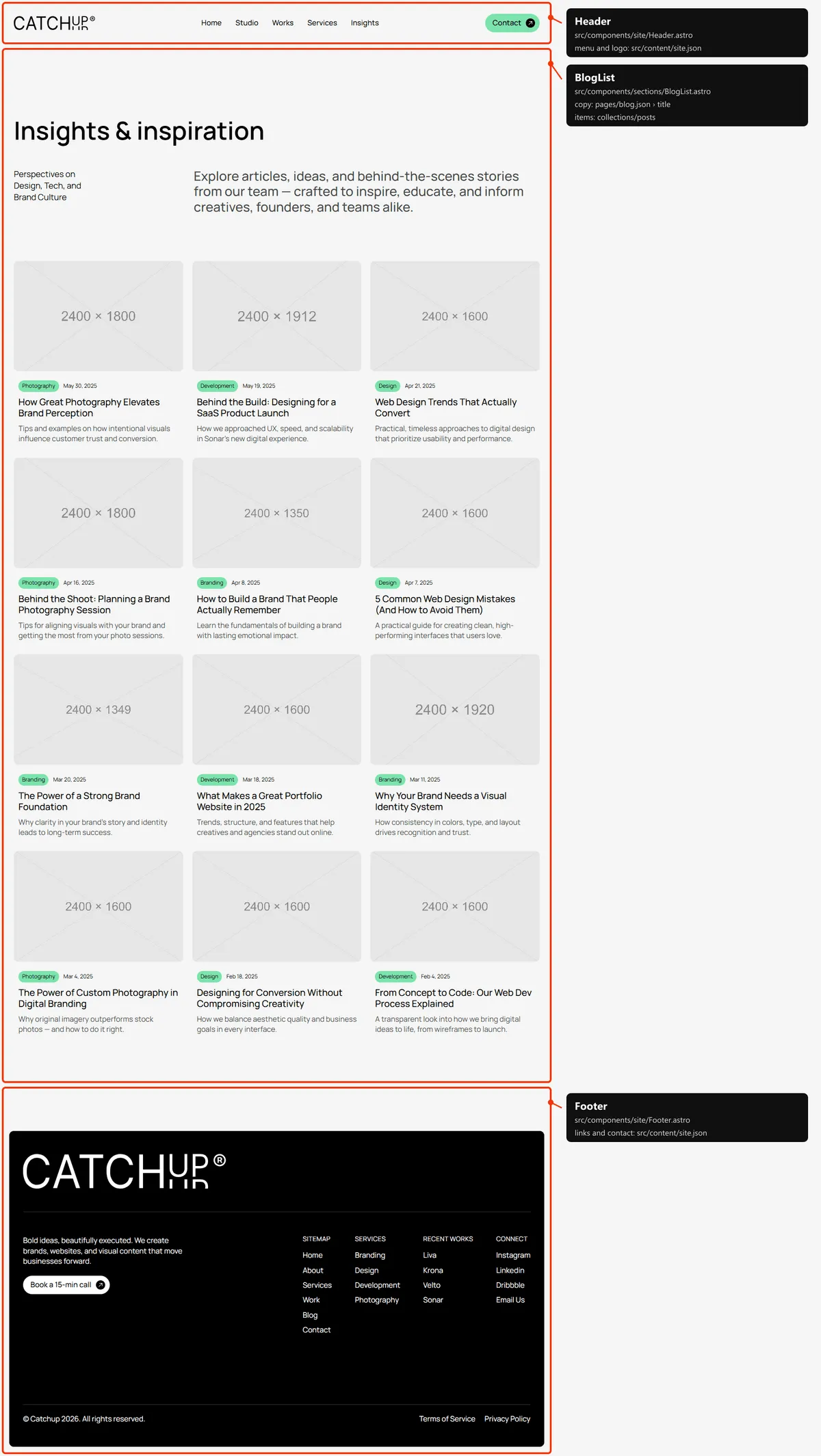
One section: the title, a short line beside the text, then every post as a card, three per row on desktops: four at
first and four more each time the spinner under the grid comes within 500 px of the window (eight right after load on
desktops and tablets). The words are in src/content/pages/blog.json, the posts in posts.json.
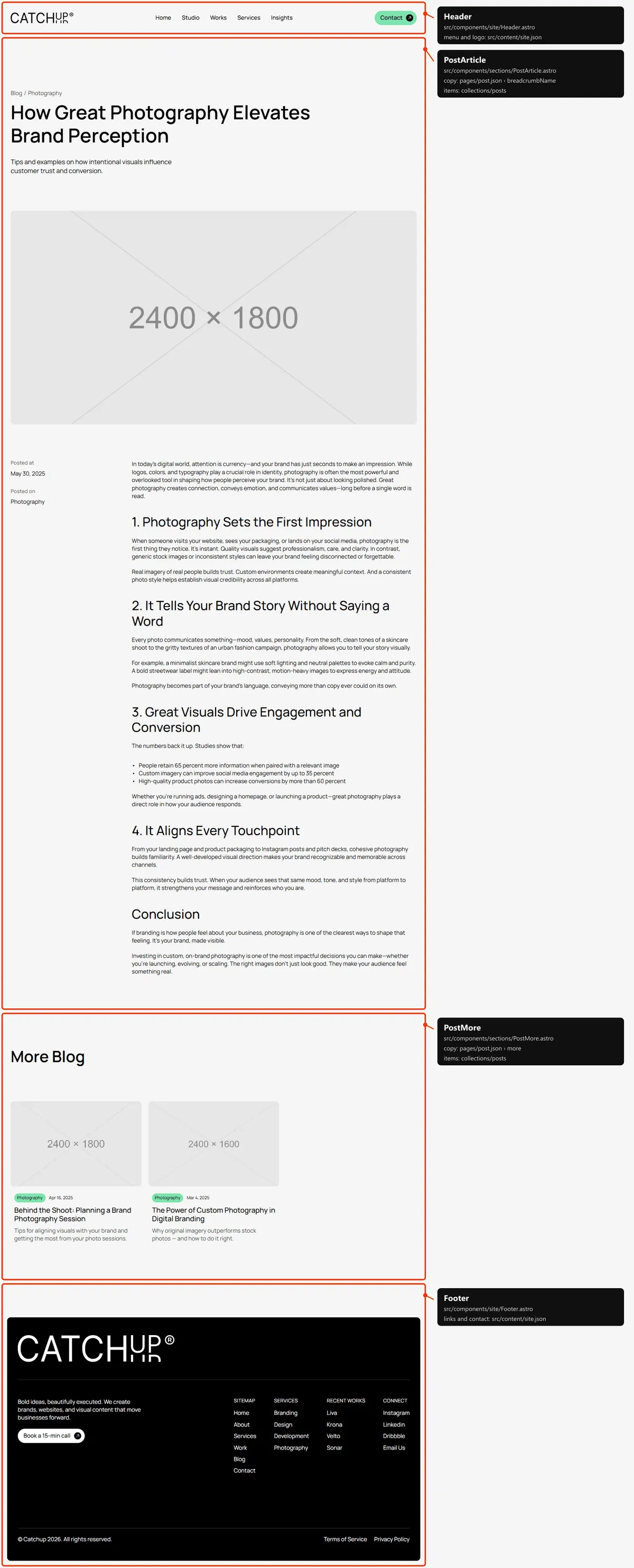
Two sections: the article (the breadcrumb “Blog / category”, the title, the excerpt, the cover, the date and category
beside the text) and “More Blog”, up to two more posts of the same category (left out when there are none). Everything
but the labels (src/content/pages/post.json) is the post in posts.json.
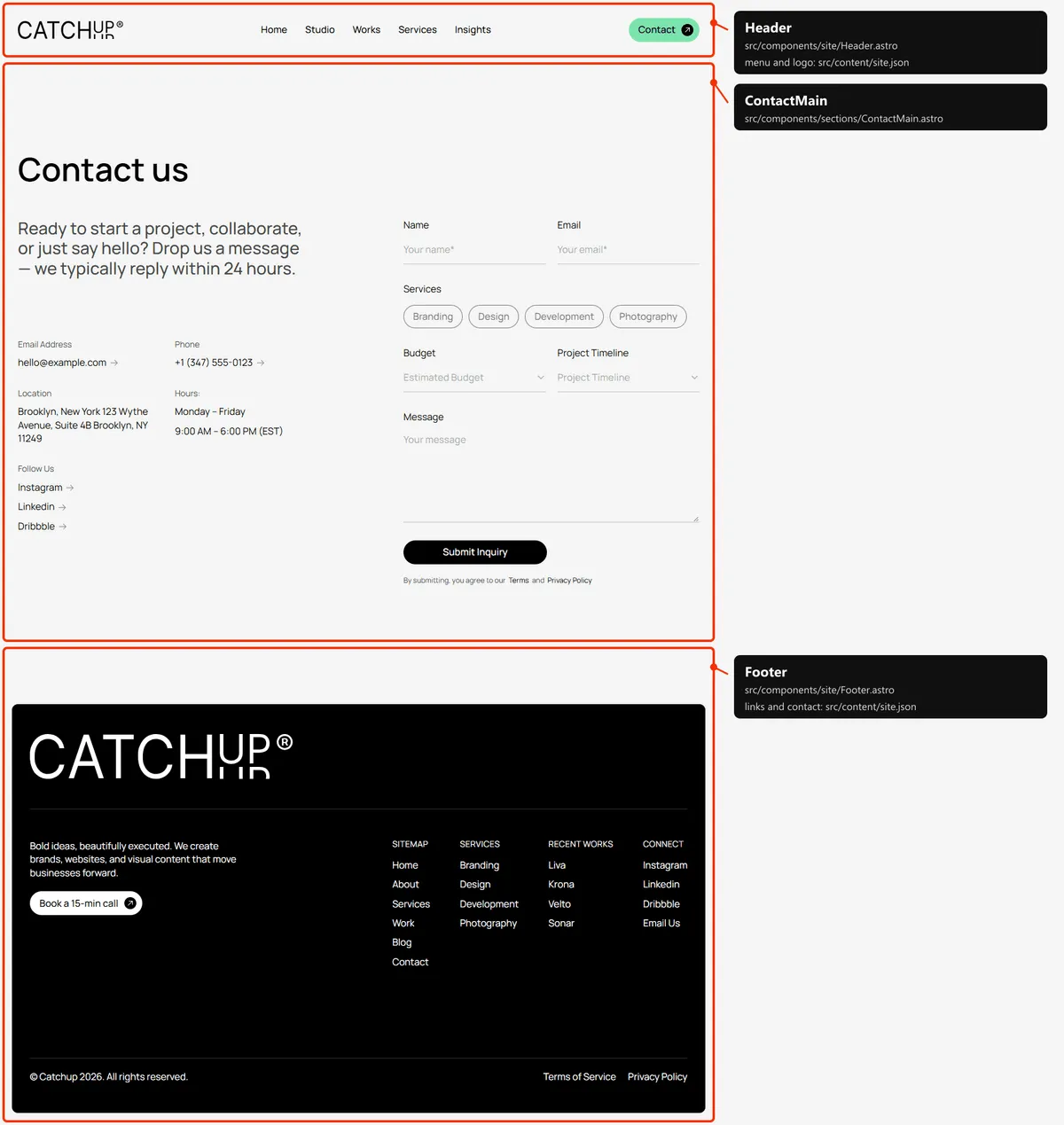
Contact
Section titled “Contact”One section: the title, the text, the details (e-mail, phone, location, hours, “Follow Us” with the social links)
beside the inquiry form, and the consent note under its button (Forms). The words and the form are in
src/content/pages/contact.json; the e-mail, phone and social links are contact and socials in
src/content/site.json.
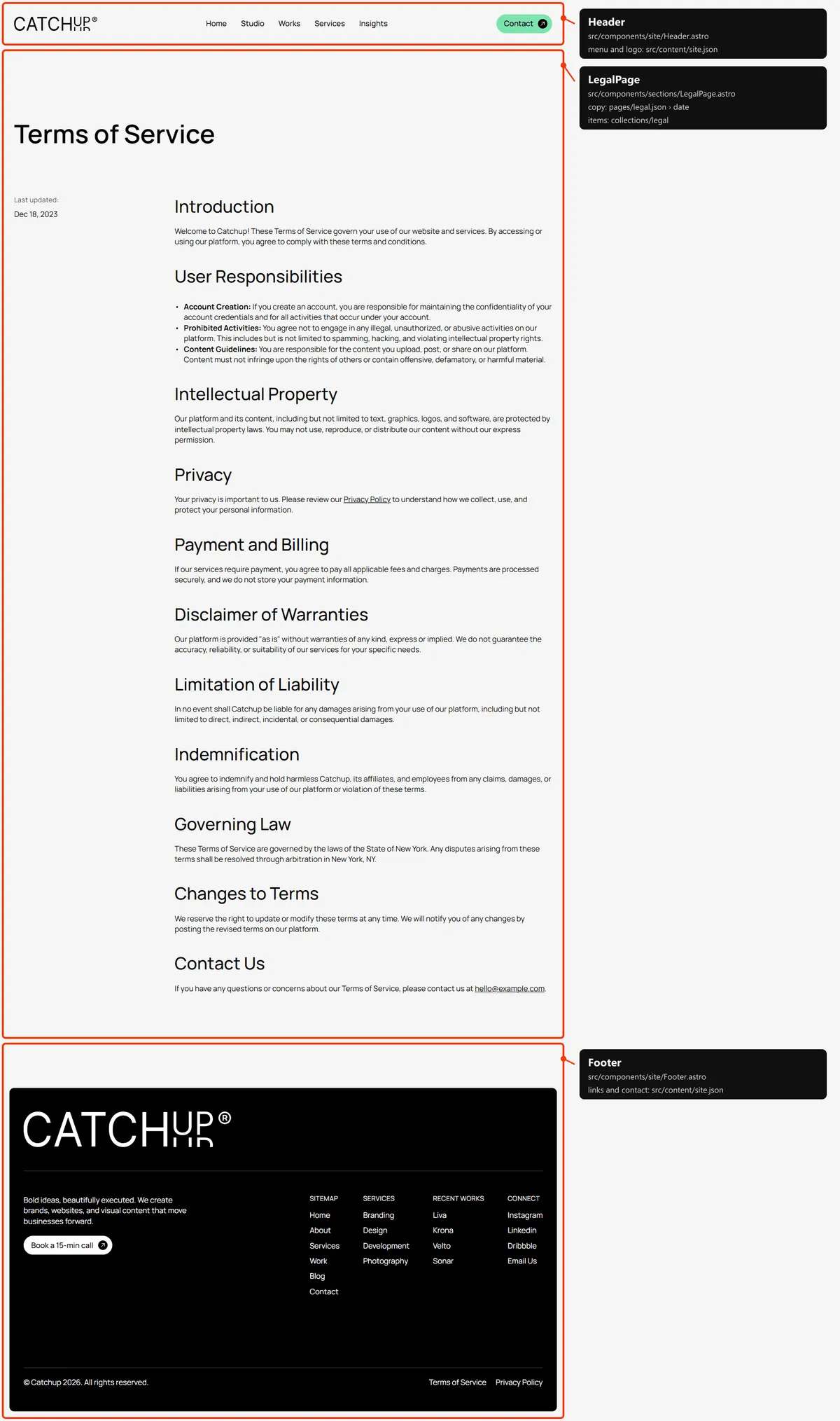
One section: the title, “Last updated:” with the date beside the text. Everything but the label
(src/content/pages/legal.json) is the page in legal.json.
Page not found
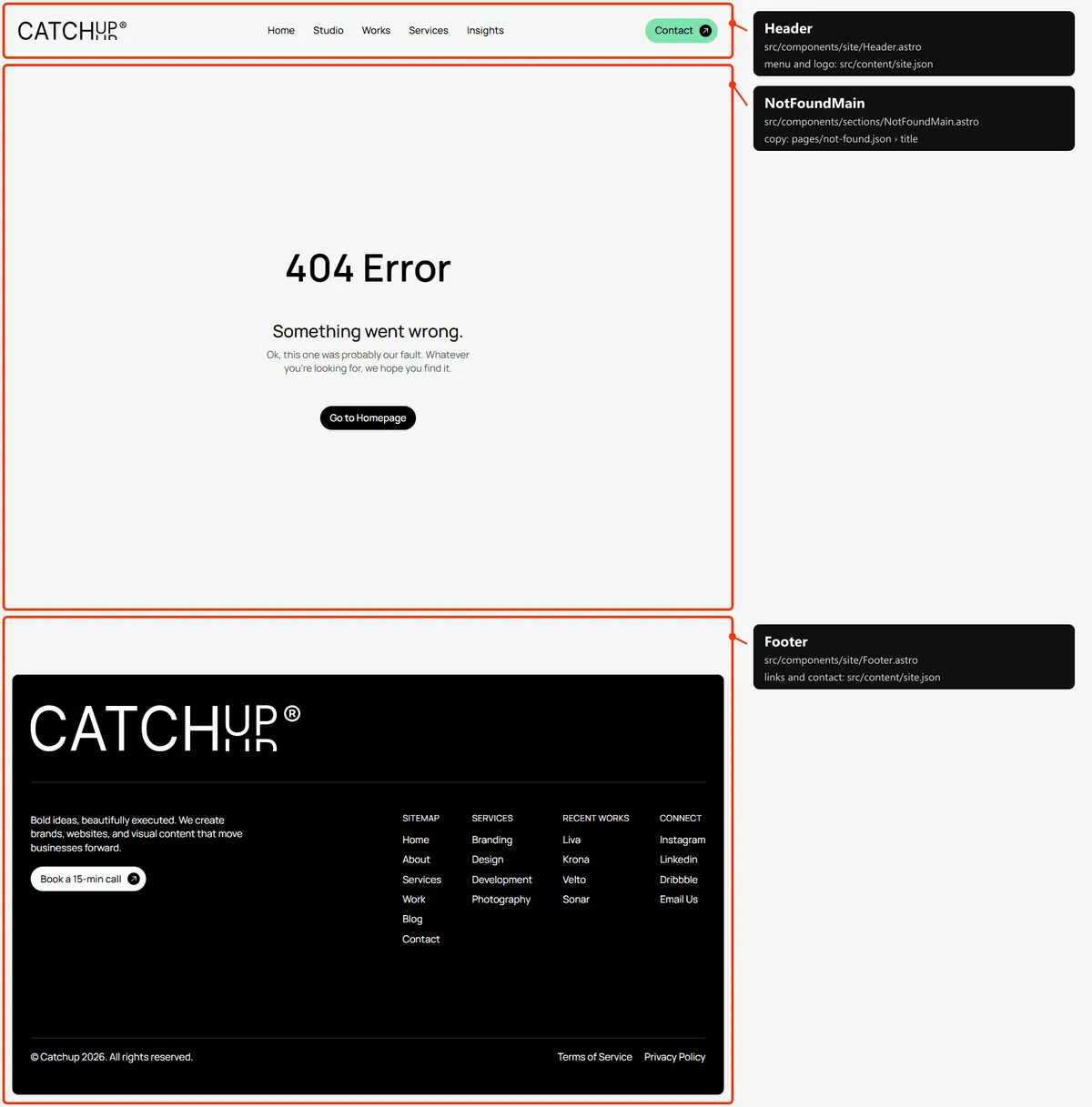
Section titled “Page not found”One section, one screen tall: “404 Error”, a heading, a line and a button back to Home. They are in
src/content/pages/not-found.json.
Reordering or removing a section
Section titled “Reordering or removing a section”Move the lines in the page file, or delete one (and its import). To take the testimonials off the home page, delete
<HomeTestimonials … /> from src/pages/index.astro; its copy in src/content/pages/home.json can stay or go, as every
page reads only its own file. Home’s hero runs under the header, and the section right after it carries id="start"
(HomeLogos): the fixed header appears once the page scrolls past that point, so if you remove the logo row, give the
next section id="start".
A few blocks are parts of a bigger section, so they go inside its file: the Core Values card and the numbers are parts of
HomeAbout.astro, the call-to-action card of “What We Do” is part of HomeServices.astro, and the Details and Credits
tables of a project are WorkItemDetails.astro inside WorkItemHero.
Adding a page
Section titled “Adding a page”-
Add the URL to
src/content/routes.ts:careers: "/careers", -
Add its copy to
src/content/pages/careers.json, with ameta(title, description):{"meta": {"title": "Careers","description": "Join the studio: open roles in branding, design, development and photography, and how we work together."},"title": "Careers","text": "We’re always looking for curious designers, developers and photographers.","action": { "label": "Get in Touch", "href": "/contact" }} -
Create
src/pages/careers.astro:---import HeaderSpacer from "../components/sections/HeaderSpacer.astro";import TitleBlock from "../components/sections/TitleBlock.astro";import { titleSectionPadding } from "../components/sections/page-title";import careers from "../content/pages/careers.json";import Button from "../design-system/components/actions/Button.astro";import Section from "../design-system/components/layout/Section.astro";import Layout from "../layouts/Layout.astro";---<Layout title={careers.meta.title} description={careers.meta.description}><HeaderSpacer /><Section padding={titleSectionPadding}><TitleBlock title={careers.title} lead={careers.text}><Button href={careers.action.href}>{careers.action.label}</Button></TitleBlock></Section></Layout>HeaderSpacerkeeps the page from starting under the fixed header (the header).TitleBlockgives the page its one<h1>. -
Link to it: add
{ "label": "Careers", "href": "/careers" }tonavigationinsrc/content/site.json(the menu), and tofooter.sitemapif you want it in the footer. -
Add
routes.careersto thepageslist insrc/pages/sitemap.xml.ts, next to the other top-level pages.
Removing a page
Section titled “Removing a page”Delete its file under src/pages/ (for Work, Services and Blog, also the folder of their item pages), its entry in
navigation and the footer’s Sitemap (src/content/site.json), its line in src/pages/sitemap.xml.ts, and the route
in routes.ts. npm run check then tells you about anything still using the route through routes (the footer, for
example, links every service and project). Links written as text in the content are not checked: the /contact,
/work, /service and /blog of the buttons and the 404 page, for example. Search src/content/ for the path.
Pages built from a collection
Section titled “Pages built from a collection”src/pages/blog/[slug].astro builds one page per post:
export const getStaticPaths = (async () => (await getPosts()).map((post) => ({ params: { slug: post.slug }, props: { post } }))) satisfies GetStaticPaths;Add a post to src/content/collections/posts.json, and its page, its card and its sitemap entry appear on the next
build; any other address under /blog/ is a 404. The same pattern builds the project, service and legal pages
(src/pages/work/[slug].astro, service/[slug].astro, legal/[slug].astro).
The 404 page
Section titled “The 404 page”src/pages/404.astro, with its copy in src/content/pages/not-found.json. It is built as 404.html, which hosts serve
for any unknown address, with a 404 status; it is noindex, like the style guide.
The header
Section titled “The header”- Home: the header lies over the hero, transparent, with the logo and the links in white, and scrolls away with the
page. A second bar, fixed and in the page colour, fades in once the page has scrolled past the hero and out again
above it. Every other page: the fixed bar alone, from the start. It is 100 px tall on desktops, 90 on tablets and
60 on phones;
HeaderSpacertakes the same room at the top of the page. - Desktop and tablet: the logo on the left, the links in the middle, the mint Contact button on the right. Phone: the logo and a “Menu” button.
- The phone menu. A press grows the bar over the page to the links and the Contact button (on Home the bar turns to
the page colour). It closes on a press anywhere in the open bar (a link included) and on Escape.
src/components/site/header.tsruns it. - The menu is
navigationinsrc/content/site.json, the buttonheaderAction. The link of the current page looks like the others; screen readers hear it as the current page.
Search engines
Section titled “Search engines”- Sitemap:
src/pages/sitemap.xml.tsbuildssitemap.xmlfromroutes.tsand the collections: the six main pages (Home, About, Work, Services, Contact, Blog), then every post and legal page (with its date), every project and every service: 28 addresses in the demo. The 404 page and the style guide are left out. - Robots:
src/pages/robots.txt.tsbuildsrobots.txt, which allows everything and points at the sitemap. Both usesite.url, so set your domain before publishing. - Per page: every indexable page gets a title, a description, a canonical link, an
og:urland a share image fromsrc/layouts/Layout.astro(withsrc/lib/meta.ts). The pages with a file insrc/content/pages/write theirs in itsmeta(a title of at most 60 characters and a description of 80 to 160: the demo’s are); Home usessite.titlewhen itsmeta.titleis the same. The pages built from a collection take theirs from the item: a project its title and summary, a service its name and overview text, a post its title and excerpt, a legal page its title and first paragraph (a text under 80 characters is followed by the start of the next one). A title that would be longer than 60 characters with| Catchupappended is shown without the suffix. Posts are shared as articles, with their date and category. Every page shares the same image,public/opengraph-image.png. - Not indexed: the style guide and the 404 page (
noindex).